What Is Platform Event Trap? Proven Ways to Avoid It in Salesforce
You built a Salesforce integration. It worked perfectly in testing. Then it broke in production — and that failure has a name: the platform event trap.
This trap catches even experienced Salesforce admins off guard. If you use Salesforce platform events for integrations, alerts, or real-time data syncing, understanding this trap can save you from data loss, duplicate records, and system outages.
In this guide, you’ll learn what platform event trap really means, why it happens, and how to avoid it with proven best practices — based on Salesforce’s own Platform Events Developer Guide and common patterns admins run into with real event-driven Salesforce orgs.
What Is Platform Event Trap in Salesforce?
A platform event trap happens when teams use Salesforce platform events without fully understanding how they work behind the scenes.
It is not one single bug. It’s a pattern of small design mistakes that pile up over time. Individually, they seem harmless. Together, they cause failed integrations, duplicate records, and system slowdowns.
The tricky part? These problems rarely show up in a small test environment. They usually appear only after you go live, when real users and real data volumes hit your system.
Why the Term “Trap” Fits
The word “trap” is fitting because everything looks fine at first. Your logic passes every test. Your integration fires correctly in the sandbox.
Then production traffic arrives, and the same setup starts failing. That gap between testing and reality is exactly where the platform event trap hides.
How Does Platform Event Trap Happen in Salesforce?
To understand how platform event trap occurs, you need to know one basic fact: platform events in Salesforce are asynchronous. They do not process instantly, and they do not guarantee delivery order.
Many teams treat platform events like a normal function call that runs immediately. That mismatch between expectation and reality is where most trouble starts.
Testing in a Limited Environment
Developer Edition sandboxes run with much smaller limits than production. They support far fewer daily events and fewer concurrent subscribers than an Enterprise Edition org.
This creates false confidence. Your event trigger works fine with light testing, but it was never truly stress-tested against production-level volume, network delays, or multiple systems talking at once.
Misunderstanding Event Ordering
Salesforce does not promise that platform events will arrive in the exact order you published them. Retries, queues, and system load can shuffle the sequence, and in rare cases, a subscriber may even receive the same event twice.
If your business logic assumes strict order, you’re setting yourself up for the trap.
Common Mistakes That Cause Platform Event Trap
Most platform event trap cases trace back to a handful of repeated mistakes. Here are the ones to watch for.
1. Forcing Real-Time Behavior on Async Events
Platform events are built for background processing, not instant UI feedback. If users need to see an update the moment it happens, a platform event is the wrong tool.
For real-time, user-facing updates, Lightning Web Components, Apex methods, or Salesforce Flow are better choices. Save platform events for system-to-system communication where a short delay is acceptable.
2. Ignoring Platform Event Limits
Every Salesforce edition enforces limits on how many platform events you can publish and how large each event payload can be. Developer Edition supports a much smaller daily event volume than Enterprise Edition, and payload size is capped as well. You can check the exact, current numbers for your edition on Salesforce’s official Platform Event Allocations page, since these limits can change between releases.
If you go over these limits, events can fail silently or get throttled. That silent failure is often the first sign someone missed a limit.
3. Skipping Idempotent Design
Because Salesforce can occasionally deliver the same platform event more than once, your subscriber logic needs to handle duplicates gracefully. This is called idempotent processing — running the same event twice should never create two records or trigger two actions.
Without this safeguard, duplicate events silently corrupt your data over time.
4. Testing Only in a Basic Sandbox
Relying only on a Developer sandbox means you never see how your integration behaves under real concurrency, real data volume, or real network conditions. Problems that were invisible in testing show up fast once you go live.
5. Leaving Event Subscribers Unsecured
Weak authentication or overly broad permissions on your event subscribers create security risk, not just performance risk. Missing OAuth setup, no encryption, or excessive access rights can quietly expose sensitive data.
Salesforce Platform Event Best Practices
Now that you know what causes the trap, here’s how to build integrations that avoid it.
Design for Asynchronous Behavior
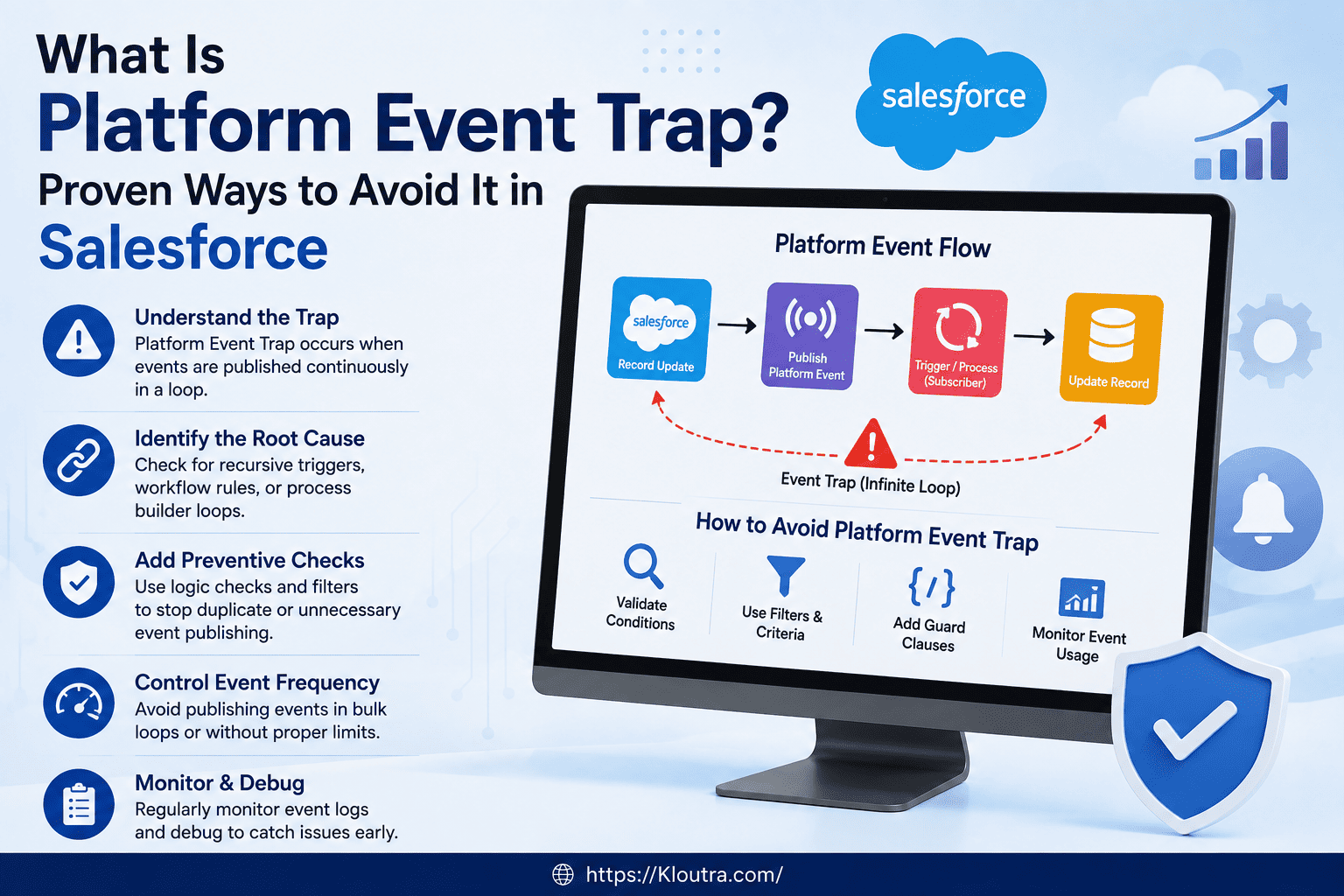
Accept that platform events are asynchronous by nature. Decouple event publishing from the actual business logic, and build proper retry and error-handling into every subscriber.
Make Every Subscriber Idempotent
Use a unique identifier on each event so your subscriber can check whether it already processed that event before acting again. This one habit alone prevents most duplicate-record problems tied to platform event trap.
Monitor Your Event Usage
Set up dashboards that track your daily and hourly event volume, processing delays, and error rates. Watching these numbers regularly helps you catch a problem before it turns into an outage.
Secure Every External Subscriber
Use proper authentication (like OAuth) and encrypted connections (SSL/TLS) for any subscriber receiving your platform events, especially external systems. Review access permissions regularly so subscribers only get what they truly need.
Test Under Production-Like Conditions
Whenever possible, test in a full sandbox that mirrors your real data volume and user activity, not just a small Developer Edition org. This is the single most effective way to catch platform event trap issues before your customers do.
Document Your Event Flows
Write down your event schema, subscriber logic, and error-handling steps. Good documentation saves huge amounts of time later, especially when a new team member has to troubleshoot an issue you haven’t seen in months.
Advantages and Disadvantages of Salesforce Platform Events
Before deciding how heavily to rely on platform events, it helps to weigh what they’re actually good at against where they tend to cause trouble.
Advantages
- Loose coupling between systems. Publishers and subscribers don’t need to know about each other directly, which makes integrations easier to maintain and extend.
- Built for scale. Platform events can handle high volumes of messages, especially with High Volume Platform Events, making them suitable for busy integrations.
- Works both inside and outside Salesforce. External apps can publish and subscribe using the Pub/Sub API, so platform events aren’t limited to Salesforce-to-Salesforce communication.
- Reduces manual work. Once configured correctly, event-driven flows automate data syncing without someone manually triggering updates.
Disadvantages
- Asynchronous by nature. You cannot use platform events where users expect an instant, real-time response.
- No guaranteed delivery order. This adds complexity if your business logic depends on the sequence of events.
- Governed by platform limits. Daily volume, payload size, and subscriber limits vary by Salesforce edition, and hitting them can cause silent failures if you’re not monitoring usage.
- Steeper learning curve. Teams new to event-driven architecture often underestimate the design work needed around retries, deduplication, and error handling — which is exactly how the platform event trap starts.
When Should You Use Platform Events (and When Not To)
Platform events shine in specific situations, and understanding this helps you avoid misusing them in the first place.
Good Use Cases
Platform events work well for system-to-system syncing, cross-cloud communication, marketing automation data transfers, and alert systems that notify admins about important events. In these cases, a short processing delay is not a problem.
When to Avoid Platform Events
Skip platform events for anything that needs an instant response, like real-time UI updates or live data validation while a user is typing. In those cases, use Apex triggers, Lightning Web Components, or Salesforce Flow instead, since they respond immediately.
How to Fix Platform Event Trap If It’s Already Happening
If you’re already seeing symptoms — duplicate records, missing events, or failed integrations — start with these steps.
- Check your event volume against your edition’s limits. Silent throttling is one of the most common hidden causes.
- Add deduplication logic to your subscribers, using unique event IDs to detect and skip repeats.
- Review your error logs for patterns, especially around peak usage times.
- Move UI-dependent logic out of platform events and into a synchronous tool like Flow or Apex.
- Re-test in a full sandbox with production-like volume before redeploying your fix.
FAQ: Platform Event Trap in Salesforce
What is platform event trap in Salesforce?
Platform event trap is a set of common design mistakes that cause Salesforce platform events to fail once they hit production. It usually involves misunderstanding asynchronous processing, event ordering, or platform event limits.
Why does platform event trap occur?
It happens because platform events behave differently at scale than they do in a small test environment. Teams often build and test with light data volumes, so problems like throttling or duplicate events only appear after going live.
How do I avoid platform event trap in Salesforce?
Design your subscribers to be idempotent, respect your edition’s platform event limits, monitor usage proactively, and test in a full sandbox with production-like data volume before launch.
Can platform events guarantee delivery order?
No. Salesforce does not guarantee that platform events arrive in the order you published them. If your logic needs order, add a timestamp or sequence number to the event payload and sort by that instead.
Should I use platform events for real-time updates?
No. Platform events are asynchronous, so they are not built for instant, user-facing updates. Use Lightning Web Components, Apex, or Salesforce Flow when users need to see changes immediately.
Conclusion
Platform event trap is not a mysterious bug — it’s a predictable result of treating an asynchronous tool like a synchronous one. Once you understand how Salesforce platform events actually behave, most of these problems become easy to prevent.
Focus on idempotent subscriber design, respect your platform event limits, secure your subscribers, and always test with production-like data before you go live. Do that, and your event-driven architecture will stay reliable instead of becoming another platform event trap story.
If you’re planning a new Salesforce integration, take the time to map out your event flow and limits before writing a single line of code. It’s much easier to design around the trap than to fix it after go-live.
For more guides on SaaS tools and business software workflows, check out the SaaS section on Kloutra.
Disclaimer
This article is for general informational purposes only. Salesforce limits, features, and best practices can change over time — always check Salesforce’s official documentation before making architecture decisions.