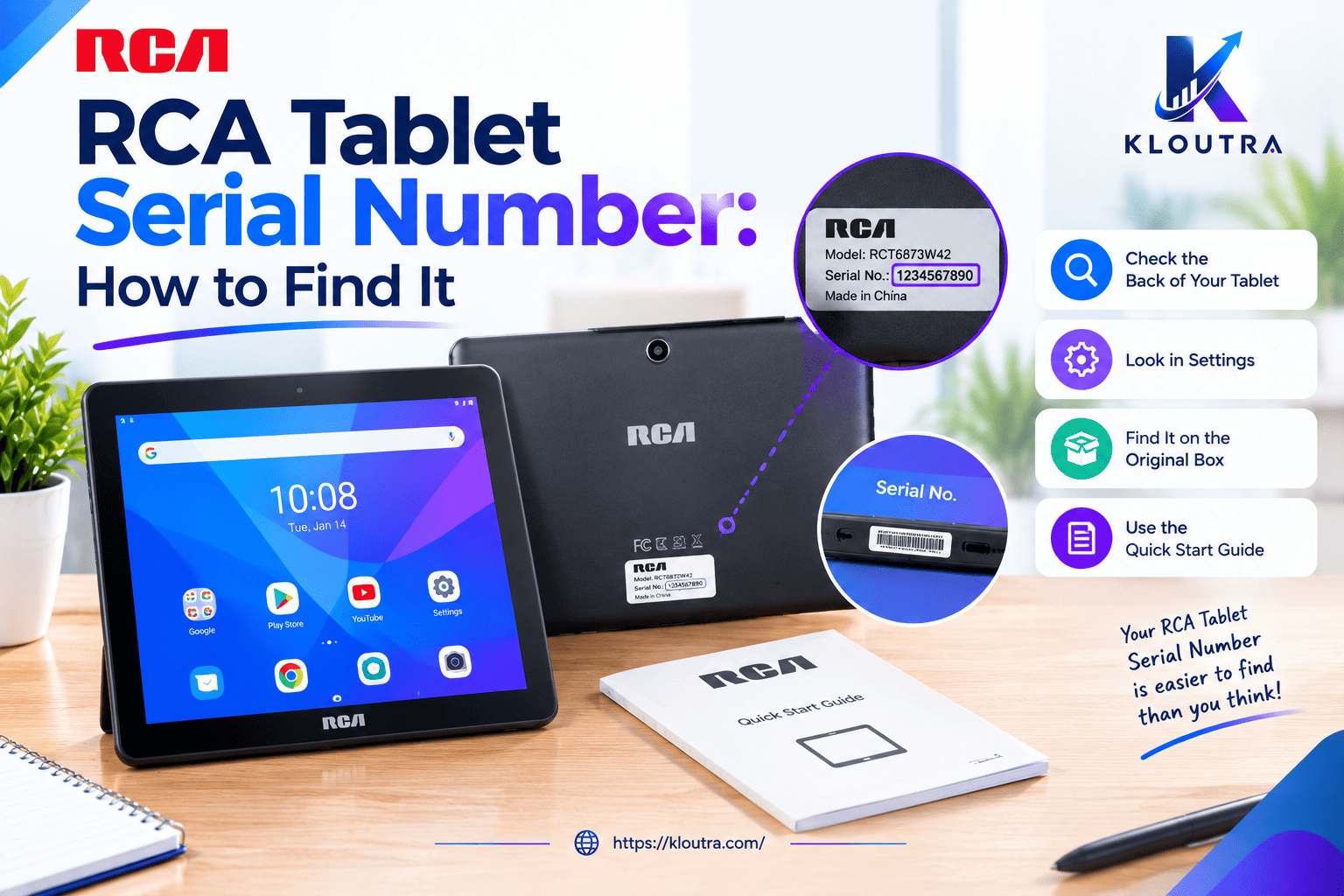
RCA Tablet Serial Number: How to Find It
Introduction
Finding your RCA Tablet Serial Number can help when you need repairs, technical support, or warranty information. However, many users do not know where to look for it. The number may appear on the tablet, its original packaging, or certain device settings.
You can also check your purchase records for helpful details. In this guide, you will learn how to find your RCA Tablet Serial Number using simple steps. We will also explain how it differs from the model number and IMEI. If you cannot locate it, you will discover other ways to identify your device and get support. For more device guides, visit our Gadgets section.
What Is an RCA Tablet Serial Number?
An RCA tablet serial number is a unique code that identifies a specific device. It helps support teams identify your tablet during repairs or service requests. You may need it when checking warranty details or asking for technical help.
The serial number is different from the tablet’s model number. A model number identifies the device type, while a serial number identifies an individual unit. The exact location of the serial number can vary by tablet model.
Where to Find Your RCA Tablet Serial Number
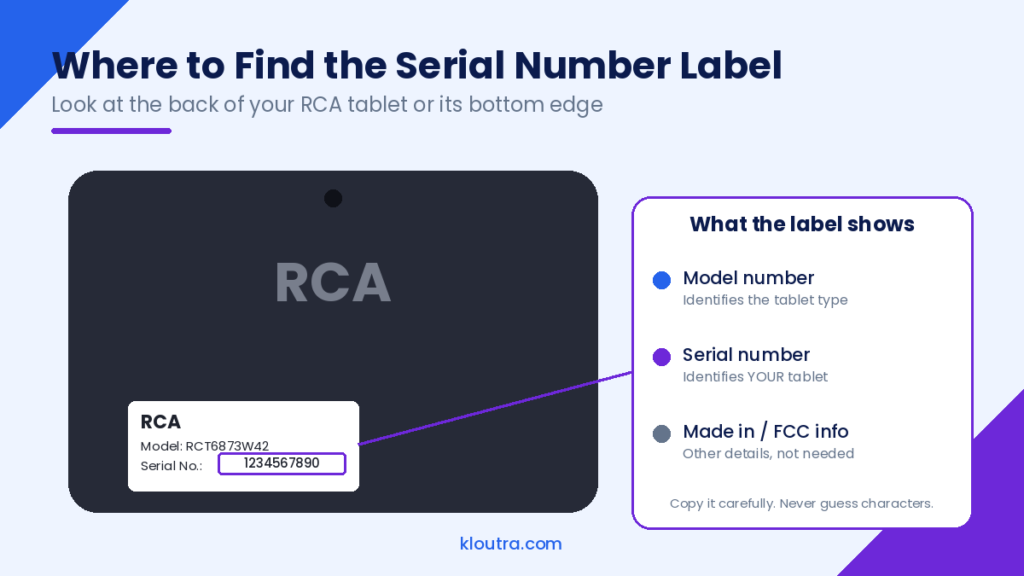
You can check several places to find your RCA tablet serial number. Start with the tablet itself, then check its packaging or purchase records. The available options may depend on your specific model.
1. Check the Back of Your RCA Tablet
Turn your RCA tablet over and inspect its back carefully. Look for a printed label containing device information. The label may show the serial number, model number, or other details.
Some tablets may not have a visible serial number on the back. If you cannot find it, try the other methods below.
2. Look at the Original Box or Packaging
Check the original box that came with your RCA tablet. Look for a sticker containing the device’s identifying information. It may list the serial number and model number together.
Make sure you read the correct label before copying the number. If you have several devices, check that the packaging matches your tablet.
3. Check the Device Settings
You may find the serial number in your tablet’s settings. Open Settings and look for the About tablet section. On some models, select Status to view the serial number. The exact menu names may differ between devices.
4. Review Your Purchase Receipt or Documents
Check your purchase receipt, invoice, or other documents from the seller. These records may contain your tablet’s serial number. However, not every receipt includes this information.
If you cannot find the number, contact the seller or RCA tablet support. Keep your model number and proof of purchase ready. These details may help the support team identify your device.
How to Find an RCA Tablet Serial Number Step by Step
Follow these simple steps to find your RCA tablet serial number.
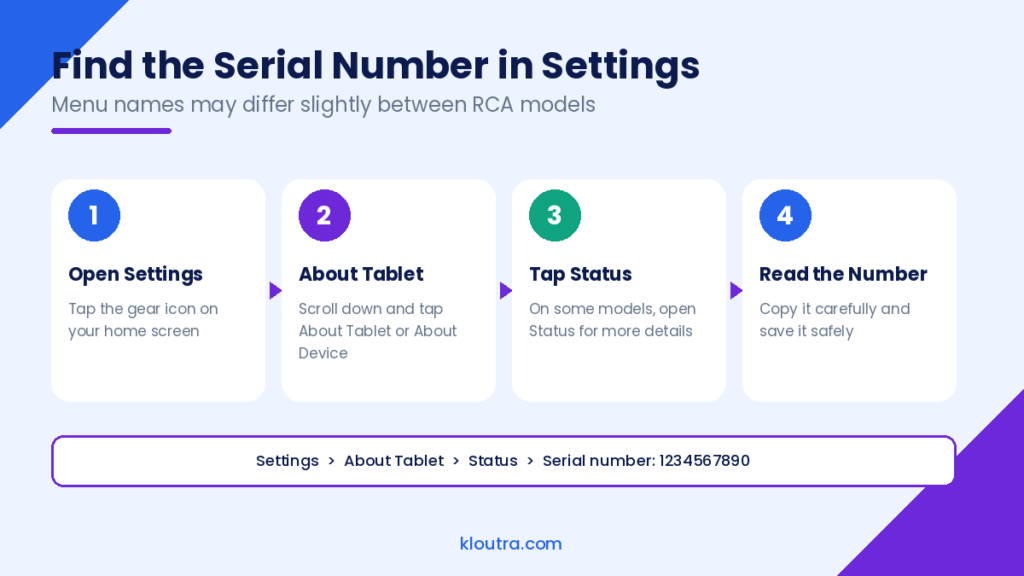
- Turn on your tablet: Make sure your device has enough battery power.
- Open Settings: Find the Settings app and tap to open it.
- Find About Tablet: Look for the About Tablet or About Device option.
- Check device information: Look for the serial number in the available details.
- Check other locations: If you cannot find it, inspect the back label or original box.
- Save the number: Write it down carefully for future repairs or support requests.
Menu names and available details can vary between RCA tablet models. If these steps do not work, check your device manual or contact the seller.
RCA Tablet Serial Number vs. Model Number vs. IMEI
A serial number, model number, and IMEI serve different purposes. Knowing the difference helps you identify your RCA tablet correctly.
| Detail | Purpose | Where to Find It |
|---|---|---|
| Serial Number | Identifies an individual device | Device label, settings, packaging, or purchase records |
| Model Number | Identifies the tablet model | Device label, settings, or original packaging |
| IMEI | Identifies a device that connects to cellular networks | Settings or original packaging, if available |
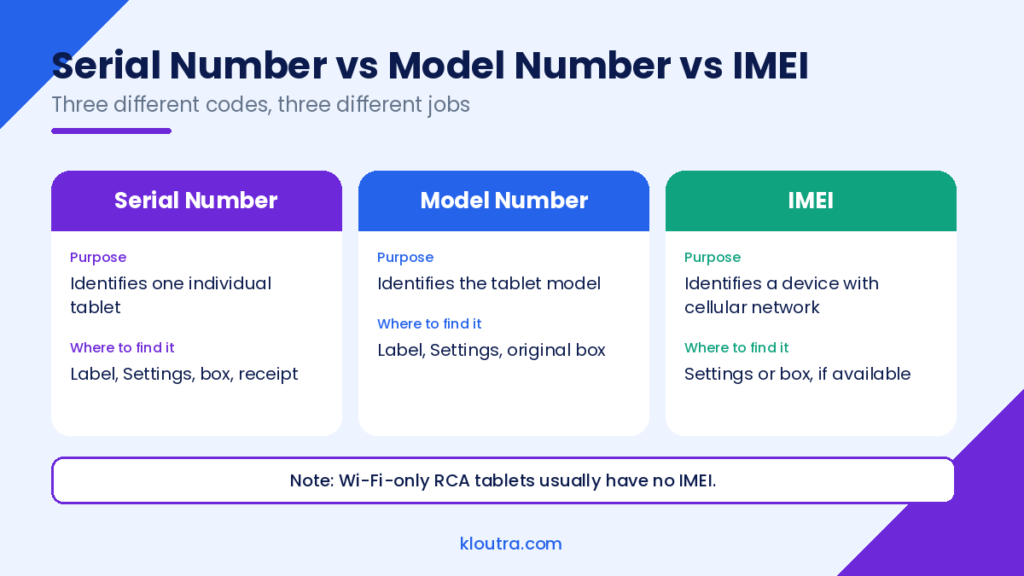
Note: Not every RCA tablet has an IMEI. Wi-Fi-only models generally do not need one because they lack cellular network connectivity. The exact information available depends on your tablet model.
Why Do You Need Your RCA Tablet Serial Number?
Your RCA tablet serial number helps identify your specific device. You may need it when requesting repairs, checking warranty details, or contacting support. Keep the number somewhere safe for future reference.
Warranty and Repair Support
You may need your serial number when requesting warranty or repair services. Support staff may use it to identify your tablet and review service options. Warranty coverage depends on your device, purchase date, and applicable terms.
Keep your purchase receipt with your serial number when possible. This can help when discussing warranty claims or repair costs.
Device Identification
The serial number helps distinguish your tablet from other devices. Two tablets may share the same model number but have different serial numbers. This makes the serial number useful when identifying your exact device.
You may also need it when keeping records of your electronics. Store it privately with your purchase details for easy reference.
Troubleshooting and Customer Service
Customer support may ask for your serial number when you report a problem. It can help them identify your tablet and provide relevant guidance. You may also need to share the model number for accurate instructions.
Before contacting support, write down the serial number and describe the issue clearly. Never guess the number if the label is difficult to read.
What to Do If You Cannot Find Your RCA Tablet Serial Number
Sometimes, the serial number may be missing, faded, or difficult to read. Don’t worry; you can try a few other ways to find it. Start by checking your tablet’s packaging and purchase records.
Check Your Original Packaging
Look for the original box that came with your RCA tablet. Check its labels for the serial number and model number. Make sure the box matches your specific tablet.
If you still have the packaging, keep it somewhere safe. You may need its information when requesting repairs or support.
Review Your Purchase Records
Check your receipt, invoice, or order confirmation email. Some sellers include the tablet’s serial number in purchase records. Others may only list the model number or product name.
If you bought the tablet online, check your account’s order history. You can also contact the seller for help finding your purchase details.
Contact RCA Support or the Relevant Seller
If you cannot find the number, contact the seller or available RCA support service. Explain that you need help locating your tablet’s serial number. Provide your model number and purchase details if available.
Is It Safe to Share Your RCA Tablet Serial Number?
Sharing your RCA tablet serial number is not always risky. However, you should only share it when necessary. Trusted support teams may need it to identify your device or help with repairs.
Avoid posting your serial number publicly on social media or forums. Share it only with trusted support staff or your seller. Never share passwords or other sensitive account details with strangers.
Common Mistakes to Avoid When Finding a Serial Number
Finding your RCA tablet serial number is usually simple. However, a few common mistakes can cause confusion.
- Confusing numbers: Do not mistake the model number for the serial number.
- Reading the label incorrectly: Check each letter and number carefully.
- Checking only one place: Look at the tablet, packaging, and purchase records.
- Guessing missing characters: Never guess numbers you cannot read clearly.
- Using another device’s number: Make sure the serial number matches your tablet.
- Ignoring model differences: Settings and label locations may vary between RCA tablets.
- Sharing it publicly: Keep your device details private whenever possible.
Double-check the number before saving it or sharing it with support staff.
Conclusion
Finding your RCA tablet serial number can help with repairs, support, and device identification. Start by checking the back of your tablet or its original packaging. You can also check Settings or review your purchase records.
If you still cannot find the number, contact your seller or available support service. Always check the number carefully before using it. Keep a private record for future reference. Keep a private record for future reference. You can also read more helpful tips and guides in our Technology category.
Frequently Asked Questions (FAQs)
1. Where is the serial number on an RCA tablet?
Check the back of your tablet for a printed label. You can also check Settings, the original box, or purchase records.
2. Is an RCA tablet serial number the same as its model number?
No, they serve different purposes. The serial number identifies an individual device, while the model number identifies its model.
3. Can I find my RCA tablet serial number in Settings?
Yes, some RCA tablets display the serial number in Settings. Open About Tablet or About Device and check the available information.
4. What should I do if my RCA tablet serial number is missing?
Check the original packaging, purchase records, and device settings. If you still cannot find it, contact your seller or available support service.
5. Can I use the serial number to check my RCA tablet warranty?
You may need the serial number when asking about warranty coverage. The seller or support team can explain the available options and requirements.
Disclaimer: This article is for informational purposes only. Serial number locations and settings may vary between RCA tablet models. For accurate information about your device, check its user manual or contact the seller or relevant support service. We are not affiliated with RCA and do not provide official warranty or repair services. Explore more practical guides on Kloutra.com.

Related Posts

Certified Computer Examiner: Role, Skills & Certification

What Is Audiodisplayed? Meaning, Uses and Key Facts