Out of Office Message: Best Examples, Templates & Writing Tips
Introduction
An out of office message is an automatic email reply that informs people when you are unavailable. It helps colleagues, clients, and customers understand when they can expect a response. Whether you are taking a vacation, sick leave, or a holiday, a clear message keeps communication professional.
This guide covers useful examples, ready-to-use templates, and simple writing tips. You will also learn what to include and which common mistakes to avoid when setting up an automatic reply.
What Is an Out of Office Message?
An out of office message is an automatic email reply. It informs people when you cannot respond to emails. People commonly use it during vacations, holidays, or sick leave. It also helps colleagues and clients understand your availability. This message can include your return date and alternative contact details.
How Does an Out of Office Message Work?
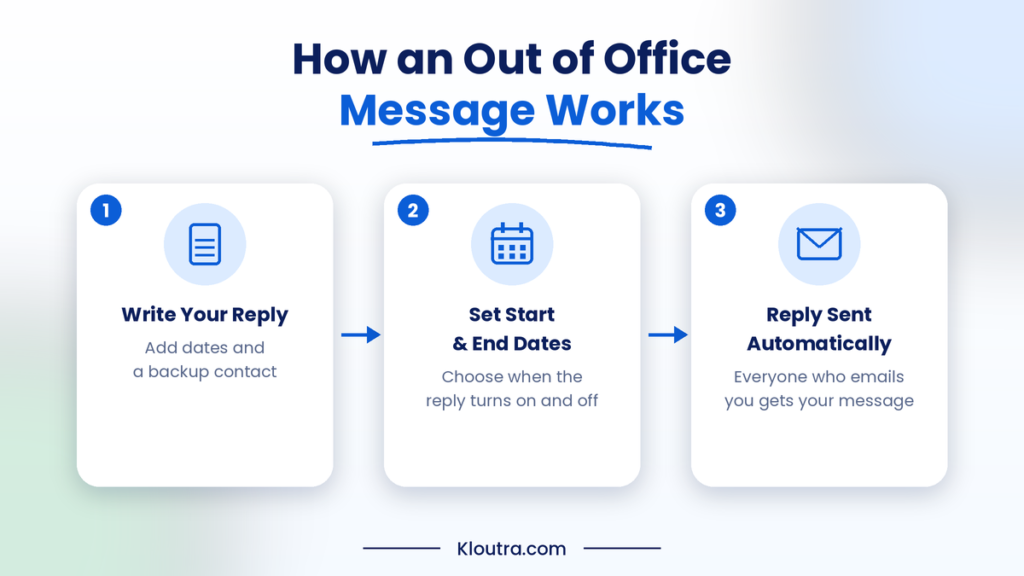
An out of office message works through your email settings. You write a reply and enable the automatic response feature. You can also choose when the reply should start and end. When someone emails you, the system sends your saved response automatically. Some email services also let you limit replies to specific contacts. Most email platforms and other SaaS tools include an automatic reply feature that you can schedule in advance.
Why Is an Out of Office Message Important?
An out of office message helps people understand your availability. It also keeps communication clear while you are away.
Here are some key benefits:
- Sets expectations: People know when they can expect your reply.
- Saves time: You do not need to answer every email immediately.
- Maintains professionalism: Clients receive a polite response during your absence.
- Provides alternatives: You can share another contact for urgent matters.
- Reduces confusion: Senders understand why you have not replied.
What to Include in an Out of Office Message?
A good out of office message should be clear, polite, and helpful. It should tell people why you cannot respond immediately. It should also explain when you expect to return. Include another contact if someone needs urgent help.
Essential Elements of a Professional Message
Include these five elements when writing a professional out of office message.
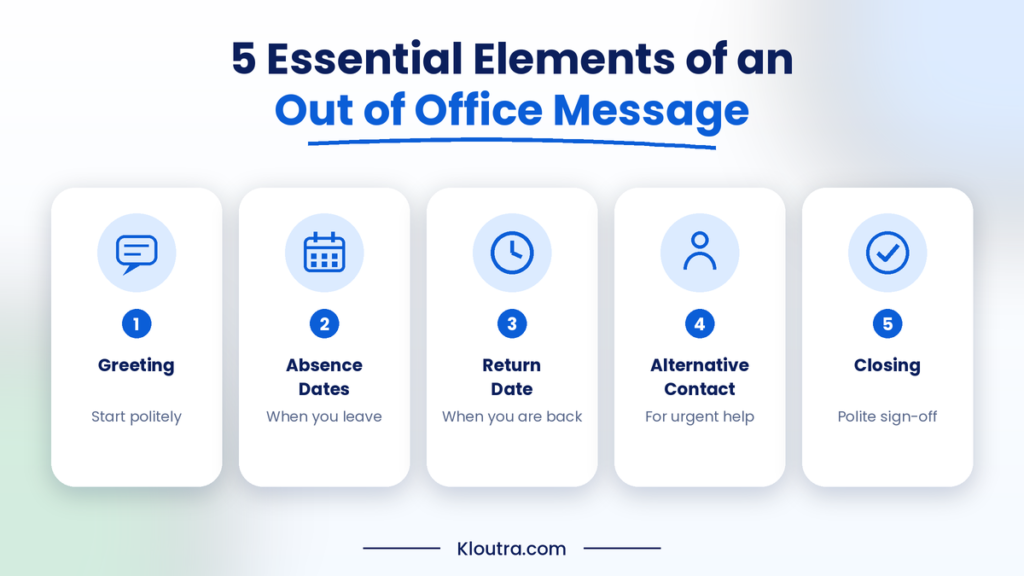
| Element | What to Include |
|---|---|
| Greeting | Start with a polite greeting, such as Hello or Hi. |
| Absence dates | Mention when your absence begins, if relevant. |
| Return date | Tell people when you expect to return. |
| Alternative contact | Share another contact for urgent questions or requests. |
| Closing | End with a polite and professional sign-off. |
Best Out of Office Message Examples for Different Situations
The right message depends on your reason for being away. Here are simple examples for different situations. You can copy them and adjust the details.
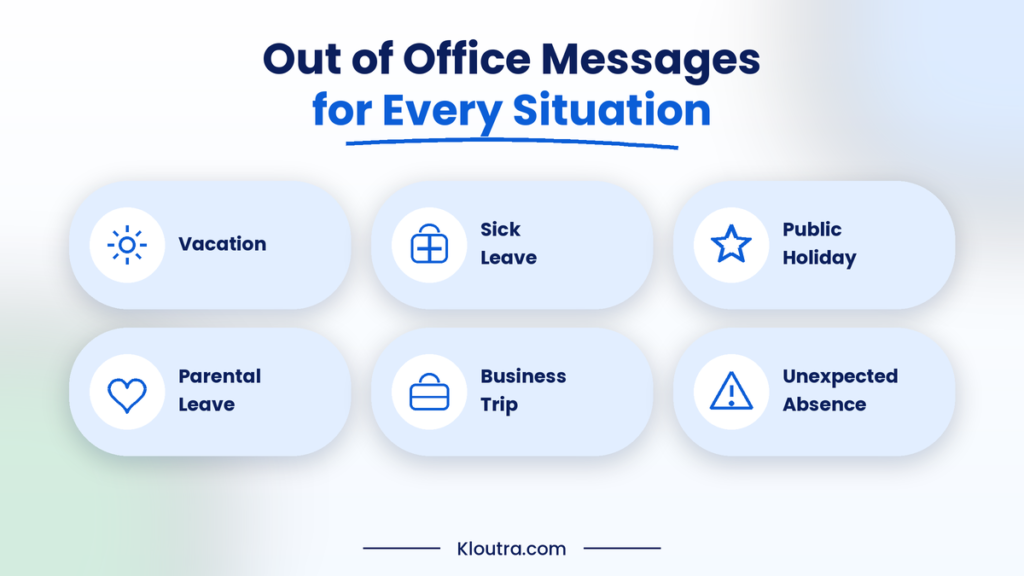
Professional Out of Office Messages
Use these messages when communicating with clients, colleagues, or business partners.
Example 1:
Thank you for your email. I am currently out of the office. I will return on [date] and respond after my return. For urgent matters, please contact [name] at [email address].
Example 2:
Hello, thank you for reaching out. I am currently unavailable until [date]. I will reply to your message as soon as possible. For urgent assistance, please contact [name].
Short and Simple Out of Office Messages
Short messages work well when you want to share basic information.
Example 1:
I am currently out of the office. I will return on [date]. Thank you for your understanding.
Example 2:
Thanks for your email. I am away until [date]. I will respond when I return.
Vacation Out of Office Messages
Use these messages when taking time off for a vacation.
Example 1:
Thank you for your email. I am currently on vacation until [date]. I will respond after returning. For urgent matters, please contact [name] at [email address].
Example 2:
I am away on vacation and have limited email access. I will return on [date] and reply to your message soon.
Sick Leave Out of Office Messages
These messages help explain your absence without sharing private health details.
Example 1:
Thank you for your email. I am currently away on sick leave. I will respond when I return. For urgent matters, please contact [name].
Example 2:
I am currently out of the office due to illness. I appreciate your patience and will reply when I am available again.
Holiday Out of Office Messages
Use these examples when your office closes for a public holiday.
Example 1:
Thank you for your email. Our office is closed for the holiday. We will reopen on [date]. I will respond after returning.
Example 2:
I am away for the holiday and will return on [date]. Thank you for your patience. I will reply when I return.
Maternity or Paternity Leave Messages
These messages are useful when taking parental leave.
Example 1:
Thank you for your email. I am currently on parental leave. I expect to return on [date]. Please contact [name] for urgent assistance.
Example 2:
I am away on maternity leave until [date]. During this time, please contact [name] at [email address]. Thank you for your understanding.
Unexpected Absence Messages
Use these messages when you cannot attend work unexpectedly.
Example 1:
Thank you for your email. I am currently unavailable due to an unexpected absence. I will respond as soon as possible.
Example 2:
I am unexpectedly away from the office today. I may not respond immediately. For urgent matters, please contact [name].
Out of Office Messages for Business Owners
Business owners can also use AI-powered workflows to sort customer emails and save time while the team is away.
Example 1:
Thank you for contacting us. Our team is currently unavailable. We will respond to your inquiry on [date]. For urgent support, please contact [email address].
Example 2:
Thank you for reaching out to our business. I am currently away from the office. Our team remains available at [contact details]. I will respond after returning on [date].
If your team manages customer messages through shared inboxes or business software, remember to update the automatic reply there as well.
Quick Examples at a Glance
Here are common situations and simple messages you can use.
| Situation | Example Message |
|---|---|
| Vacation | I am currently on vacation and will return on [date]. |
| Sick leave | I am away due to illness and will respond when I return. |
| Holiday | Our office is closed for the holiday. I will reply on [date]. |
| Business trip | I am traveling for work and may have limited email access. |
| Unexpected absence | I am currently unavailable and will respond as soon as possible. |
Ready-to-Use Out of Office Message Templates
Ready-to-use templates make writing automatic replies much easier. You can copy these messages and adjust them to your needs. Replace the bracketed details with your own information before using them.
Professional Email Template
Use this template when communicating with clients, colleagues, or business partners.
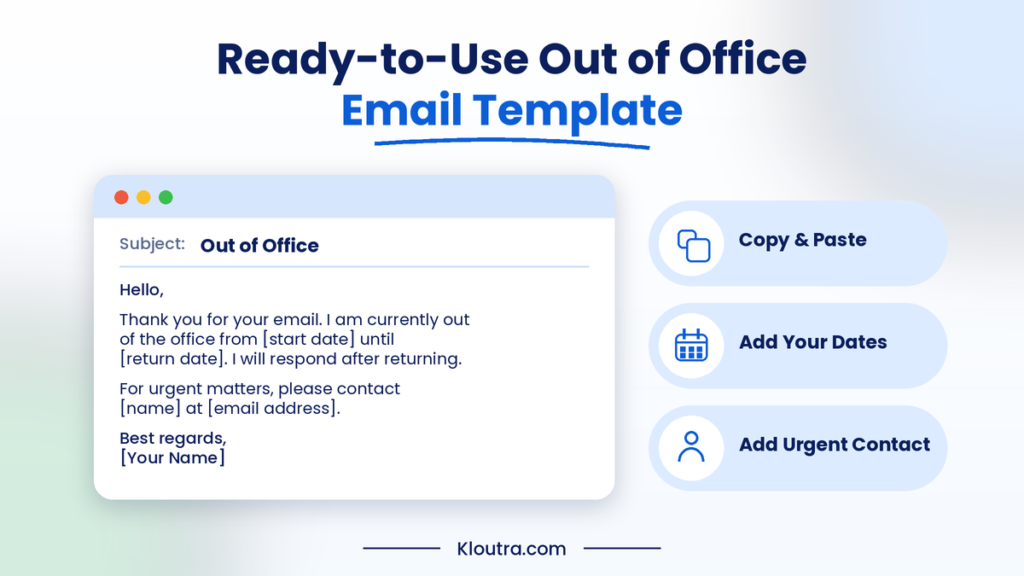
Subject: Out of Office
Hello,
Thank you for your email. I am currently out of the office from [start date] until [return date]. I will respond to your message after returning.
For urgent matters, please contact [name] at [email address].
Best regards,
[Your Name]
Friendly Email Template
This template works well for friendly workplace conversations and regular contacts.
Subject: Away from the Office
Hi,
Thanks for reaching out! I am away from the office until [date]. I will check your message when I return.
For urgent help, please contact [name] at [email address].
Best,
[Your Name]
Short Automatic Reply Template
Use this template when you want to keep your automatic reply brief.
Subject: Out of Office
Thank you for your email. I am currently away until [date]. I will reply when I return.
Best regards,
[Your Name]
Urgent Contact Template
This template helps senders find someone when they need immediate assistance.
Subject: Out of Office – Urgent Contact
Hello,
Thank you for your message. I am currently out of the office until [date].
For urgent assistance, please contact [name] at [email address] or [phone number].
I will respond to your message after returning.
Best regards,
[Your Name]
How to Write an Effective Out of Office Message
A good out of office message should share useful information. It should help people understand your absence and response time. Follow these simple tips when writing your automatic reply.
Keep Your Message Short and Clear
Write your message in simple and direct language. Avoid long explanations or unnecessary personal details. Share only the information people need to know.
Mention Your Absence Dates
Always mention when your absence starts and ends. Include your expected return date to avoid confusion. This helps senders understand when you may respond.
Provide an Alternative Contact
Give another contact if someone needs help during your absence. Include their name, email address, or phone number. Make sure this person can handle urgent requests.
Use a Professional Tone
Choose polite and respectful words in your message. Avoid slang or language that may confuse readers. Keep your tone suitable for your workplace and audience.
Set Clear Expectations for Replies
Tell people when you expect to respond to their emails. Avoid promising an exact time unless you can meet it. If you have limited email access, mention it clearly. This helps people understand possible delays.
Common Out of Office Message Mistakes to Avoid
| Common Mistake | Better Approach |
|---|---|
| Not mentioning return dates | Clearly state your return date |
| Writing too much | Keep the message brief |
| No alternative contact | Provide a backup contact |
| Using an informal tone | Match your workplace style |
| Forgetting to enable replies | Test your automatic reply settings |
Best Practices for Professional Out of Office Messages
A professional out of office message should be clear, polite, and helpful. Follow these simple practices to make your automatic replies more effective.
- Keep Personal Details Private: Share only necessary information about your absence. Avoid mentioning private plans or personal details.
- Avoid Promising Exact Response Times: Do not promise a specific reply time unless certain. This helps prevent confusion and disappointment.
- Update Your Message Before Leaving: Set up your automatic reply before your absence begins. Check the dates and contact details carefully.
- Check Your Automatic Reply After Returning: Turn off your automatic reply when you return. Make sure your email settings no longer send outdated messages.
Conclusion
A clear out of office message keeps communication simple during your absence. It helps people understand your availability and expected response time. Use the examples and templates to create a suitable automatic reply. Remember to include your return date and an alternative contact. A short, polite message helps maintain professional communication while you are away. For more practical guides on technology, software and digital marketing, visit Kloutra.
Frequently Asked Questions About Out of Office Messages
What is a good out of office message?
A good message should be short, polite, and easy to understand. Mention your absence dates and expected return date. Include another contact for urgent matters when needed.
What message is best for out of office?
A simple, professional message works well in most situations. For example: “Thank you for your email. I am currently away until [date]. I will respond when I return.”
What is a good out-of-office message to leave?
A good message explains your absence and helps people find assistance. Include your return date and an alternative contact. Keep the wording friendly and professional.
How do you professionally say you will be out of office?
Use clear and polite language to explain your absence. For example: “I will be out of the office from [date] until [date]. I will respond to your email after returning.”
Disclaimer: This article provides general information and ready-to-use out of office message examples. Templates are for guidance only and should be adjusted to your workplace, email settings, and communication needs. Always check your email provider’s automatic reply settings before enabling them.