ShiftNote Explained: Features, Benefits & How It Works
Introduction
ShiftNote is an AI-powered tool designed for Australian disability support workers. It helps them turn typed or spoken shift details into clear, structured NDIS progress notes. The software also helps providers identify documentation gaps and check evidence linked to NDIS claims.
This guide explains ShiftNote’s key features, benefits, how it works, pricing, limitations, and alternatives. It will also help you decide whether ShiftNote suits your documentation needs.
What Is ShiftNote?
ShiftNote is an AI-powered tool for Australian disability support workers. It helps them create clear, structured NDIS progress notes. Workers can describe their shifts by typing or speaking. ShiftNote turns their input into a draft they can review and edit. It helps support workers record daily activities and important updates.
The tool is useful for disability support workers, team leaders, and NDIS provider organisations. It helps teams keep better records of the support they deliver. ShiftNote works alongside existing care-management systems rather than replacing them.
Key Features of ShiftNote
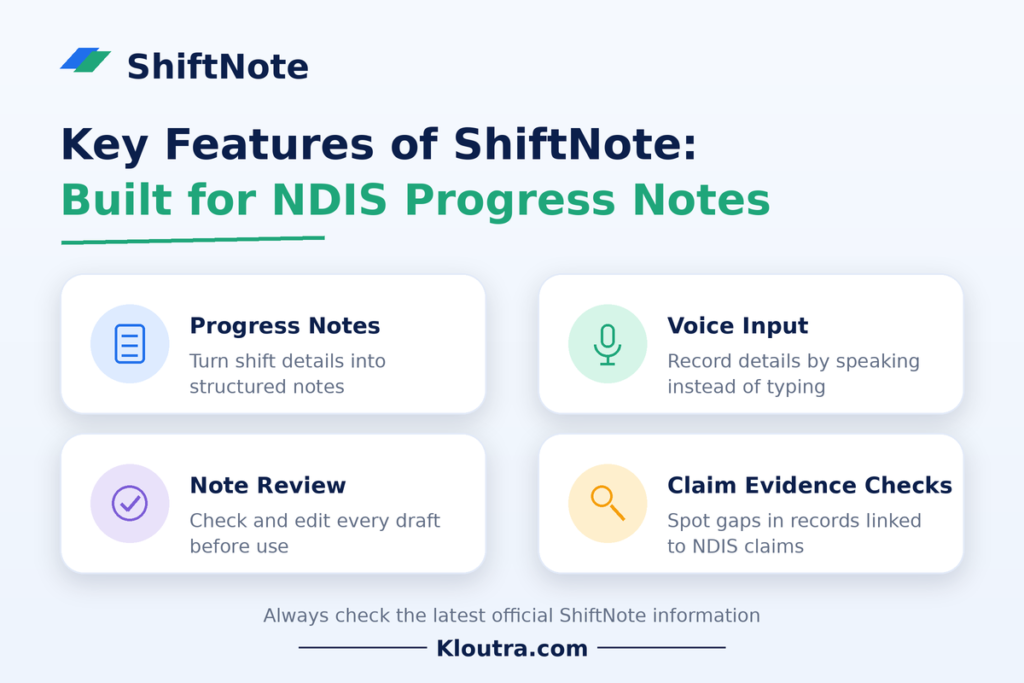
ShiftNote helps Australian NDIS support workers create clear progress notes. It also helps providers review records linked to their claims. Here are its main features and how they work.
1 Employee Shift Management
ShiftNote helps workers record what happened during their shifts. They can type details or describe events using voice input. The tool turns their input into a structured progress note. However, it does not replace staff rostering or shift scheduling software.
2 Team Communication
ShiftNote helps workers record important information about the support they provide. Workers can write in their preferred language. The tool creates an English draft while keeping their original words. Workers can review and correct the draft before using it.
3 Task and Operations Management
ShiftNote helps providers check whether records support their NDIS claims. It identifies missing, weak, or conflicting evidence. Providers can review these issues and decide what needs attention. This helps teams manage documentation and claim-related risks.
4 Shift Notes and Handover Updates
ShiftNote turns rough shift details into structured progress notes. Workers can type their notes or use voice input. The tool highlights unclear details for workers to check. Workers must review and confirm each draft before using it. They can then copy the note or download it as a PDF.
5 Reporting and Team Coordination
ShiftNote helps providers assess the evidence behind their NDIS claims. It highlights records that may need review. Providers can identify missing information and compare recorded support hours with claimed hours. These checks help teams spot documentation gaps before reviewing claims.
ShiftNote Features at a Glance
ShiftNote helps NDIS support workers prepare clear progress notes. The table below summarizes its main uses and potential benefits.
| Feature | Purpose | Potential Benefit |
|---|---|---|
| Progress Notes | Turn shift details into structured notes | Clearer records |
| Voice Input | Record details by speaking | Easier note creation |
| Note Review | Check and edit generated drafts | More accurate records |
| Claim Evidence Checks | Identify gaps in supporting records | Better claim preparation |
These features focus on documentation and claim evidence. Always check the latest official ShiftNote information before publishing feature claims.
How Does ShiftNote Work?
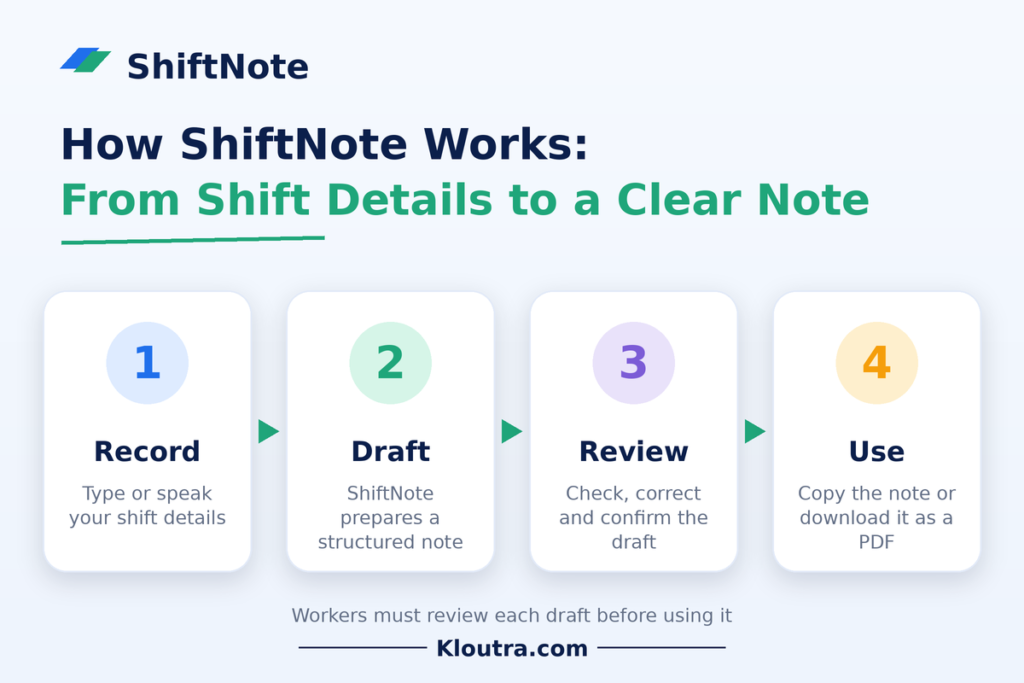
ShiftNote helps Australian NDIS support workers prepare structured progress notes. Workers can enter shift details by typing or speaking. The tool turns their input into a draft for review. Workers can then check and edit the draft before using it. This process helps them create clearer records of delivered support.
1 Account Setup and Initial Configuration
Users need to access ShiftNote through its available sign-up process. They should follow the setup instructions provided by the service. Available options may depend on their account and subscription.
2 Recording Shift Details
Workers enter details about the support they provided. They can type information or use voice input. ShiftNote uses these details to prepare a structured progress note.
3 Reviewing and Editing Notes
Workers should check every generated note for accuracy. They can correct mistakes and add missing details. This step helps ensure the final record reflects the support provided.
4 Using Notes in Daily Work
Workers can use completed notes to document support activities. Providers can review these records when checking documentation. The exact workflow depends on each organisation’s procedures.
Benefits of Using ShiftNote
ShiftNote helps NDIS support workers prepare progress notes more easily. Its features can reduce the effort needed to write records. Here are some potential benefits.
1 Faster Note Writing
Workers can describe their activities using voice input or typing. ShiftNote turns their information into a structured draft. This may reduce the time spent preparing progress notes.
2 Clearer Documentation
The tool helps turn rough details into organised progress notes. Workers can review the draft and correct unclear information. Clear records make support activities easier to understand.
3 Better Record Keeping
ShiftNote helps workers document the support they provide. Consistent notes can help providers maintain useful records. Workers must still check each note before using it.
4 Fewer Documentation Gaps
ShiftNote can help identify missing or unclear supporting information. This gives providers a chance to review records. Staff should address gaps before relying on those records.
5 Easier Claim Reviews
Providers can use ShiftNote to check documentation linked to NDIS claims. The tool can highlight possible evidence gaps for review. This may help teams prepare and assess claims more carefully.
Who Should Use ShiftNote?
ShiftNote is designed for Australian disability support workers and NDIS providers. It helps users prepare structured progress notes and review supporting evidence. Its usefulness depends on each person’s role and responsibilities.
| User Type | Potential Use |
|---|---|
| Disability Support Workers | Record daily activities and support provided |
| Team Leaders | Review staff notes and identify missing details |
| NDIS Providers | Check documentation linked to NDIS claims |
| Service Managers | Review records and identify documentation gaps |
ShiftNote may suit teams that need clearer and more consistent records. Users should check its features against their specific workplace needs.
ShiftNote vs. Traditional Documentation Methods
ShiftNote uses AI to help workers prepare structured progress notes. Traditional methods often rely on manually written records. The main differences depend on each organisation’s existing processes and tools.
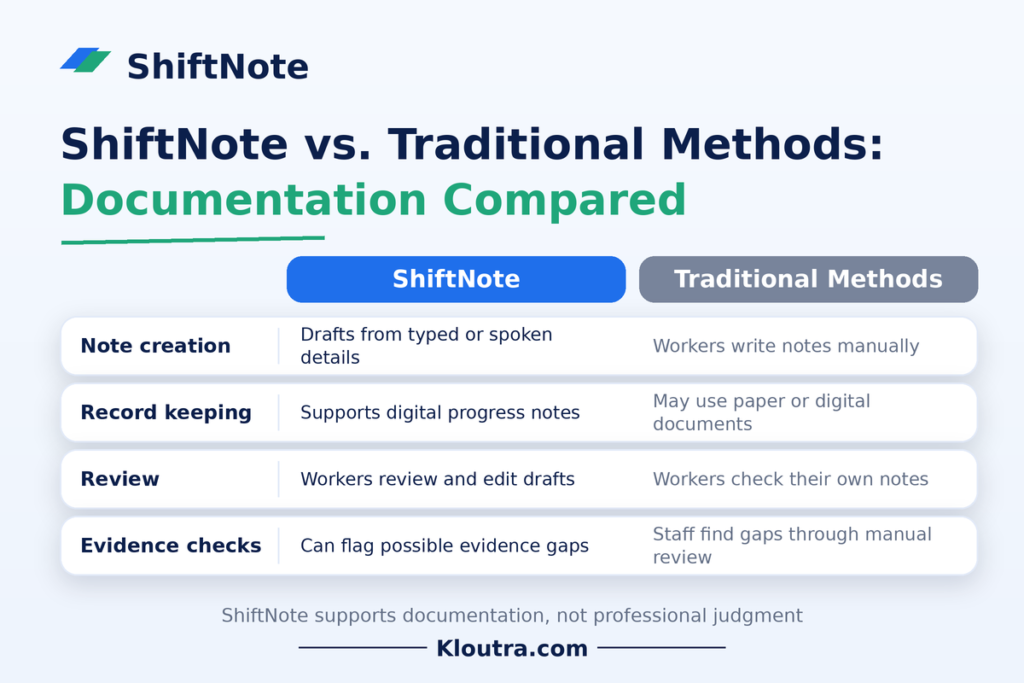
Note: ShiftNote supports documentation, but it does not replace professional judgment. Workers must check their notes for accuracy before using them.
Is ShiftNote Easy to Use?
ShiftNote helps NDIS support workers create structured progress notes from typed or spoken details. Its simple workflow may make daily documentation easier. However, the experience depends on each user’s needs and familiarity with digital tools.
1 User Interface and Learning Curve
Users enter shift details and review the generated notes. Workers should check the results before using them. People familiar with digital tools may find this process easier to learn.
2 Team Onboarding
Teams should explain how to use ShiftNote correctly. Workers need to learn how to enter details and review drafts. Clear instructions can help staff follow consistent documentation practices.
3 Daily Workflow
Workers can use ShiftNote to prepare progress notes after providing support. They can review and correct drafts before saving or sharing them. This process may help reduce manual writing effort.
4 Training Requirements
Workers need to understand how to create accurate progress notes. They should learn to check generated text for errors or missing details. Training needs depend on staff experience and workplace procedures.
ShiftNote Limitations and Things to Consider
ShiftNote helps with NDIS progress notes and claim evidence checks. However, users should review its features and limitations before choosing it.
1 Pricing and Available Plans
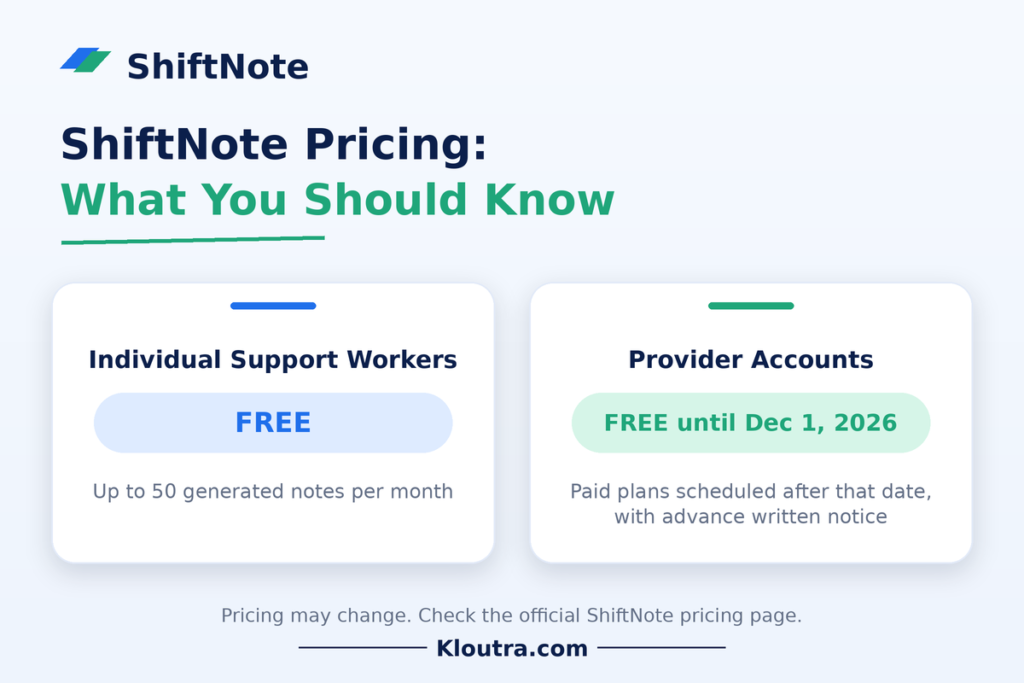
Individual support workers can use ShiftNote for free, with a limit of 50 generated notes monthly. Provider accounts are also free until December 1, 2026. Paid provider plans are scheduled to begin after that date, with advance written notice.
2 Available Features
ShiftNote offers note creation, voice input, PDF downloads, and claim evidence checks. Some provider features depend on the selected plan. Check the official pricing page for current details.
3 Integration Compatibility
ShiftNote works alongside existing care-management systems. It currently has no API integrations with those systems. Users transfer notes manually and import claim or roster data through CSV files.
4 Team Size and Business Needs
Individual workers can use separate free accounts. Providers can invite workers through an organisation account. Provider plans include unlimited workers, but pricing depends on monthly claim value. Organisations should choose a plan that matches their needs.
5 Mobile and Desktop Access
ShiftNote is a web-based application for creating progress notes. Check the official website on your device before relying on specific mobile features. Confirm that its current interface suits your team’s daily workflow.
ShiftNote Alternatives
ShiftNote focuses on NDIS progress notes and claim evidence checks. Other tools may suit different workplace needs. Choose an alternative based on your team’s daily tasks and documentation requirements.
Factors to Consider When Choosing Alternative Software
Check what each tool offers before making a decision. Consider its price, ease of use, and available features. Also, check data security and compatibility with your current systems. Choose software that meets your organisation’s actual needs.
Shift Scheduling and Workforce Management Tools
Scheduling tools help businesses organise staff shifts and working hours. Workforce management software may also track attendance and staff availability. These tools suit teams that need help planning shifts. However, they may not offer ShiftNote’s NDIS progress note features.
Team Communication and Task Management Options
Team communication tools help staff share updates and messages. Task management tools help teams assign work and track progress. They can support daily coordination between team members. However, they may not provide NDIS-specific notes or claim evidence checks.
Is ShiftNote Worth Using?
ShiftNote can help workers create clear progress notes with less manual writing. It also helps providers check records linked to NDIS claims. However, its value depends on your team’s needs and current systems.
Main Benefits of ShiftNote
ShiftNote turns typed or spoken details into structured progress note drafts. Workers can review and edit each note before using it. Providers can also check claim evidence and identify possible gaps. These features may make documentation and claim reviews easier.
Which Businesses May Benefit From ShiftNote?
ShiftNote may suit Australian NDIS support workers and provider organisations. Individual workers can create up to 50 notes monthly for free. Providers can use its tools to review claim evidence and records.
What to Check Before Choosing ShiftNote
Before adopting ShiftNote, review its features and pricing carefully. Check how it fits your existing care-management system. It currently works alongside other systems rather than replacing them. Also, confirm your team’s data handling and documentation requirements.
Provider accounts are free until December 1, 2026. Paid provider plans are scheduled to begin after that date, with written notice before charges apply. Individual support workers remain on the free plan, with a limit of 50 generated notes monthly.
Conclusion
ShiftNote helps Australian NDIS support workers create structured progress notes. It offers voice input, draft editing, and claim evidence checks. These features can support clearer records and easier documentation reviews. However, workers must check each draft for accuracy before using it. Before choosing ShiftNote, compare its features, pricing, and system compatibility. Select business software that best matches your team’s needs and daily workflow. For more software guides, visit Kloutra.
Frequently Asked Questions
1. What Is a 5-2-5-3 Work Schedule?
A 5-2-5-3 schedule is a rotating work pattern. Employees work five days, take two days off, work five days, then take three days off. The exact pattern may vary by employer.
2. What Is the Best App for Shift Notes?
The best app depends on your job and documentation needs. ShiftNote helps Australian NDIS support workers create structured progress notes. It supports typed and voice input, draft editing, and PDF downloads. Always compare features before choosing an app.
3. Can You Give Me Some Examples of Shift Notes?
Yes. Shift notes should describe the support provided, activities, and observations.
Example 1: Supported the participant with breakfast preparation from 8:00 to 9:00 AM. They prepared toast with minimal prompting.
Example 2: Accompanied the participant to the local library. They selected two books and returned home safely.
Example 3: The participant declined the planned outing. I offered other activities, and they chose to stay home.
Only record details that actually happened during the shift.
4. How Does Shift Work Work?
Shift work means employees work at different times instead of following one standard daytime schedule. Common shifts include morning, evening, and overnight shifts. Employers create schedules based on staffing needs. Employees follow their assigned hours and hand over important information when needed.
Disclaimer: This article is for informational purposes only. Features and pricing may change. Please check ShiftNote’s official website for the latest details before making a decision.