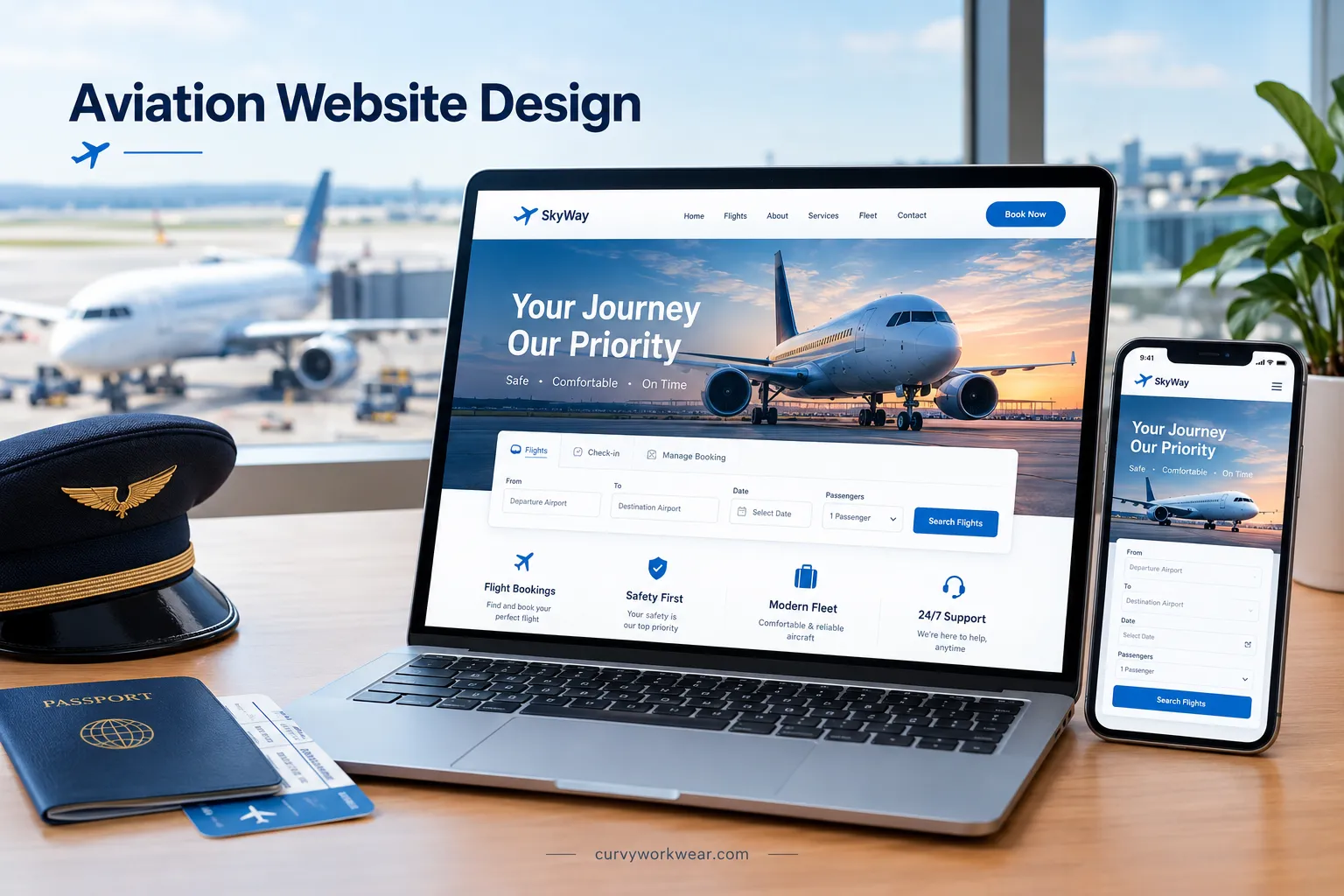
How to Design a Professional Aviation Website
Introduction
A professional aviation website helps customers understand your services and find important information quickly. Whether you run an airline, charter company, flight school, or airport, your website needs clear navigation and useful content. Visitors should easily find services, contact details, and booking options. A well-designed website also works smoothly on mobile devices and loads quickly. This guide explains how to design an aviation website that meets customer needs and supports your business goals.
Understand the Aviation Business and Its Audience
Before designing an aviation website, understand the business and its customers. Different aviation businesses need different website features and content. Airlines focus on bookings, routes, and passenger information. Flight schools need course details, training options, and enrollment information. Charter companies need aircraft details and easy quote requests. Airports may need flight information, directions, parking, and visitor services.
Identify what visitors want before planning your website pages. This helps you organize information and make important details easier to find. A clear website structure also helps visitors take the right next step.
Plan the Website Structure and Navigation
A well-organized aviation website helps visitors find information without wasting time. Plan your main pages before choosing the final design. Keep the menu simple and use clear names for each page.
Include pages that match your business, such as services, fleet, about, and contact. Airlines may also need flight schedules, booking tools, and travel information. Flight schools can include training programs, admission details, and course fees. Choose pages based on what your customers need most.
Organize Pages Around User Needs
Put the most important pages where visitors can find them quickly. Use familiar menu labels instead of confusing industry terms.
Choose a Clean, Professional Website Design
Use a clear layout with simple menus, readable text, and visible calls to action. Avoid large decorative elements that distract visitors from important tasks.
Use Aviation-Focused Colors, Fonts, and Images
Choose colors that fit your brand and maintain strong text contrast. Use readable fonts and consistent heading styles across all pages. Add relevant aircraft, airport, or service images that show what your business offers. Optimize image sizes to keep pages loading quickly. Use descriptive alt text for meaningful images to improve accessibility.
Add Essential Features to an Aviation Website
Choose website features based on the services you provide. Each feature should help visitors complete a task or find reliable information. Avoid adding tools that do not support your business goals.
Flight Search and Booking
Airlines and travel booking companies need a clear flight search system. Let visitors enter departure airports, destinations, travel dates, and passenger numbers. Display available flights, total prices, baggage rules, and fare conditions before payment. Provide secure payment options and booking confirmation. Make it easy for customers to review or manage their reservations.
Fleet, Services, and Company Information
Display the aircraft types your business operates or offers. Include seating capacity, range, cabin details, and other relevant specifications. Explain your services, operating areas, and any applicable restrictions.
Contact Details and Inquiry Forms
Make your business contact details easy to find on every relevant page. Use inquiry forms that ask only for information needed to handle requests. Charter companies may request travel dates, routes, and passenger numbers. Maintenance companies may ask for aircraft details and required services. Add clear confirmation messages after visitors submit forms. Protect personal information and explain how you use submitted details.
Make the Website Mobile-Friendly and Accessible
Make sure your aviation website works well on mobile phones, tablets, and computers. Use responsive layouts that adjust to different screen sizes. Keep flight search forms, booking buttons, and menus easy to use on smaller screens.
Follow WCAG 2.2 accessibility guidelines. Use readable text, clear form labels, and sufficient color contrast. Ensure visitors can navigate the website using a keyboard. Test important features on mobile devices before launching the website.
Improve Website Speed and Performance
A slow aviation website can frustrate visitors and increase page loading time. Compress large images and use modern formats like WebP. Choose reliable hosting and enable caching to improve loading speed. Remove unnecessary scripts and plugins that affect performance.
Use Google PageSpeed Insights to check your website’s performance. Fix issues that affect loading speed, especially on mobile devices. Test important pages, including booking forms and service pages, after making changes.
Follow Aviation Website SEO Best Practices
SEO helps people find your aviation website through search engines. Use relevant keywords that match your services and customers’ searches. Create useful pages that answer common questions and explain your services clearly.
Optimize Page Titles, URLs, and Content
Write a unique, descriptive title for each important page. Include your main keyword naturally when it fits the page. Keep URLs short, clear, and easy to understand. Write helpful content that answers visitors’ questions without repeating keywords unnecessarily. Link related pages to help visitors navigate your website.
Add Local SEO for Aviation Services
Local SEO helps nearby customers find aviation businesses serving their area. Create or update your Google Business Profile if your business qualifies. Keep your business name, address, phone number, and hours accurate. Add location-specific details for services such as flight training, aircraft maintenance, or charter flights. Encourage genuine customer reviews and respond professionally to feedback.
Build Trust With Safety Information and Clear Policies
Visitors need clear, accurate information before choosing an aviation service. Display relevant safety procedures, company credentials, and certifications you can verify. Explain your services, limitations, and operating conditions in simple language. Publish clear booking, cancellation, refund, and privacy policies where relevant. Never make safety claims your business cannot support.
Test the Website Before Launch
Test all important features before launching your aviation website. Check booking forms, payment systems, contact forms, and navigation links. Make sure visitors can complete key tasks without errors. Check page speed, broken links, and form submissions. Verify that prices, contact details, and service information are accurate. Fix any problems before making the website public.
Maintain and Update the Website Over Time
Keep your aviation website accurate and working properly. Update flight schedules, service details, prices, and contact information when they change. Check booking forms, links, and important features regularly. Install security updates and fix problems quickly. Review website performance to identify pages that need improvement.
Final Thoughts
A professional aviation website should be clear, fast, and easy to use. Focus on your customers’ needs when planning its design and features. Provide accurate service details, simple navigation, and clear contact information. Test important features and keep the website updated. These steps help visitors find information and contact your business with confidence.
Disclaimer: This article provides general information about aviation website design. Website requirements vary by business type, services, and applicable regulations. Always verify technical, security, and compliance requirements before launching your website.