AI Agents for LP Reporting Automation: How They Work
Introduction
AI agents are changing how marketers collect data and track landing page performance. Manual reporting can take hours and make it harder to spot important changes. AI agents can automate data collection, analyze results, and prepare reports faster. This guide explains how AI agents support LP reporting automation, their key benefits, and common challenges. You will also learn how to implement them and maintain accurate, reliable reports.
What Are AI Agents for LP Reporting Automation?
AI agents are software systems that can handle reporting tasks with limited human input. They can collect data, analyze results, and prepare useful summaries. Unlike basic automation, some AI agents can choose steps based on their findings. This makes them useful for reporting workflows that need more than fixed rules.
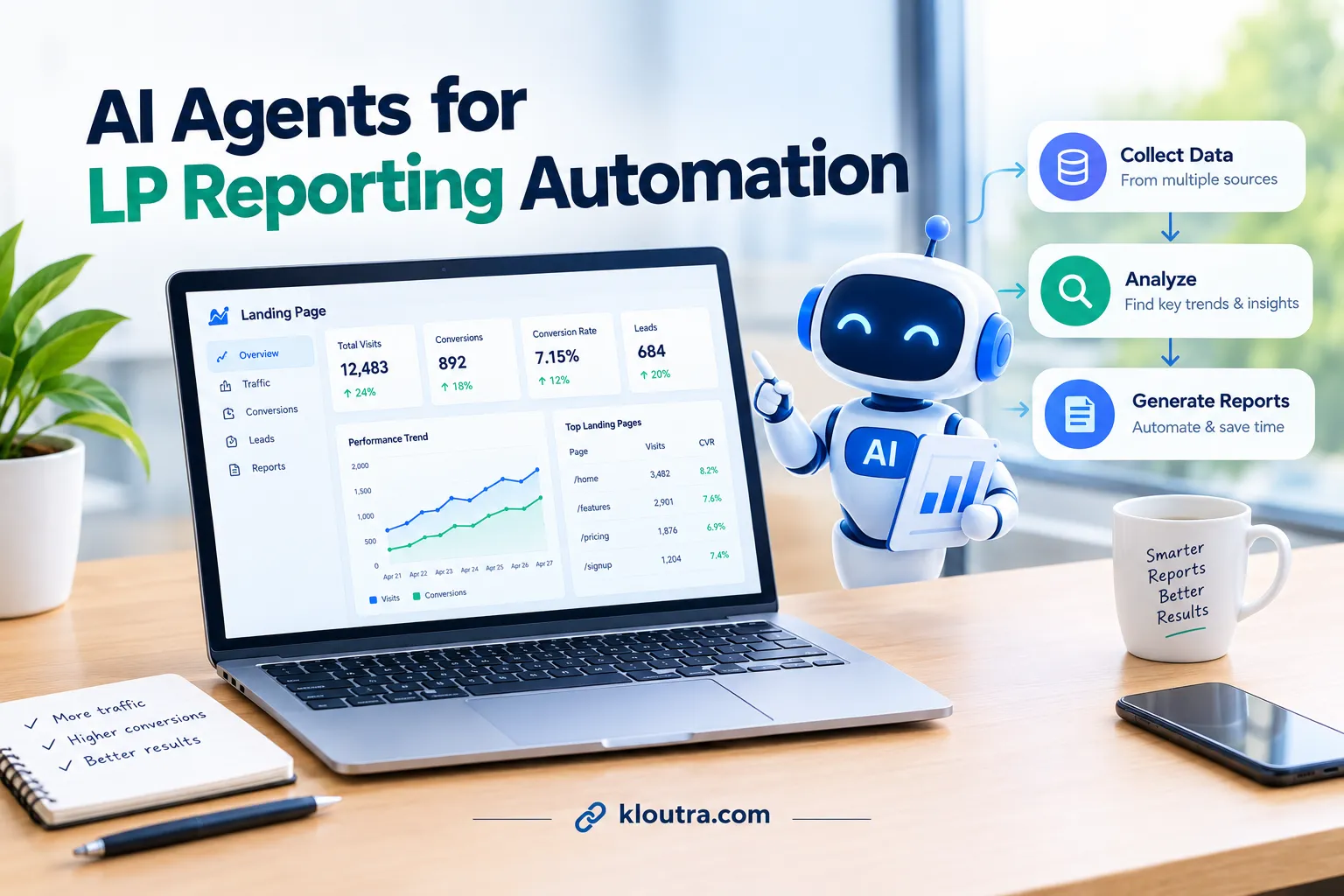
For landing page reporting, an agent can work with connected analytics and marketing tools. It can gather metrics such as page visits, conversion rates, and lead submissions. It can compare results, highlight unusual changes, and summarize possible performance issues. Some agents can also send reports to teams on a set schedule.
AI agents can also work across several steps instead of handling each task separately. Depending on their setup, they may check data, explain performance changes, and prepare scheduled summaries. Their role is to support reporting, not replace human judgment.
How Do AI Agents Automate LP Reporting?
AI agents help teams turn landing page data into clear, useful reports. They can collect information, review performance, and summarize important changes. This process reduces manual work and helps teams understand results faster.
Collecting Data From Multiple Sources
AI agents can collect data from connected analytics, advertising, and CRM platforms. This data may include page visits, ad clicks, leads, and conversions. The agent organizes relevant figures into one reporting workflow. This saves teams from gathering information manually from separate platforms.
For example, a marketer may track landing page visits in Google Analytics. Lead information may come from a connected CRM system. An AI agent can combine these sources when the required integrations are available.
Analyzing Performance and Identifying Trends
Once the data is collected, AI agents can compare results across periods. They can highlight changes in traffic, conversion rates, and lead numbers. They may also flag unusual results that need closer attention.
For example, a landing page may receive more visits but generate fewer leads. An agent can highlight this difference for the marketing team. Marketers can then investigate forms, page content, or traffic sources.
Generating Reports and Delivering Insights
After reviewing the data, AI agents can prepare reports with key metrics and summaries. Depending on the setup, they can send reports through email or team platforms. Some workflows can also create alerts when metrics cross set limits.
A weekly report might summarize visits, leads, conversion rates, and changes over time. It can help marketers see which pages need further review.
Key Benefits of Automating LP Reporting With AI Agents
AI agents can make landing page reporting faster and easier to manage. They reduce repetitive work and help teams review performance more regularly.
1. Save Time on Manual Reporting
AI agents can collect data and prepare reports automatically. This reduces the time spent copying figures between different platforms. Teams can then focus more on understanding results and improving campaigns.
2. Get Faster Performance Insights
AI agents can summarize key metrics and highlight important changes. Teams can spot shifts in traffic, leads, and conversion rates sooner. This helps marketers decide which areas need further investigati
3. Improve Reporting Consistency
Automated workflows can follow the same reporting rules each time. This helps teams organize metrics and compare results across periods.
4. Identify Issues That Need Attention
AI agents can flag unusual changes in landing page performance. For example, they may highlight falling conversions or sudden traffic drops. Marketers can investigate these changes before making campaign decisions.
5. Support Better Marketing Decisions
Clear reports help teams understand how landing pages perform. AI-generated summaries can show which metrics deserve closer attention. Marketers can use these findings alongside their own experience and campaign goals.
Which LP Reporting Tasks Can AI Agents Handle?
AI agents can support several landing page reporting tasks.
1. Collect Landing Page Performance Data
Agents can retrieve analytics data from connected platforms. This may include page views, sessions, traffic sources, and conversions.
2. Compare Results Across Dates and Traffic Sources
Agents can compare performance across selected periods and segments. For example, they can compare this week’s conversions with last week’s results. They can also review available data by device, campaign, or traffic source.
3. Calculate and Review Conversion Metrics
Agents can report conversion rates when the required data is available. For example, they can compare landing page visits with recorded form submissions. Teams must define conversions and calculations correctly. Otherwise, the report may present misleading results.
4. Flag Unusual Performance Changes
Configured workflows can flag sudden traffic drops or falling conversion rates. Some analytics platforms also offer built-in anomaly detection.
5. Generate Reports and Plain-Language Summaries
Agents can turn available metrics into summaries and structured reports. They can highlight major changes and identify figures that need attention.
6. Schedule Reports and Send Alerts
Reporting workflows can deliver updates on a schedule or when set conditions are met. Google Analytics supports scheduled email reports. Other tools may offer automated alerts or agent-based workflows.
7. Check Data Quality and Reporting Gaps
Configured checks can flag missing values, inconsistent date ranges, or unexpected figures. These checks help teams identify possible reporting problems.
How to Set Up AI Agents for LP Reporting Automation
Setting up AI agents starts with clear goals and reliable data. Teams should define reporting needs before connecting their tools. A simple setup also makes errors easier to find and fix.
Define Reporting Goals and Key Metrics
First, decide what your landing page reports should measure. Common metrics include sessions, traffic sources, leads, and conversion rates. Choose metrics that match your marketing goals. For example, a lead generation page may focus on form submissions. An ecommerce page may track purchases and revenue.
Set a clear reporting period, such as weekly or monthly. Define each metric so your team uses consistent calculations. Also decide who needs each report and when they need it.
Connect Data Sources and Configure Workflows
Connect your reporting workflow to the tools that hold your data. These may include Google Analytics, advertising platforms, and CRM systems. For example, you can connect Amazon Ads to Google Sheets to keep ad performance data in one place for reporting. Some setups require API access, authentication, and technical configuration.
Next, define the agent’s tasks and reporting schedule. Tell it which metrics to collect and how to organize results. Set rules for missing data, unusual changes, and report delivery. Test the workflow with real data before using it regularly.
Review Outputs and Set Approval Rules
Check the first reports against the original analytics data. Confirm the date ranges, metric definitions, and calculations. Make sure the report includes the right pages and traffic sources.
Set approval rules for reports that influence important decisions. For example, require a team member to review unusual results. You can automate routine delivery after testing the workflow. Keep human review for uncertain findings and significant campaign changes.
Finally, monitor the workflow and update it when your reporting needs change. Review access permissions and protect sensitive customer information. Regular checks help keep reports useful and trustworthy.
Popular Tools and Technologies for AI-Powered Reporting
AI-powered reporting often combines analytics platforms, reporting tools, and AI models. Each tool handles a different part of the process. The right setup depends on your data sources and reporting needs.
Google Analytics 4
Google Analytics 4 tracks website activity and landing page performance. Its Data API lets applications retrieve analytics reports programmatically. An AI workflow can use this data to summarize visits, traffic sources, and conversions. The API provides data access, not a complete AI agent by itself.
Looker Studio
Looker Studio turns connected data into dashboards and reports. It supports data sources such as Google Analytics, Google Ads, and Google Sheets. Teams can use these dashboards to review landing page performance. Automated AI summaries require additional tools or a connected workflow.
Microsoft Power BI
Power BI helps teams analyze data and build interactive reports. Its Copilot features can summarize reports and answer questions about available data. Copilot access depends on supported configurations and licensing requirements. Power BI is useful when teams already manage their reporting there.
Workflow Automation Tools
Workflow automation tools connect data sources and trigger reporting tasks. For example, a workflow can retrieve metrics and send a scheduled summary. Some workflows can also pass data to an AI model for analysis. Available steps depend on the platform, integrations, and permissions.
AI Models and APIs
AI models can turn structured reporting data into readable summaries. Developers can connect models to external tools through function calling. This lets an application request data or perform defined actions. The application must provide those tools and control their access. AI models should not calculate critical metrics from unverified text alone. Use reliable source data and validate calculations before generating summaries.
Common Challenges and How to Avoid Them
AI agents can automate reporting, but problems with tracking and data can affect results. Teams should address these issues before relying on automated reports.
Incorrect Conversion Tracking
An agent cannot report conversions accurately if tracking misses form submissions or purchases. Test conversion events in your analytics platform before automating reports. Compare recorded conversions with your actual leads or sales records.
Mismatched Data Between Platforms
Google Analytics and advertising platforms may report different conversion totals. They can use different attribution methods, time zones, and reporting rules. Define each metric and reporting period clearly. Avoid combining figures without checking how each platform measures them.
API Limits and Failed Connections
Reporting workflows may fail when an API reaches its usage limits. Expired credentials or changed permissions can also interrupt data collection. Check workflow logs and configure failure notifications where supported. Follow each platform’s API limits and authentication requirements.
Incorrect AI-Generated Explanations
An AI model may suggest reasons that the available data cannot confirm. For example, lower conversions do not prove that page design caused the decline. Require summaries to separate measured results from possible explanations.
Missing or Delayed Data
Some platforms process or update reporting data after a delay. A report generated too early may not include all recent activity. Check the source platform’s data freshness and processing rules. Schedule reports only when the required data is available.
Best Practices for Accurate and Reliable AI Reporting
Reliable AI reporting starts with accurate data and clear instructions. Follow these practices to keep landing page reports useful and consistent.
Use Verified Data Sources
Connect your workflow to trusted analytics and marketing platforms. Check that tracking records page visits, leads, and conversions correctly. Fix missing events before relying on automated reports.
Define Metrics Clearly
Use consistent definitions for conversions, sessions, and reporting periods. Confirm that connected platforms measure each metric in compatible ways. This prevents misleading comparisons between different reports.
Validate Calculations and Results
Check important figures against the original platform reports. Test calculations using sample data with known results. Review unexpected changes before sharing reports with your team.
Give AI Clear Instructions
Specify which metrics the agent should analyze and summarize. Tell it to separate confirmed results from possible explanations. Do not let it invent causes that the data cannot verify.
Monitor Data Updates and Workflow Errors
Check when each platform updates its reporting data. Avoid treating incomplete data as final results. Review failed workflow runs and fix broken connections promptly.
Protect Data and Limit Access
Give integrations only the permissions they need. Avoid sending personal or sensitive information to AI tools unnecessarily. Follow applicable privacy requirements and your organization’s security policies.
Keep Human Review for Important Decisions
Review unusual findings before changing landing pages or advertising campaigns. Check the evidence behind AI-generated recommendations. Update reporting rules when tracking or business goals change.
What Is the Future of AI Agents in LP Reporting?
AI agents are making landing page reporting faster and easier to understand. Google Analytics’ Ask Advisor helps eligible users explore analytics data through natural-language questions.
Faster Performance Insights
AI tools can highlight changes in traffic, leads, and conversion rates. Marketers can investigate these changes without reviewing every report manually.
More Connected Reporting Workflows
AI agents can combine data from analytics, advertising, and CRM platforms when integrations are available. They can prepare summaries and deliver reports automatically.
Frequently Asked Questions
Can AI Agents Generate LP Reports Automatically?
Yes, AI agents can automate many LP reporting tasks. They can gather data, summarize results, and prepare reports. However, they need reliable data and properly configured integrations.
Are AI Agents Reliable for Business Reporting?
AI agents can help with reporting, but they can make mistakes. Incorrect data or system errors can affect their results.
Do AI Agents Replace Human Reporting Analysts?
No, AI agents do not fully replace human reporting analysts. They can handle repetitive tasks and speed up report preparation. Analysts still need to verify results, explain findings, and guide decisions.
Conclusion
AI agents can make LP reporting faster by automating data collection, analysis, and report preparation. They help marketers spot performance changes and understand results more easily. However, reliable reporting still depends on accurate data and proper setup. Start with simple reporting tasks, measure the results, and expand automation when it proves useful.
Disclaimer: This article is for informational purposes only. AI agents and reporting tools may produce inaccurate results or require human review. Their features and integrations vary by provider and setup. Kloutra is an independent website and does not guarantee specific results from AI reporting tools.