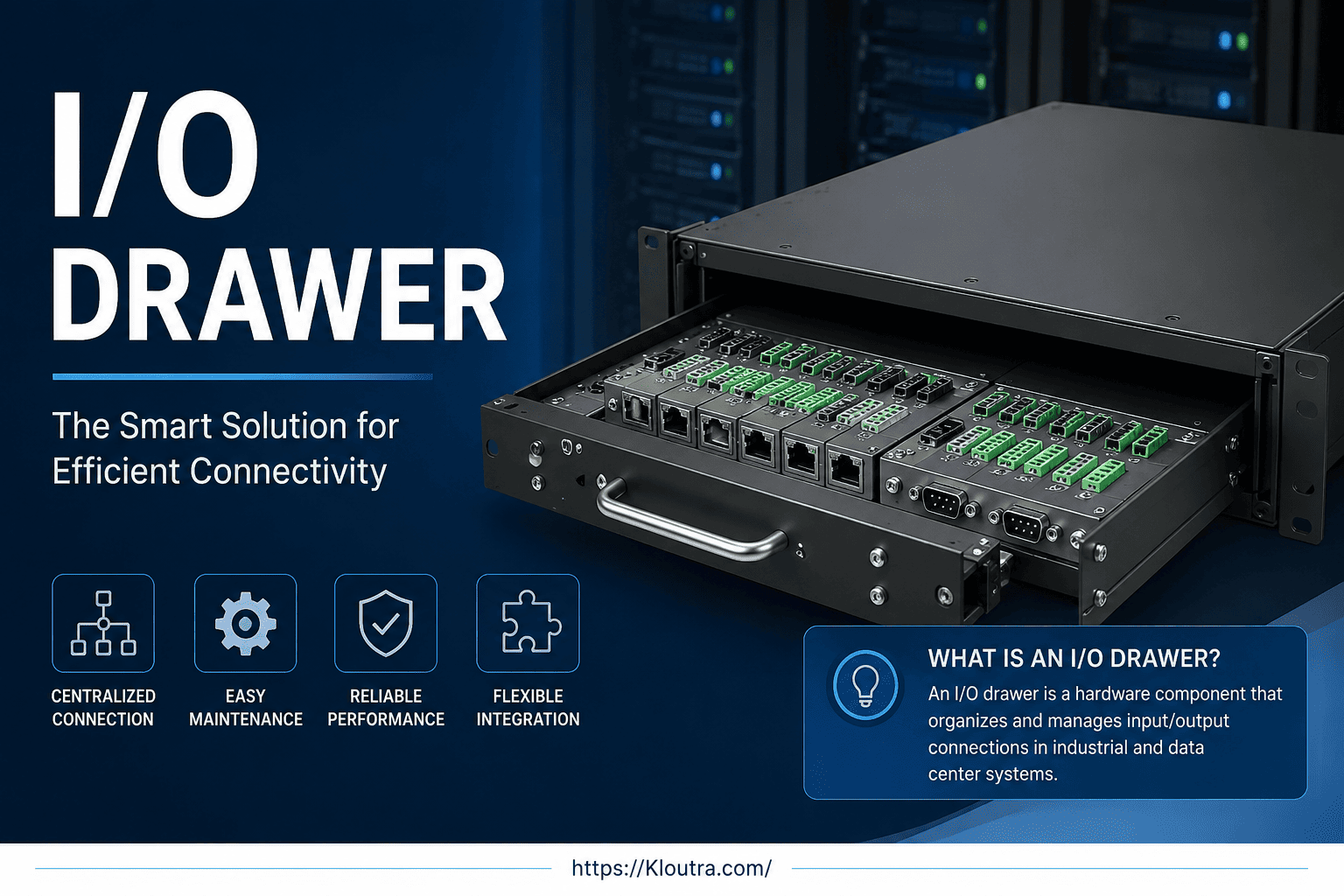
What Is an I/O Drawer? Complete Guide, Features & Uses in 2026
Ever opened up a server rack and wondered what that sliding metal tray full of ports actually does? That tray is often an I/O drawer, and it plays a bigger role than most people realize.
If you work with servers, data centers, or enterprise hardware, you’ve probably heard the term thrown around. But what is an I/O drawer, really? In simple terms, it’s a hardware unit that expands the number of input and output connections a server or computing system can support.
This guide breaks down everything you need to know. We’ll cover the meaning, features, benefits, and real-world uses of an I/O drawer, plus best practices for anyone just getting started. By the end, you’ll understand this topic well enough to talk about it with confidence.
I/O Drawer Meaning: The Basics Explained
Let’s start with the simplest explanation. “I/O” stands for Input/Output. It refers to how a computer sends and receives data — through network cables, storage devices, or other connected hardware.
An I/O drawer is a separate hardware module that holds extra input/output connections. Think of it like a power strip for your computer system. Just as a power strip lets you plug in more devices than your wall outlet allows, an I/O drawer lets a server connect to more devices than its built-in ports allow.
Where the Term Comes From
The term is common in enterprise computing, especially with mainframes and high-end servers from companies like IBM, HPE, and Dell. These systems often need far more connections than a typical desktop computer.
Instead of building all those ports directly into the main server, engineers designed separate drawers. Each drawer slides into a server rack, much like a drawer slides into a filing cabinet.
For example, IBM’s documentation on its PCIe I/O expansion drawers describes a real-world model that provides up to 12 extra PCIe adapter slots, connected to the main server through high-speed cable links. This is a good reference if you want to see official specifications for one of these units.
What Does an I/O Drawer Actually Do?
At its core, an I/O drawer expands connectivity. It gives a server room to grow without needing a complete hardware overhaul.
Here’s a simple analogy. Imagine your laptop only has two USB ports, but you need to plug in five devices. You’d use a USB hub. An I/O drawer works on the same idea, just at a much larger, industrial scale.
Common Functions of an I/O Drawer
- Connecting additional network cards
- Supporting extra storage controllers
- Adding more PCIe slots for expansion cards
- Linking specialized hardware like graphics processors or accelerators
- Allowing older systems to use newer connection types
Moreover, I/O drawers often connect to the main server through a high-speed cable or bus, so data moves quickly between the drawer and the core system.
Key Features of an I/O Drawer
Not all I/O drawers are built the same way. However, most share a few common features worth knowing.
Hot-Swappable Components
Many I/O drawers allow you to add or remove parts while the system is still running. This is called hot-swapping. It matters because businesses often can’t afford downtime, even for maintenance.
Modular Design
I/O drawers are built to be modular. This means you can customize what goes inside based on your needs — more network ports, more storage connections, or specialized cards.
High-Speed Connectivity
Since these drawers often serve high-performance systems, they typically use fast connection standards like PCIe (Peripheral Component Interconnect Express). PCIe is an industry standard maintained by PCI-SIG, the organization responsible for developing and releasing new PCIe specifications. This keeps data transfer speeds high, even with the extra hardware layer.
Redundancy and Reliability
Enterprise-grade I/O drawers often include backup power supplies or duplicate connections. In short, if one part fails, the system keeps running.
Benefits of Using an I/O Drawer
So why would a company invest in this extra piece of hardware? Let’s look at the practical I/O drawer benefits.
1. Scalability Without Replacing the Whole Server
Instead of buying an entirely new, more powerful server, a business can add an I/O drawer. This saves money and time.
2. Flexibility for Changing Needs
Business needs change. A company might need more storage one year and more network capacity the next. I/O drawers make it easier to adjust without starting from scratch.
3. Better Resource Management
By separating input/output functions from the main processing unit, systems can run more efficiently. The main server focuses on processing, while the drawer handles connectivity.
4. Longer Hardware Lifespan
Because you can upgrade the drawer instead of the whole system, your core server hardware can last longer. This is a practical way to stretch an IT budget further.
Advantages and Disadvantages of an I/O Drawer
No piece of hardware is perfect for every situation. Before you invest in an I/O drawer, it helps to weigh what it does well against where it falls short.
Advantages
- Easier scaling. You can add more ports and slots without buying a whole new server.
- Less downtime. Hot-swappable models let you make changes while the system keeps running.
- Longer server life. Upgrading a drawer costs less than replacing core hardware.
- Flexible configuration. You can mix and match cards for networking, storage, or specialized processing.
Disadvantages
- Added cost. I/O drawers, cables, and compatible adapters add to your hardware budget.
- More complexity. Extra hardware means more parts to monitor, document, and maintain.
- Physical space and power needs. Drawers take up rack space and draw additional power and cooling.
- Compatibility limits. Not every drawer works with every server, so upgrades require careful planning.
- Learning curve. Beginners may find installation and configuration confusing without IT experience or vendor support.
In short, an I/O drawer solves a real problem — limited connectivity — but it comes with trade-offs in cost and complexity. Weigh both sides against your actual needs before deciding.
I/O Drawer for Beginners: How It Fits Into a Bigger System
If you’re new to this topic, it helps to picture the whole system as a house.
The main server is like the house itself. The I/O drawer is like an extra room you add on when you need more space. You don’t tear down the house — you just build an addition.
If you’re still getting familiar with server hardware in general, Kloutra’s guide on server infrastructure basics is a good place to build a foundation before diving deeper into components like I/O drawers.
Where You’ll Find I/O Drawers
- Data centers running enterprise servers
- Mainframe computing environments
- High-performance computing (HPC) clusters
- Telecom infrastructure
- Large-scale cloud service providers
For most everyday users, I/O drawers are invisible. You won’t find one in a home computer or a small business laptop. However, if you ever work in IT, networking, or systems administration, you’ll likely encounter one eventually.
I/O Drawer Best Practices
If you manage or work near enterprise hardware, a few best practices can help you avoid common mistakes.
Plan for Future Growth
Don’t just solve today’s problem. Think about what your system might need in one to two years. This helps avoid buying another drawer too soon.
Keep Firmware and Software Updated
Like any hardware, I/O drawers rely on firmware to work correctly with the main system. Outdated firmware can cause compatibility issues or slow performance.
Monitor Power and Cooling
Extra hardware means extra heat and power draw. Make sure your data center or server room can handle the added load before installing a new drawer.
Work With Compatible Hardware
Always check that the I/O drawer is compatible with your specific server model. Mixing incompatible components is one of the most common (and costly) mistakes beginners make.
Document Your Configuration
Keep clear records of what’s connected to each drawer. This makes troubleshooting much faster if something goes wrong later.
For a deeper look at keeping enterprise hardware organized and well-documented, check out Kloutra’s data center management tips.
I/O Drawer Guide 2026: What’s Changing
Enterprise hardware keeps evolving, and I/O drawers are no exception. As of 2026, a few trends are shaping how these components are used.
First, demand for faster data transfer continues to grow, especially with AI and machine learning workloads needing more connectivity. Second, energy efficiency has become a bigger priority, so newer I/O drawers are often designed with better power management in mind.
That said, specific product releases, pricing, and technical specifications change often. If you’re making a purchasing decision, it’s best to check directly with hardware vendors like IBM, HPE, Dell, or Lenovo for the latest models and specifications.
Frequently Asked Questions
What is an I/O drawer used for?
An I/O drawer is used to add extra input and output connections to a server, such as network ports, storage connections, or expansion cards. It helps systems grow without replacing the entire server.
Is an I/O drawer the same as a server?
No. An I/O drawer is not a standalone server. It’s a supporting component that connects to a main server or system to expand its connectivity options.
Do small businesses need an I/O drawer?
Most small businesses won’t need one. I/O drawers are mainly used in large data centers, enterprise systems, and high-performance computing environments.
Can I add an I/O drawer to any server?
Not always. Compatibility depends on the server model and manufacturer. Always confirm compatibility before purchasing or installing one.
Are I/O drawers expensive?
Costs vary widely based on the manufacturer, capacity, and features included. Since pricing changes frequently, it’s best to request a quote directly from a hardware vendor for current numbers.
Disclaimer
This article is for general educational purposes only, not professional IT advice. Always confirm current specs and pricing with the hardware vendor before buying.
Conclusion
An I/O drawer might sound technical at first, but the idea behind it is simple. It’s a hardware module that gives a server more room to connect, expand, and grow without a full system replacement.
We’ve covered the meaning, features, and benefits of an I/O drawer, along with practical best practices for anyone working with one. Whether you’re a student learning the basics or a professional managing enterprise hardware, understanding this component helps you make smarter decisions about system design.
If you’re exploring server infrastructure or planning an upgrade, take time to research the specific I/O drawer models compatible with your system. A little research now can save a lot of hassle later.

Related Posts

Mobile App Development Tips for Beginners

Best Spotify Alternatives for Music Streaming