How to Automate NDIS Plan Management: Software and Features
Introduction
Every invoice you enter manually takes time away from supporting participants.
For many plan managers, the workweek fills up with repetitive tasks. These include entering invoice details, checking support dates, updating budgets, and following up on missing information. NDIS plan management software helps reduce this workload by organising invoices, tracking payments, and keeping participant budgets clear and accessible. You still need to review every claim and follow NDIS requirements, but you can spend less time on manual data entry. This guide explains how automation works, which features to look for, how to set it up, and what it costs.
What Is NDIS Plan Management Automation?
NDIS plan management automation uses software to simplify daily financial tasks. It helps plan managers process invoices, track budgets, and record payments. Some tools can also organise claims and generate financial reports.
Without automation, staff may spend hours entering data and checking invoices manually. Software can reduce repetitive work and help teams spot possible errors sooner.
Automation does not remove a participant’s responsibility to monitor their funding. It helps plan managers keep records organised and provide clearer budget updates. The right software can make daily plan management more efficient.
How Does NDIS Plan Management Software Work?
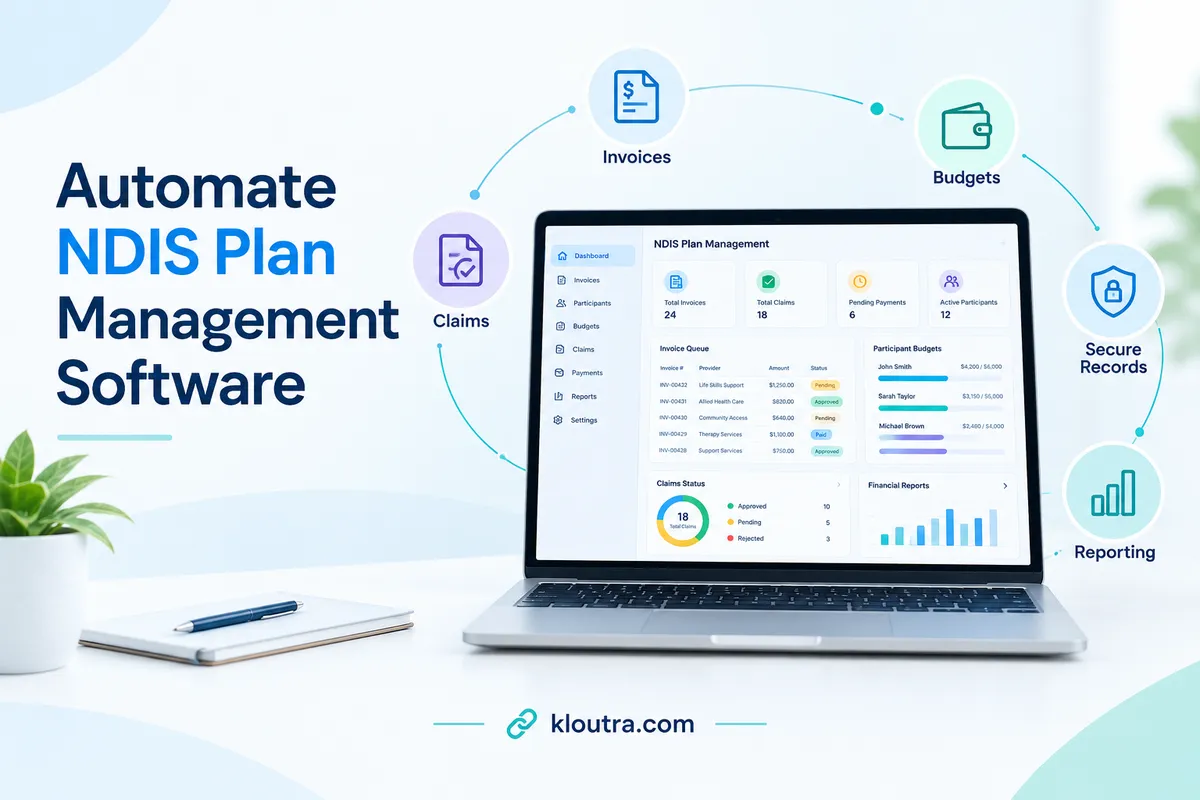
NDIS plan management software helps plan managers handle financial tasks in one place. It can organise invoices, track budgets, record payments, and prepare financial statements. Some systems also offer automated checks, reminders, and reporting tools.
When a provider sends an invoice, staff enter or upload its details. Depending on the software, automated checks may flag missing details or possible errors. A plan manager must still review the invoice and check relevant NDIS requirements.
After approval, the plan manager submits a claim through the relevant NDIS portal. Once the NDIS pays the claim, the plan manager pays the provider. The software can then help update records and track remaining funds.
Features vary between providers, so not every task happens automatically. Plan managers must obtain required participant approval and keep accurate financial records. They must also protect personal information and follow current NDIS requirements.
Key Features to Look for in NDIS Plan Management Software
The right software helps plan managers handle invoices, budgets, and financial records. Look for tools that reduce manual work and support accurate reporting. Features vary, so check what each provider actually offers.
Automated Invoice Processing and Payment Tracking
Good software lets staff upload invoices and organise payment details. Some tools can extract invoice data and flag missing information. Payment tracking helps staff monitor claims and outstanding invoices.
Budget Monitoring and Financial Reporting
Budget tracking shows how much funding participants have spent. It also helps plan managers check remaining balances and identify unusual spending. Look for reports that show spending clearly across relevant budget categories. The software should support accurate monthly financial statements for participants.
NDIS Claims, Compliance, and Record-Keeping
Choose software that helps organise claims, invoices, and supporting records. Some systems may flag missing details or possible claim issues.
Integrations and Data Security
Check whether the software connects with accounting tools or relevant NDIS systems. Approved integrations can reduce duplicate data entry and simplify daily tasks. Confirm which integrations the provider supports before choosing a product.
NDIS financial records contain sensitive personal information. Look for access controls, secure data storage, and clear backup procedures. Ask how the provider protects data and handles security incidents. Organisations must take reasonable steps to protect personal information under applicable privacy requirements.
How to Automate NDIS Plan Management Step by Step
Start by identifying manual tasks, then automate routine work carefully. Keep claim checks, participant approvals, and accurate financial records in place.
Review Your Current Workflow
Check how your team receives invoices, verifies claims, tracks budgets, and pays providers. Identify delays, duplicate entries, and missing invoice details. Review how staff monitor funding balances and prepare monthly participant statements.
Choose Software That Fits Your Business
Choose software with invoice processing, budget tracking, claim records, and financial reporting. Confirm how it works with the my NDIS and myplace provider portals. Ask vendors to demonstrate integrations instead of assuming claims submit automatically.
Set Up Automation Rules and Notifications
Set alerts for missing invoice details, duplicate invoices, and unpaid amounts. Track claim deadlines and flag transactions that need manual review. Keep required participant authorisations and claim checks within your workflow.
Test the System Before Full Adoption
Test invoices and claims before moving all records into the system. Compare claim details, payment amounts, and participant budget balances. Train staff to review flagged transactions and correct errors.
From 15 October 2026, the NDIA is applying extra checks to claims submitted more than 90 days after support delivery. From 1 December 2026, the claim deadline is scheduled to become 90 days. Configure reminders accordingly and check official NDIS updates before implementation.
Benefits of Automating NDIS Plan Management
Automating NDIS plan management helps teams handle routine financial tasks more efficiently. It can reduce manual work and make financial information easier to track. The results depend on the software and how staff use it.
Less Manual Work and Fewer Errors
Software can organise invoices, reduce repeated data entry, and flag missing details. This saves time on routine administrative tasks. Automation can help identify problems, but it cannot prevent every error.
Faster Invoice Processing
Digital invoice workflows help staff receive, review, and organise invoices. Automated reminders can highlight unpaid invoices and pending approvals. This helps teams follow up sooner and avoid unnecessary delays.
Better Budget Visibility and Reporting
Budget tracking tools help plan managers monitor spending and remaining funds. Clear reports make it easier to spot unusual spending patterns. Plan managers can use this information to discuss budgets with participants. Monthly financial statements also help participants understand their spending and available funds.
How Much Does NDIS Plan Management Software Cost?
NDIS plan management software prices vary by provider and business size. Some providers charge per staff member, while others charge per client. Some software companies also offer custom pricing.
For example, Careview lists a price of $780 per month for 100 client profiles. ShiftCare starts at $8 per user monthly, with a five-user minimum. These prices apply to different software products and features, so compare them carefully. <Link url=”https://www.careviewapp.com/faqs/” title=”Careview pricing details”/> and <Link url=”https://shiftcare.com/pricing” title=”ShiftCare pricing details”/> provide further information.
Your final cost may also depend on billing terms and optional features. Ask about setup fees, training, integrations, and customer support before signing up. Check whether prices include GST and whether annual billing changes the rate.
Before choosing a platform, compare the total cost with your business needs. A suitable plan should save time without charging for features you rarely use.
How to Choose the Right Software for Your NDIS Business
Choose software that matches your business size, budget, and daily tasks.
Check these important features before making a decision:
- Invoice processing: Make it easier to receive, check, and organise invoices.
- Budget tracking: Monitor participant spending and remaining funds.
- Claims and reports: Support claim management and prepare clear financial statements.
- Data security: Protect participant information and control staff access.
- Pricing: Compare subscription fees, setup costs, and extra charges.
- NDIS requirements: Confirm the software supports your workflow and current NDIS obligations.
Ask for a demonstration before purchasing. Check which tasks run automatically and which require staff checks. Choose software that saves time without sacrificing accuracy.
Common Automation Mistakes to Avoid
Automation can save time, but mistakes can cause payment delays and inaccurate records.
- Trusting automation completely: Always check invoices and claims before submission.
- Ignoring participant approval: Confirm participants know about and approve claims before submission.
- Using incorrect information: Check invoice details, support dates, amounts, and available budgets.
- Overlooking NDIS requirements: Make sure every claim follows current NDIS rules.
- Skipping staff training: Train your team to use the software correctly.
- Ignoring record-keeping: Keep accurate invoices, payment records, and supporting documents.
- Choosing unsuitable software: Check that the system fits your workflow and business needs.
Software can support your work, but it cannot replace proper checks. Plan managers remain responsible for accurate claims and compliant records.
Is Automating NDIS Plan Management Worth It?
Yes, automation can help NDIS plan managers save time on routine tasks. It can simplify invoice processing, budget tracking, and financial reporting. Software can also organise records and flag missing information.
Automation is worth considering if it reduces manual work and saves time. Compare software costs with the benefits it offers your business. Choose software that fits your needs and keeps financial records accurate.
Frequently Asked Questions
Can I Manage My Own NDIS Plan?
Yes, you can manage your own NDIS funding if you choose self-management. You handle provider payments, invoices, and financial records yourself. This option gives you more control over your spending. You must still follow your plan and NDIS funding rules.
What Is the Best NDIS Plan Management Software for Providers?
The best software depends on your business size and daily workload. Look for automated invoice processing, participant budget tracking, and payment records. Check reporting features, accounting integrations, and data security before choosing. Compare the total cost and test the software with a demo.
What Are the Three Types of NDIS Management?
The NDIS offers three ways to manage your funding:
- Self-managed: You manage payments and financial records yourself.
- Plan-managed: A registered plan manager handles payments and financial records.
- NDIA-managed: The NDIA manages payments and financial records for you.
You can combine these options for different parts of your plan.
What Is an NDIS Plan?
An NDIS plan records your goals, support needs, and approved funding. It explains which supports your funding can cover. You use the plan to guide spending on eligible disability supports. You should check your available funding before arranging services.
Conclusion
Automating NDIS plan management can save time and simplify daily tasks. The right software helps organise invoices, track participant budgets, and prepare financial reports. However, automation cannot replace staff checks or NDIS compliance responsibilities.
Before choosing software, compare features, pricing, and data security. Select a system that fits your business needs and workflow. With the right setup, automation can reduce manual work and improve record-keeping.
Disclaimer: This article provides general information about how to automate NDIS plan management using software. Features, pricing, and capabilities vary by provider. Always check current NDIS rules and confirm software suitability before making business decisions. This article does not replace official NDIS guidance or professional advice.