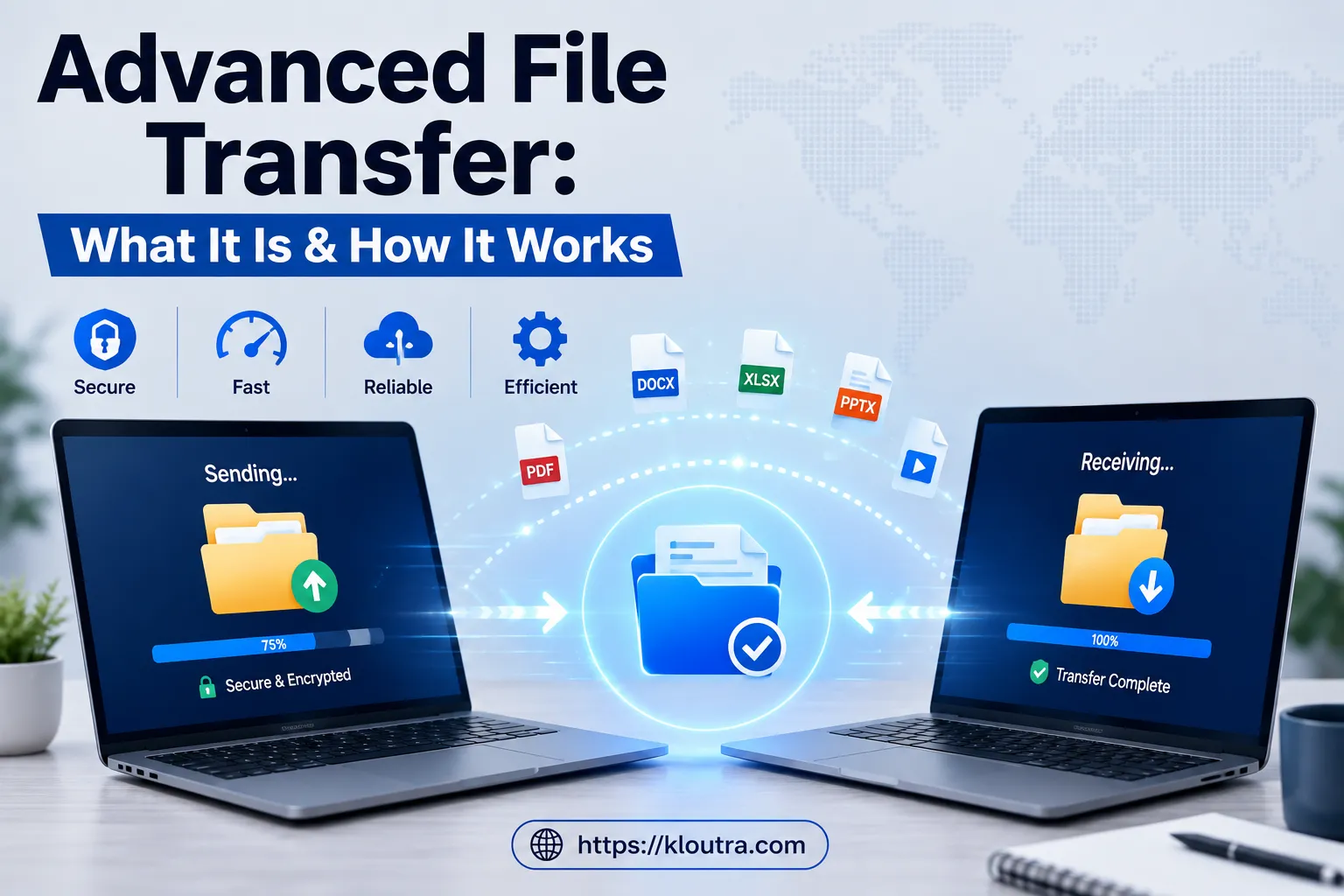
Advanced File Transfer: What It Is & How It Works
Sending a large video file by email and getting bounced back with a “file too large” error is a familiar frustration — and it’s exactly the kind of problem that advanced file transfer was built to solve. However, that everyday annoyance is really just the surface of a much bigger issue: regular email and basic upload tools were never designed for the volume, speed, or security that modern organizations need today.
Advanced file transfer isn’t one single tool. Instead, it’s a whole category of protocols, platforms, and practices built to move files quickly, securely, and reliably between people, teams, systems, and even entire office locations. This guide goes beyond the basics of “what is file transfer” to cover the protocols that power it, how automation and multi-site sync work, the advantages and trade-offs involved, the security and compliance layer enterprises rely on, and where the technology is headed next.
A Quick History: How Advanced File Transfer Came to Be
File transfer didn’t start with the cloud. In the earliest days of computing, “transferring” a file meant physically carrying punch cards or magnetic tapes between machines. Then, the 1970s brought local area networks. Along with them came the original File Transfer Protocol (FTP), which let organizations move files remotely for the first time.
Later, the internet boom of the 1990s made email attachments and web-based sharing part of everyday life. Meanwhile, built-in file sharing in Windows and Macintosh made local network transfers effortless for ordinary users. As security concerns grew in the 2000s, encrypted protocols like SFTP and HTTPS became standard, protecting data as it moved across public networks. Cloud computing then pushed things even further, making it possible to sync and share huge files across many devices at once. Today, advanced systems build on all of that history, layering in automation, AI-driven optimization, and enterprise-grade governance that early file transfer tools never had.
The Protocols That Actually Power Advanced File Transfer
Most articles on this topic mention “encryption” and “secure protocols” without ever naming them. Here’s what’s actually running under the hood.
SFTP (SSH File Transfer Protocol)
SFTP encrypts both the commands and the data itself using SSH tunneling. In fact, it combines authentication, integrity checking, and confidentiality in a single protocol, which is why it’s the default choice for most enterprise environments that need a secure baseline.
FTPS (FTP Secure)
FTPS layers TLS/SSL encryption on top of traditional FTP. As a result, organizations with legacy FTP infrastructure often prefer it, since it protects existing investments rather than requiring a full rebuild. It also supports both implicit and explicit connection modes.
AS2 (Applicability Statement 2)
AS2 serves business-to-business document exchange specifically, and it includes built-in receipt confirmation. Supply chain and retail trading partners therefore rely on AS2 heavily, because its message disposition notifications provide legally recognized proof that a document arrived.
HTTP/HTTPS
Originally designed for web pages, HTTP now also plays a major role in file transfer, especially in cloud storage and web-based applications. Additionally, HTTPS adds TLS/SSL encryption on top, making it a flexible, widely compatible option.
FASP and Other UDP-Based Acceleration Protocols
Standard TCP-based transfers slow down significantly over long distances or high-latency connections because of built-in congestion control. Protocols like FASP (Fast and Secure Protocol), however, run on UDP instead, bypassing that slow-start behavior entirely. As a result, transfer speeds can reach 10 to 100 times faster than standard methods on high-latency connections, all while still applying strong encryption.
MFT (Managed File Transfer)
MFT isn’t a single protocol — rather, it’s a platform that combines multiple protocols (SFTP, FTPS, AS2, and others) with centralized governance, automation, monitoring, and detailed audit trails. For enterprises juggling regulatory requirements and dozens or hundreds of trading partners, most experts consider MFT the most complete approach to file movement. If your team is also dealing with slow-loading internal tools alongside slow transfers, it’s worth reading how a what is an application acceleration manager works, since the two problems often share the same root cause: unoptimized data paths.
What Actually Happens During an Advanced File Transfer
Behind the scenes, a transfer moves through a fairly consistent sequence regardless of which protocol handles it.
- Send request and authentication. A file transfer client, browser, or automated system initiates the request. Before anything moves, the system usually verifies sender and receiver identities to block unauthorized access.
- Preparation. The system may compress the file to reduce its size, encrypt it for confidentiality, and break it into smaller packets for more efficient transmission.
- Transmission. The file travels over the network using the chosen protocol. Meanwhile, error-checking mechanisms run throughout to catch corruption or data loss, automatically resending any pieces that fail.
- Verification and reassembly. On arrival, the system reassembles the pieces. It often checks them against the original using checksums or cryptographic hashes, thereby confirming nothing changed in transit.
- Confirmation. The system logs a delivery confirmation and, in regulated environments, records it as part of an audit trail.
Ultimately, network bandwidth, file size, server load, protocol choice, and even ISP throttling policies all influence how fast this whole sequence completes. That’s why the same file can take minutes on one connection and hours on another.
Advantages and Disadvantages of Advanced File Transfer
No system is perfect for every use case. Here’s an honest breakdown before you commit to a platform.
Advantages
- Speed at scale. UDP-based acceleration and parallelization move large files far faster than email or basic FTP, especially over long distances.
- Stronger security. Encryption in transit and at rest, MFA, and IP allowlisting close gaps that basic file-sharing tools leave open.
- Automation reduces human error. Scheduled and event-based transfers remove repetitive manual work and the mistakes that come with it.
- Built-in compliance evidence. Audit trails and delivery confirmations satisfy regulators without extra manual documentation.
- Resilience. Checkpoint restart and automatic retries mean large transfers survive network failures instead of starting over.
Disadvantages
- Cost and complexity. Full MFT platforms carry licensing or subscription costs that can be overkill for small teams with light needs.
- Setup and maintenance overhead. Protocol configuration, key management, and integration with legacy systems require real technical effort.
- Learning curve. Staff need training on new tools, especially when moving away from familiar email-based workflows.
- Vendor lock-in risk. Cloud-hosted platforms can make it harder to migrate later if pricing or features change.
- Over-engineering for simple needs. A small business occasionally sending a large file doesn’t need the same infrastructure as an enterprise with hundreds of trading partners.
Automated File Transfer (AFT): Taking Humans Out of the Loop
One of the biggest gaps in most basic explanations of file transfer is automation. In fact, it’s arguably the feature that separates a genuinely “advanced” system from a merely secure one.
Automated file transfer (AFT) uses predefined rules and software to move files between systems without anyone clicking “send.” Instead of manual drag-and-drop or command-line actions, AFT relies on:
- Scheduled transfers that run at set times or intervals without oversight
- Event-based triggers, such as a file being created, modified, or dropped into a watched folder
- Automatic retries when a transfer fails, along with failure alerts sent to the right people
- Detailed logging for every automated run, supporting compliance and troubleshooting
Because of this, AFT makes it practical for a business to deliver a scheduled report to stakeholders every morning, exchange structured documents with a partner system automatically, or push nightly backups to off-site storage as part of a clear data backup policy — all without a person watching the clock. The benefits compound: reduced manual workload, more predictable data movement, fewer errors from repetitive human tasks, and audit-ready logs that the process generates as a byproduct of normal operation.
AFT and MFT overlap heavily, and people often use the two terms interchangeably in practice. Loosely speaking, AFT tends to describe high-volume, largely hands-off operations, while MFT implementations often retain a bit more manual oversight and alerting. Either way, the line between them isn’t strict.
Resilience in Advanced File Transfer: Checkpoint Restart and Failure Recovery
Large transfers fail. Connections drop, servers restart, and networks hiccup. What separates advanced systems from basic ones is what happens next.
Checkpoint restart allows a transfer to resume from the exact byte where it stopped, rather than starting over from zero. For a multi-gigabyte video file or a dataset transfer that takes hours, this single feature can save enormous amounts of time and bandwidth. Combined with automatic retry logic, an interrupted overnight transfer can complete successfully without anyone even noticing there was ever a problem.
File Locking: The File Transfer Problem Nobody Talks About
Here’s a scenario that basic file-transfer guides almost never mention: what happens when two people in two different offices open and edit the same file at the same time?
Without protection, the result is overwritten work, conflicting versions, and manual cleanup. This is a real and common problem in multi-site file environments, since organizations running branch offices, remote teams, and a mix of cloud and on-premises storage all need access to the same business-critical files.
File locking solves this by preventing competing edits while someone is using a file elsewhere. For teams sharing engineering drawings, design assets, or shared project documents across locations, this single feature can eliminate a recurring source of frustration and lost work. That’s a core reason why simple file-sharing tools built for individual convenience often break down once an organization scales to multiple sites with synchronized file servers.
Multi-Site Synchronization: Beyond Point-to-Point File Transfer
Advanced file transfer at the enterprise level often isn’t about sending one file from A to B. Instead, it’s about keeping file servers across many locations continuously synchronized. That introduces challenges basic transfer tools were never built to handle:
- A delayed sync can leave one office working from outdated files
- A failed transfer might go unnoticed until someone urgently needs the missing data
- Large replication jobs can consume bandwidth during business-critical hours if left unmanaged
Solving this requires automated synchronization and replication between servers, real-time or scheduled sync options, bandwidth controls to avoid disrupting other network traffic, and centralized monitoring so IT can see backlogs and failures before end users do. In other words, this turns file movement from a reactive “why is this file missing” problem into a managed, visible operation — which is really the core difference between simple file transfer and advanced file transfer.
Advanced File Transfer Security: What “Secure” Actually Requires
Security in advanced file transfer isn’t just “turn on encryption.” Rather, a genuinely secure setup layers several protections together:
- End-to-end encryption, both in transit and at rest, typically using AES-256, the NIST-certified standard that government and financial institutions expect
- Key management, ensuring only authorized recipients can decrypt files
- Multi-factor authentication for anyone accessing the transfer platform
- IP allowlisting to restrict connections to approved network locations
- Anomaly detection, monitoring transfer patterns to flag potential data exfiltration
- Regular key rotation and immediate access revocation when personnel change
- Immutable audit trails recording who sent what, to whom, when, and whether delivery succeeded
That last point matters more than it might seem. After all, detailed, tamper-proof logs aren’t just useful for troubleshooting — they’re often a hard requirement for passing an audit. If your organization is still building out its wider security posture, our cybersecurity coverage walks through related practices worth pairing with any file transfer setup.
Compliance in Advanced File Transfer: Why Regulated Industries Can’t Use Basic Tools
Healthcare providers, financial institutions, and any business handling personal data operate under regulations that basic file-sharing simply can’t satisfy. The General Data Protection Regulation (GDPR) in Europe, the HIPAA Security Rule for healthcare data in the US, and the PCI Data Security Standard for payment card information are three of the biggest examples. Generally, these frameworks require documented encryption, access controls, and audit trails proving exactly who touched sensitive data and when.
This is precisely where Managed File Transfer earns its keep, and it’s a good example of the kind of business software enterprises rely on for governance-heavy workflows. Because every transfer already generates the documentation regulators expect, built-in compliance reporting can satisfy auditors without someone manually assembling evidence after the fact.
Cloud, On-Premises, or Hybrid Advanced File Transfer?
Choosing where an advanced file transfer system actually runs is its own decision.
- Cloud-hosted platforms remove infrastructure management entirely. The provider handles scaling, redundancy, and updates, and monthly subscription pricing turns capital costs into predictable operating expenses.
- On-premises deployments offer maximum control over data residency and network architecture, which highly regulated industries often mandate outright.
- Hybrid approaches combine both, keeping sensitive data categories on-premises while routing everything else through the cloud for convenience.
Ultimately, the right choice depends on transfer volume, the number of internal and external partners involved, industry-specific compliance mandates, integration needs with existing business software systems, and how geographically spread out senders and recipients are — which directly affects latency.
Squeezing Out More Speed: File Transfer Performance Optimization
Beyond simply picking a fast protocol, several techniques push transfer performance further:
- Parallelization, splitting a large file into multiple concurrent streams to multiply effective throughput across available bandwidth
- Compression, reducing payload size by roughly 40 to 70 percent for text-heavy files before transmission even begins
- Protocol tuning and network path optimization, routing transfers through the lowest-latency path available, often via content delivery networks or transfer acceleration services
- Continuous performance monitoring, catching degradation before users notice and report a problem
Where AI Fits Into Advanced File Transfer
Artificial intelligence is starting to reshape how teams manage and monitor transfers, not just how they track them. For instance, organizations are using AI to predict network conditions and automatically select the most efficient transfer route, forecast future transfer needs so they can allocate resources proactively, and detect anomalies in transfer patterns that might indicate a security threat rather than a technical glitch — the same kind of predictive shift covered in our broader AI Tools coverage. Consequently, this shifts file transfer management from a reactive discipline — fixing problems after users complain — to a predictive one that catches issues before they cause downtime.
Enterprise Advanced File Transfer Challenges Worth Knowing About
Even with the right tools, enterprises commonly run into a few recurring obstacles.
- Legacy system integration. Connecting modern transfer platforms to older infrastructure without creating security gaps.
- Scalability under growth. Scaling transfer infrastructure to match rising data volumes without sacrificing speed or security, further complicated by pricing models that range from perpetual licenses to subscriptions.
- Evolving security threats. Keeping pace with increasingly sophisticated attacks aimed at sensitive data in transit.
What’s Next for Advanced File Transfer
A few trends are likely to define the next phase of this technology:
- Zero-trust architecture, which verifies every transfer request regardless of network location or prior credentials, rather than trusting anything already “inside” the network
- Blockchain-based verification for tamper-proof delivery confirmation on high-value exchanges
- Quantum-resistant encryption, designed to protect data against future computational threats that could eventually break today’s encryption standards
- Edge computing, accelerating transfers at network points physically closer to end users
- 5G and next-generation networks, further increasing the raw speed at which huge volumes of data can move globally
Choosing the Right Advanced File Transfer Approach
Not every organization needs a full Managed File Transfer platform. The right fit really depends on a few honest questions:
- How large are the files you regularly move, and how often?
- How many internal and external partners are involved in each transfer?
- What compliance requirements apply to your industry?
- Do transfers need to integrate with existing business applications?
- Are your senders and recipients spread across multiple sites or regions?
Generally, an accelerated cloud platform serves small teams sending the occasional large file quite well. On the other hand, organizations coordinating file servers across multiple offices need synchronization, file locking, and centralized visibility. Meanwhile, enterprises managing complex partner networks under regulatory pressure typically need a full MFT platform with built-in governance.
Advanced File Transfer: Frequently Asked Questions
What is advanced file transfer? It’s the use of enterprise-grade protocols and platforms, rather than basic email or consumer file-sharing, to move data securely, reliably, and at high speed, often with automation and compliance features built in.
Which protocol is best for secure file transfer? SFTP offers the strongest general-purpose balance of security and compatibility for most organizations. However, for broader governance, automation, and compliance needs, a full MFT platform typically covers more ground than any single protocol.
How much faster is advanced file transfer than email? Email typically caps attachments around 25MB. UDP-based acceleration protocols, by contrast, can move data 10 to 100 times faster than standard TCP-based methods over high-latency connections, easily handling files that are tens or hundreds of gigabytes in size.
Is automated file transfer the same as managed file transfer? They overlap significantly, and people often use the terms interchangeably. Generally speaking, AFT emphasizes high-volume, largely hands-off scheduled or triggered transfers, while MFT platforms add broader governance, reporting, and sometimes more manual oversight. There’s no strict industry-wide line between the two.
Do I need file locking if I already use cloud storage? If your team works across multiple locations and regularly edits the same files, yes. Standard cloud storage sync doesn’t always prevent two people from editing the same file simultaneously, which is exactly the conflict that file locking prevents.
Is advanced file transfer overkill for a small business? Not necessarily. Even small teams benefit from automatic retries, delivery confirmation, and basic encryption once they’re regularly sending files larger than an email attachment allows or handling anything sensitive. Since the features scale, a small business doesn’t need a full MFT deployment to benefit from automation and encryption.
The Bottom Line on Advanced File Transfer
Advanced file transfer isn’t a single feature. Rather, it’s the combination of the right protocol, automation that removes manual work, resilience that survives network failures, security that satisfies regulators, and visibility that turns file movement into something IT can actually manage rather than just hope works. So, weigh the advantages against the setup and cost trade-offs above before choosing a platform. Whether you’re a small team occasionally hitting an email attachment limit or an enterprise coordinating file servers across a dozen offices, understanding these building blocks makes it much easier to choose a solution that actually fits, instead of just the fastest one on a features page.
Disclaimer: This article is for general informational purposes only and does not constitute legal, compliance, or professional cybersecurity advice. Regulations like GDPR, HIPAA, and PCI DSS carry specific, evolving requirements, and interpretations can vary by jurisdiction and industry. Consult a qualified legal, compliance, or IT security professional before making decisions about your organization’s file transfer setup or regulatory obligations.