10 Best AI Agents for Business: Use Cases and Benefits
AI is changing how businesses handle daily work. Companies now use AI agents to manage customer questions organize tasks, find leads and automate routine processes. Unlike basic chatbots, AI agents can take steps to complete a task.
However, not every AI agent is right for every business. Some focus on customer service, while others help with sales, research and workflow automation. In this guide, we cover 10 of the best AI agents for business, their main uses and how to choose the right one.
What Are AI Agents for Business?
AI agents are software systems that use artificial intelligence to complete tasks with limited human input. They can understand a goal, collect information, make decisions and take action through connected tools.
For example: A customer service agent can read a support request, find the relevant order details, prepare a response and send the issue to a human when needed.
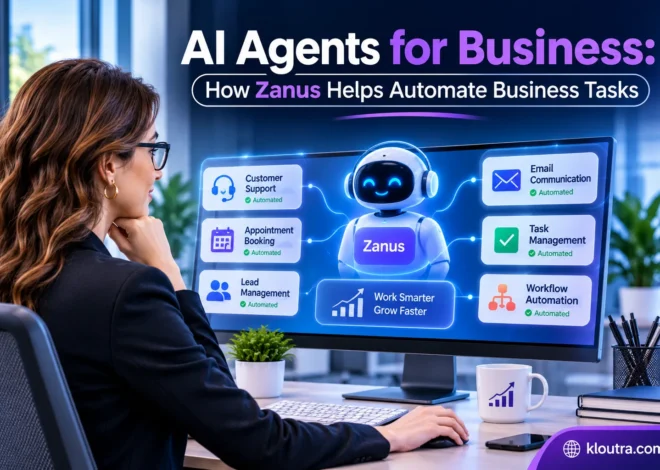
Businesses use AI agents for tasks such as:
- Answering common customer questions
- Finding and qualifying sales leads
- Organizing projects and team tasks
- Researching business information
- Managing repetitive workflows
- Summarizing reports and documents
The level of automation depends on the tool and the permissions a business gives it.
10 Best AI Agents for Business
Here are 10 useful AI agent platforms for different business needs. Some are ready-to-use tools, while others let teams build their own agents.
1. ChatGPT Agent
Best for: Research, planning and general business tasks
ChatGPT Agent can help businesses complete multi-step tasks instead of only answering questions. A business owner could use it to research competitors, collect market information or prepare a report. Teams can also use it to organize information before making decisions.
Key uses:
- Market and competitor research
- Business reports and planning
- Data analysis
- Research for marketing campaigns
It is a useful option for businesses that need one flexible tool for different tasks. However, important findings should still be checked before using them. Because it is made for different tasks, businesses with specific needs may need to change the instructions to get better results.
2. Claude
Best for: Document analysis, writing and detailed research
Claude by Anthropic is useful for businesses that work with long documents and large amounts of written information. Teams can use it to understand lengthy files or prepare clear drafts from complex information.
Key uses:
- Reviewing business documents
- Summarizing long reports
- Preparing proposals and business content
- Supporting software development
Claude is a good choice for teams that spend a lot of time reading, writing and analyzing information. Its ability to take actions also depends on the features and integrations available in the selected setup. It is useful for teams that need to review multiple documents or turn simple notes into clear and organized content.
3. Google Gemini
Best for: Businesses using Google Workspace
Google Gemini can support business tasks across Google’s productivity tools. Businesses already using Gmail, Google Docs, Sheets and other Google services may find it easier to add Gemini to their existing workflow.
Key uses:
- Drafting business emails
- Summarizing documents
- Working with business information
- Supporting research and planning
Gemini is worth considering if your team already depends on Google’s tools. Available agent features depend on the product and plan. Teams that mostly use Microsoft 365 or other tools may not find it as useful.
4. Salesforce Agentforce
Best for: Sales teams and customer service
Salesforce Agentforce helps businesses build AI agents that work with customer and sales information. For example, an agent can review a customer request, check available CRM information and prepare the next action.
Key uses:
- Customer support
- Lead qualification
- Sales follow-ups
- CRM record updates
Agentforce is especially useful for companies already using Salesforce. Smaller businesses without a CRM setup may find it more than they need. The results depend on the customer data stored in Salesforce. Agents need accurate and updated information to work properly.
5. Microsoft Copilot Studio
Best for: Building custom business agents
Microsoft Copilot Studio allows businesses to create AI agents for their own processes. Teams can connect agents with business data and services to handle specific tasks.
For example: A company could build an internal agent that answers employee questions using approved company documents. Another could help manage support requests or collect information from different systems. It works better for small teams than large companies with complex approval processes and strict system rules.
Key uses:
- Employee support
- Internal knowledge searches
- Customer service workflows
- Business process automation
Its low-code approach makes it useful for teams that want custom agents without building everything from scratch.
6. Zapier Agents
Best for: Connecting different business apps
Zapier Agents help businesses automate work across connected applications. They can use information from one app to decide what action should happen in another.
For example: An agent could review a new lead, collect relevant information and send it to a connected CRM. It can also help manage tasks across tools used by sales and marketing teams.
Key uses:
- Lead management
- Data transfer between apps
- Marketing workflows
- Repetitive administrative tasks
Zapier is a practical option for businesses that use several online tools. Its large app integration network is one of its main advantages.
7. Lindy
Best for: Everyday business workflow automation
Lindy lets users create AI agents to handle tasks across different business apps. Users can explain what they want the agent to do and connect it to tools like email, calendars and other apps. This helps teams automate daily work without building everything from the beginning.
For example: A business could set up an agent to review incoming emails, identify important requests and prepare suitable responses.
Key uses:
- Email management
- Meeting scheduling
- Customer communication
- Repetitive office tasks
Lindy can be useful for small teams that want to reduce daily administrative work.
8. Gumloop
Best for: Custom AI workflows without heavy coding
Gumloop provides a visual way to build AI-powered workflows. Businesses can connect different steps, use AI models and create processes for specific tasks. A marketing team could use it to collect information, analyze content and prepare campaign research. Operations teams can also build workflows around their regular processes.
Key uses:
- Marketing research
- Data processing
- Content workflows
- Internal business automation
Gumloop is a good option for teams that need more control over how their AI workflows operate.
9. Relevance AI
Best for: Building teams of specialized AI agents
Relevance AI helps businesses create agents that handle different roles and work together. Companies can design agents for research, sales, customer support and other business activities.
For example: One agent could research potential customers while another organizes the information for a sales team.
Key uses:
- Sales research
- Customer support workflows
- Business research
- Multi-agent automation
It is worth considering for businesses that want to build custom AI systems instead of relying on one general-purpose assistant.
10. Asana AI Teammates
Best for: Project management and team coordination
Asana AI Teammates help teams manage work within their projects and business plans. They can support task coordination, project updates and work across different teams.
For example: A project team can use AI support to organize information, track work and prepare updates. This helps employees spend less time on routine project administration.
Key uses:
- Project planning
- Task management
- Team coordination
- Project updates
Benefits of AI Agents for Business
AI agents can improve business operations when companies use them for the right tasks.
1. Save time: AI agents can do repeated tasks like sorting requests, writing summaries and organizing information. They can also connect different apps and complete tasks that employees would normally do themselves.
2. Improve customer support: AI agents can answer common customer questions, giving your team more time to handle difficult issues.
3. AI agents can collect and organize information, helping managers review important details before making decisions. Leaders who want extra guidance can also try AI coaching tools to build stronger leadership skills.
How to Choose the Right AI Agent for Your Business
Before choosing a tool, think about the problem you want to solve. Buying an AI platform without a clear purpose can waste money and create more work.
Consider these points:
- Identify your main task: Decide whether you need help with sales, customer support, research or project management.
- Check integrations: Make sure the tool works with the apps your team already uses.
- Review pricing: Check subscription costs, usage limits and extra charges before choosing a plan.
- Check security: Understand how the platform handles customer information and business data.
- Start with a small workflow: Test one task before giving an agent access to more important business systems.
Most importantly, keep human approval for sensitive actions such as payments, customer account changes and important business decisions.
Final Thoughts
AI agents can help businesses manage routine tasks, improve customer service and organize daily operations. The best tool depends on the work you want to automate.
ChatGPT Agent and Claude are useful for general business work and research. Salesforce Agentforce is more suitable for CRM and customer service, while Zapier Agents and Lindy help connect everyday business apps. Microsoft Copilot Studio and Relevance AI offer options for building custom agents. Start with one clear business problem, test the tool and measure the results.
Disclaimer: This article is for informational purposes only. AI agent features, pricing and availability may change over time. We recommend checking each tool’s official website before making a purchase or using it for your business. Results may vary depending on your business needs, setup and usage. Kloutra does not guarantee specific results from using these tools.