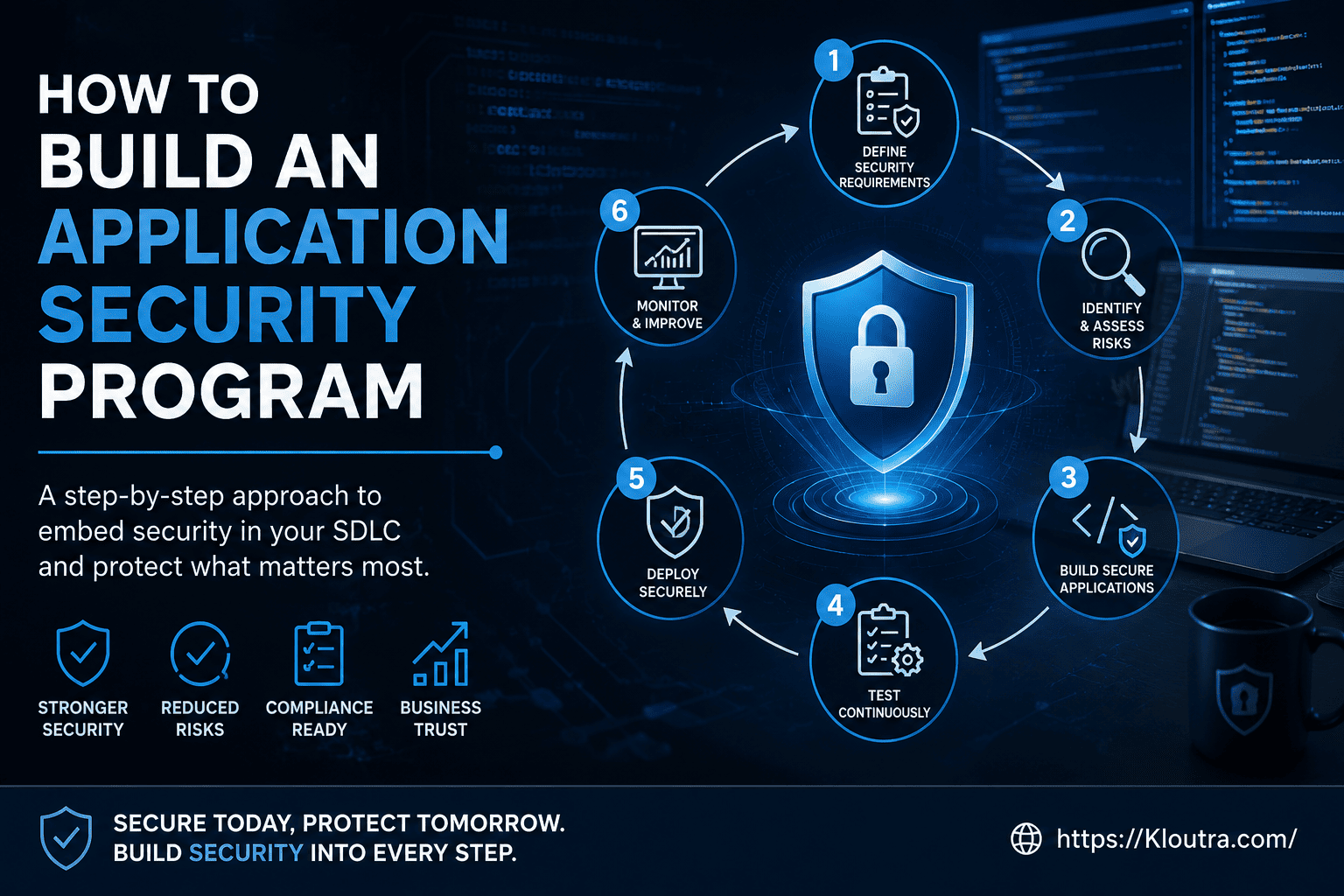
How an Application Security Manager Builds an AppSec Program in 2026
Every week, another company makes headlines for a data breach. Most of these breaches start the same way — a weak spot in an application that nobody caught in time. This is exactly why the role of an application security manager has become one of the most important jobs in tech today.
If you’re building an application security program from scratch, or trying to fix one that isn’t working, you’re in the right place. In this guide, we’ll walk through what a modern application security program actually looks like in 2026 — the tools, the process, and the mindset shift that AI has forced on every security team.
No fluff. No jargon without an explanation. Just a practical roadmap you can actually use.
What Is an Application Security Program?
An application security program is a structured system your organization uses to find, fix, and prevent security weaknesses in your software. It covers the entire life of an application — from the first line of code to the day you retire it.
Think of it like a health plan for your software. You don’t just treat problems when they show up. You also check-up regularly, build healthy habits (secure coding), and have an emergency plan (incident response) ready.
A good AppSec program is not just a pile of security tools. It combines three things:
- People — developers, security engineers, and an application security manager who ties it all together
- Process — how security fits into your development workflow
- Technology — the scanners, platforms, and automation that do the heavy lifting
Without all three working together, you end up with tools nobody uses or a policy nobody follows.
Why 2026 Is Different: The AI Factor
Application security has always evolved. But 2026 brings a change that’s bigger than most.
AI coding assistants now write a huge share of new code in many companies. That’s great for speed. However, research shows a meaningful share of AI-generated code contains exploitable flaws — things like SQL injection or missing input validation — because the AI learned from both good and bad code examples online.
This means AI-generated code security is no longer a “nice to have.” It’s a core part of any application security framework in 2026. Developers are shipping code faster than ever, but that code still needs the same scrutiny as code written by hand — sometimes more.
On top of that, AI is also changing the attacker’s side of the equation. Automated tools can scan for weaknesses faster than defenders can patch them, which is pushing security teams toward smarter prioritization instead of trying to fix everything at once.
The takeaway: your application security strategy needs a clear answer to one question — how do we review and secure code that a human didn’t fully write?
Step 1: Get Visibility Into What You’re Protecting
You can’t secure what you don’t know exists. This sounds obvious, but it’s the step most programs skip.
Build an Application Inventory
Start with a simple list: every application, every API, and every repository your company owns. For each one, note who owns it, what data it touches, and whether it’s exposed to the internet.
Create a Software Bill of Materials (SBOM)
An SBOM is basically an ingredients list for your software. It shows every open-source library and third-party component baked into your application. This matters because most modern apps are built mostly from other people’s code, and a single vulnerable library (like the Log4Shell incident) can affect thousands of applications at once. The U.S. Cybersecurity and Infrastructure Security Agency has a good overview of SBOM guidance and minimum elements if you want to go deeper.
Maintaining an SBOM helps you react fast when a new vulnerability is announced. Instead of scrambling to check “do we use this library?”, you already know the answer.
Step 2: Build Security Into the Secure SDLC
The old way of doing security was to test the application right before launch. If problems showed up, everything got delayed. This approach doesn’t work anymore.
Modern programs use a secure SDLC (software development lifecycle), where security checks happen at every stage — not just at the end.
Threat Modeling Comes First
Before a single line of code is written, teams should ask: how could someone attack this? Threat modeling is the process of mapping out your application’s design, spotting the weak points, and planning defenses early.
Frameworks like STRIDE or PASTA give you a structured way to do this instead of just guessing. It’s much cheaper to redesign a feature on a whiteboard than to rebuild it after launch.
Shift Left Security
“Shift left” simply means moving security earlier in the process — closer to when the code is first written, not after it’s deployed. For example, catching a bug while a developer is coding takes minutes to fix. Catching the same bug in production can take days and involve a lot more people.
Step 3: Use the Right Testing Tools (SAST, DAST, SCA, IAST)
Application security testing relies on a handful of core tools. Each one looks for different kinds of problems, so most programs use more than one. A skilled application security manager usually mixes and matches these tools instead of relying on just one.
SAST (Static Application Security Testing)
SAST scans your source code without running it. It’s like a spell-checker for security bugs — it reads the code and flags patterns that look risky, such as hardcoded passwords or unsafe database queries. Because it runs early, SAST is one of the cheapest ways to catch issues.
DAST (Dynamic Application Security Testing)
DAST tests your application while it’s actually running, the same way an attacker would. It sends unusual or malicious requests and watches how the app responds. DAST is great at finding real, working exploits, though it only works once the app is built and deployed somewhere.
SCA (Software Composition Analysis)
SCA tools scan your open-source dependencies and match them against known vulnerability databases. Since most codebases are more open-source than original code, this step is not optional anymore — it’s essential.
IAST (Interactive Application Security Testing)
IAST sits in between SAST and DAST. It uses an agent inside the running app to watch code behavior during testing, giving you accurate results with fewer false alarms.
Quick tip: Don’t try to run every tool everywhere. Start with SAST and SCA in your CI/CD pipeline, then add DAST for anything customer-facing. Add IAST later if your team needs more precise results.
Step 4: Automate Security Inside CI/CD
CI/CD security means baking these scans directly into your build and deployment pipeline, so security checks happen automatically — not as a separate, manual step someone has to remember.
Here’s what this looks like in practice:
- Run SAST and SCA scans on every pull request
- Block builds that introduce a critical, known vulnerability
- Scan container images before they go to production
- Run DAST against a staging environment before each release
This is often called security automation or security as code — the idea that your security rules live in code and configuration files, not in a PDF policy document nobody reads.
One warning: don’t make your security gates so strict that they block every build. Developers will find ways around tools that constantly cry wolf. Start with blocking only critical, confirmed issues, then tighten the rules as your team builds trust in the tools.
Step 5: Manage Vulnerabilities the Smart Way
Finding vulnerabilities is only half the job. The real challenge is deciding what to fix first — this is called vulnerability prioritization.
Don’t Rely on Severity Scores Alone
A “critical” vulnerability sitting in an internal tool with no internet access is very different from a “medium” one sitting in your public login page. Good application security risk assessment looks at:
- How easy is this to exploit?
- Is the affected system exposed to the internet?
- What data or systems would be at risk?
Set Clear Remediation Timelines
Track your mean time to remediate (MTTR) — how long it takes, on average, to fix a vulnerability after it’s found. This single number tells you a lot about whether your program is actually working or just generating reports nobody acts on.
Use the OWASP Top 10 as a Baseline
The OWASP Top 10 is a well-known list of the most common and dangerous web application risks — things like broken access control, injection flaws, and security misconfiguration. It’s not a complete checklist, but it’s a solid starting point for training developers and setting a coding standard. Many application security manager job descriptions specifically list “familiarity with OWASP Top 10” as a required skill.
Step 6: Build a Culture, Not Just a Checklist
Tools alone don’t make an application secure — people do. This is where an application security manager earns their keep.
Train Developers Regularly
Developer security training works best when it’s hands-on and specific to the languages your team actually uses. A generic slideshow once a year won’t stick. Short, practical training tied to real code your developers write is far more effective.
Start a Security Champions Program
Security champions are developers on each team who take extra interest in security. They don’t need to be experts — they just act as a bridge between the security team and their teammates, spotting issues early and spreading good habits.
Make Security a Shared Goal
The best AppSec programs treat security as a team sport, not a blocker. When developers get clear, useful feedback (not just a wall of scanner output), they’re far more likely to fix issues quickly and correctly.
Step 7: Don’t Forget APIs, Cloud, and AI Systems
Modern applications aren’t just websites anymore. They’re built from APIs, cloud services, and increasingly, AI models.
API Security
APIs now carry most of the traffic between modern applications. API security means enforcing strong authentication, rate limiting (so no one can hammer your API with requests), and checking that users can only access data they’re allowed to see.
Cloud Application Security
Cloud environments come with their own settings and permissions, and a single misconfigured cloud storage bucket can expose massive amounts of data. Regular configuration reviews are essential here.
AI Application Security
As mentioned earlier, AI application security is a growing focus area. This includes securing the AI models themselves (against data poisoning or manipulation) and making sure AI-generated code goes through the same review process as any other code.
Advantages and Disadvantages of Running a Formal AppSec Program
No approach is perfect, and it’s worth being honest about the trade-offs before you commit resources. Here’s a balanced look at what a formal application security program gives you — and what it costs.
Advantages
- Fewer breaches over time — catching issues early in the secure SDLC is far cheaper than fixing them after an incident.
- Faster releases, not slower ones — once automation is in place, security checks run in the background instead of causing manual delays.
- Easier compliance — frameworks like SOC 2, PCI DSS, and ISO 27001 become much easier to pass when testing and documentation already exist.
- Better developer habits — over time, secure coding becomes second nature instead of an afterthought.
- Clear accountability — with an application security manager in place, there’s one person responsible for the program’s overall health, instead of security being “everyone’s job and no one’s job.”
Disadvantages
- Upfront cost and effort — tools, training, and staff time all cost money, and results aren’t always visible right away.
- Possible friction with developers — if scanners produce too many false positives or block builds unnecessarily, teams can start ignoring alerts altogether.
- Tool sprawl — without careful planning, teams end up with too many overlapping tools that don’t talk to each other, creating more noise than clarity.
- Ongoing maintenance — an AppSec program isn’t a one-time setup. It needs regular updates as new tools, threats, and AI-related risks emerge.
- Skills gap — finding or training a qualified application security manager and security-minded developers can take time, especially for smaller companies.
The advantages generally outweigh the disadvantages, especially as your application portfolio grows. But going in with realistic expectations helps you avoid common pitfalls.
Measuring Your Application Security Maturity
You can’t improve what you don’t measure. Tools like OWASP SAMM (Software Assurance Maturity Model) and the NIST Cybersecurity Framework help you assess your application security maturity — basically, how far along your program is and where the biggest gaps are.
Useful metrics to track include:
- Percentage of applications covered by automated scanning
- Mean time to remediate, by severity level
- Number of repeat vulnerabilities (a sign of a training gap, not just a tooling gap)
- How many critical issues reach production despite your checks
Review these numbers monthly or quarterly, and use them to guide where you invest next — more training, a new tool, or better prioritization.
Building Your Application Security Roadmap
If you’re starting from zero, here’s a realistic order of operations:
- Months 1–2: Build your application inventory and SBOM. Turn on basic SCA and secret scanning.
- Months 3–4: Add SAST to your CI/CD pipeline. Start threat modeling for new, high-risk features.
- Months 5–6: Add DAST for customer-facing apps. Launch a security champions program.
- Ongoing: Track your metrics, tighten your CI/CD gates, and expand coverage to APIs, cloud configs, and AI-related risks.
This application security roadmap isn’t a one-time project — it’s a program that keeps evolving as your applications, tools, and threats change.
FAQ
What does an application security manager actually do?
An application security manager oversees the entire AppSec program — choosing tools, setting policies, working with developers, and reporting risk to leadership. They act as the bridge between security requirements and day-to-day development work.
What is the difference between SAST and DAST?
SAST scans your source code without running the application, catching issues early in development. DAST tests the application while it’s running, simulating real attacks, which catches different types of issues but later in the process.
Do small companies need a full AppSec program?
Yes, but it can start small. Even a basic setup — dependency scanning, a few coding standards, and regular patching — is far better than nothing, and you can grow the program as your team and budget grow.
Is an SBOM required by law?
In some industries and regions, SBOMs are becoming a requirement for compliance, especially for government-related software. Even where it’s not legally required, it’s considered a strong best practice, and this is an area where rules are still evolving, so it’s worth checking current requirements for your industry.
How does AI change application security testing?
AI is used on both sides now — it helps developers write code faster, but that code still needs the same testing as any other code. At the same time, security teams are starting to use AI-powered tools to help prioritize which vulnerabilities matter most.
Final Thoughts
Building a strong application security program isn’t about buying every tool on the market. It’s about combining the right people, a sensible process, and a handful of well-integrated tools — then improving it steadily over time.
Start with visibility, add testing where it matters most, automate what you can, and never underestimate the value of a well-trained developer. Whether you’re an aspiring application security manager or already leading a team, the programs that succeed in 2026 are the ones that treat security as an ongoing habit, not a one-time project.
If you’re just getting started, pick one step from this guide — building your SBOM or adding SAST to your pipeline — and take it this month. Progress beats perfection every time.
Disclaimer: This article is for general educational purposes only and is not legal, compliance, or professional security advice. Security standards, tools, and regulations change often — always verify current requirements for your industry before making decisions.