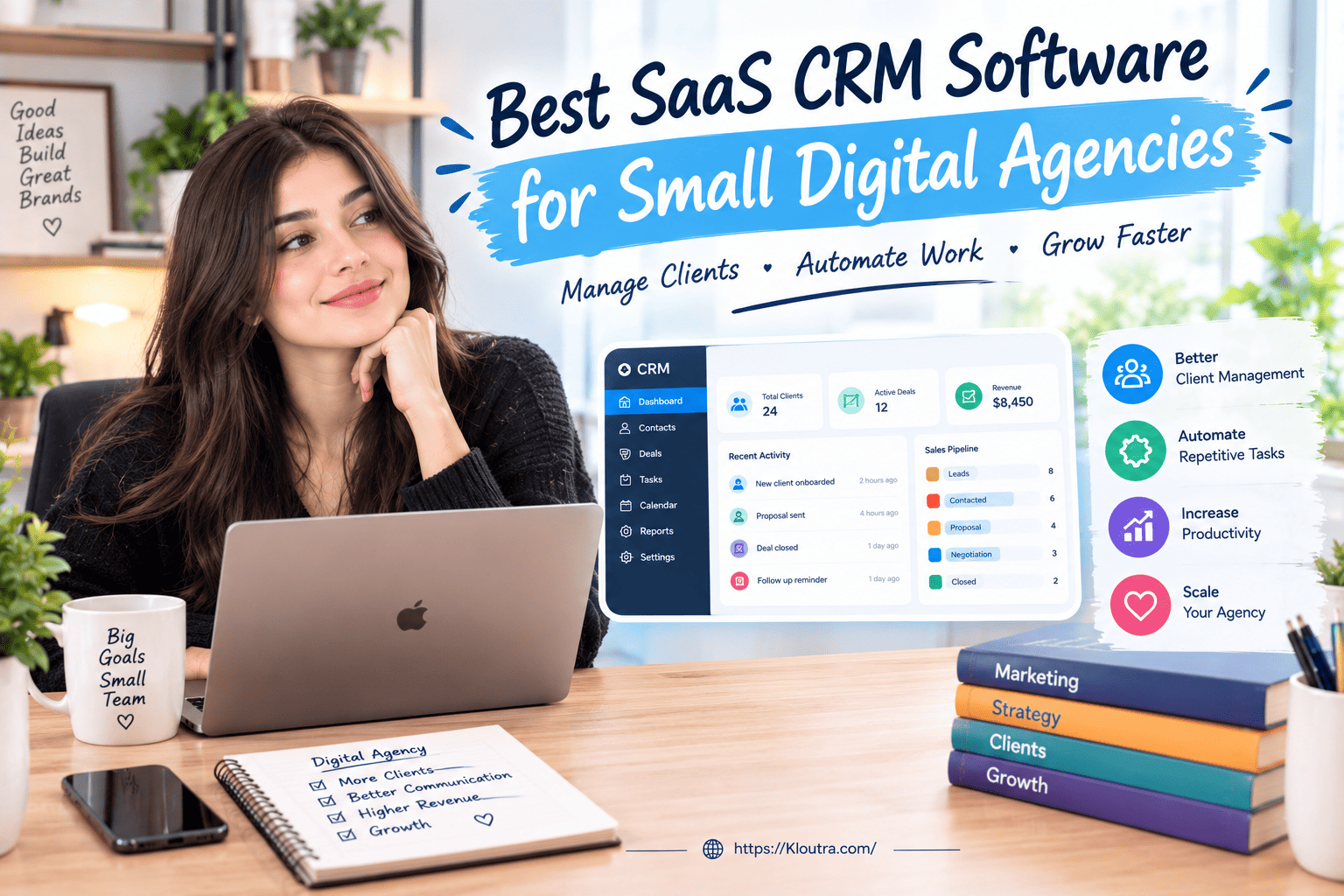
Best SaaS CRM Software for Small Digital Agencies
Introduction
Small digital agencies need simple tools to manage leads, clients, and daily workflows. A good CRM can keep customer information organized and make follow-ups easier. The Best SaaS CRM for digital agencies can also support sales tracking, automation, and team collaboration. In this guide, you will learn what features to look for, how CRM automation helps agencies, and how to choose software that fits your business needs.
What Is a SaaS CRM for Digital Agencies?
A SaaS CRM is online software that helps agencies manage customer relationships. It stores leads, contacts, conversations, and sales information in one place. Teams can access the CRM through a web browser or app. SaaS CRM tools usually receive updates from the software provider automatically.
Why Small Digital Agencies Need CRM Software
Small agencies often manage many leads and clients at once. A CRM keeps important customer information organized and easy to access. It can also help teams track sales and follow-ups. This reduces the need for scattered spreadsheets and separate notes.
Manage Leads and Client Details
A CRM keeps lead and client information in organized records. Teams can store names, contact details, notes, and interaction history. They can also track where each lead stands in the sales process. This makes follow-ups easier and helps prevent missed opportunities.
Keep Client Communication Organized
CRM software can keep customer interactions connected to individual client records. Teams can review notes, emails, calls, and other recorded activities. This gives staff useful context before contacting a client. It also helps teams maintain consistent communication across different stages.
Key Features of the Best SaaS CRM for Digital Agencies
A good CRM should cover the daily needs of a small digital agency. It should organize client data, sales tasks, and follow-ups. Modern CRM platforms also offer automation and workflow tools.
Contact and Lead Management
CRM software stores lead and client details in one place. Teams can record names, emails, calls, notes, and interactions. They can also track leads through different sales stages. This makes customer information easier to find and manage.
Sales Pipeline Tracking
A sales pipeline shows where each lead currently stands. Teams can move opportunities through different stages as they progress. This helps agencies see which deals need attention. It also gives teams a clearer view of active opportunities.
Task and Workflow Management
CRM tools can help teams organize daily tasks and activities. Users can create tasks for calls, emails, meetings, and follow-ups. Agencies can also use SaaS tools for remote teams to support daily collaboration. Workflow automation can also create tasks or update records automatically. These features reduce repetitive manual work for agency teams.
How SaaS CRM Helps Agencies Manage Clients
A SaaS CRM gives agencies one shared place for client information. Teams can review contact details, activities, tasks, and communication history. This helps staff stay informed when handling client relationships.
Improve Client Follow-Ups
CRM tools help teams remember important follow-up tasks. Staff can schedule reminders and connect tasks with specific clients. Some CRM systems also automate selected follow-up actions. This helps teams maintain regular communication with prospects and clients.
Track Client Activities
Teams can record emails, calls, meetings, notes, and other activities. This creates a useful history for each client record. Staff can review previous interactions before contacting a client. That context can make ongoing communication more consistent.
CRM Automation for Digital Agencies
CRM automation helps agencies handle repetitive sales and client tasks. It can create tasks, update records, and send notifications automatically. These actions can save time and keep workflows consistent.
Automate Lead Follow-Ups
Agencies can create automatic tasks after receiving new leads. A CRM can remind staff when follow-up actions are due. Some systems can also trigger emails or other actions. These workflows help teams respond to leads more consistently.
Simplify Client Onboarding
CRM automation can organize several steps in client onboarding. For example, it can create tasks after a deal closes. It can also notify team members about important next steps. This keeps onboarding activities organized from the beginning.
AI Features in Modern SaaS CRM Software
Modern CRM platforms increasingly include AI-powered features for sales teams. These features can analyze CRM data and assist with routine work. Available AI features vary between platforms and subscription plans.
AI Lead Insights
Some CRM platforms use AI to analyze leads and opportunities. These systems can identify promising prospects or provide lead recommendations. This can help teams decide which records need more attention. Features and methods differ across CRM platforms.
AI-Powered Task Automation
AI can help CRM systems handle certain tasks and workflows. Some platforms can use AI agents to update records or automate follow-ups. Agencies can also explore AI automation tools for small businesses for related marketing and workflow tasks. They can also assist with routine actions based on CRM data. Availability depends on the platform and selected subscription.
How to Choose the Best SaaS CRM for Digital Agencies
Choosing CRM software depends on your agency’s size and daily needs. Start by listing the tasks your team handles most often. Then compare features, pricing, integrations, and available support. Avoid paying for features your team will rarely use.
Ease of Use
A CRM should feel simple for everyone on your team. Look for clear menus, easy navigation, and simple contact management. A short learning process can help your team start working faster. Many CRM providers also offer free trials or free plans.
Integrations and Customization
Check whether the CRM connects with your existing business tools. Common integrations include email, calendars, messaging, and other business apps. Customization can help agencies adapt fields and workflows to their needs. Available integrations and customization options vary between CRM platforms.
Scalability for Growing Agencies
Your CRM should support your agency as your team grows. Check user limits, storage, automation, and higher plan features. Some CRM providers offer multiple plans with increasing capabilities. This lets businesses move to advanced features when needed.
SaaS CRM Pricing for Small Digital Agencies
CRM pricing varies widely between providers and subscription plans. Some platforms offer free plans with basic CRM features. Paid plans usually add more automation, customization, and advanced tools. Agencies can also compare SaaS tools for startups when building their wider software stack. Always check current pricing before choosing a CRM.
Free vs Paid CRM Plans
Free CRM plans can work well for small teams with basic needs. For example, HubSpot offers free CRM tools with contact management and deal pipelines. Paid plans can provide additional features and higher limits. Salesforce also offers a free CRM option and paid plans.
What to Consider Before Paying
Check the number of users included in each pricing plan. Review feature limits, automation options, integrations, and storage allowances. Also check whether billing is monthly, annually, or both. A free trial can help you test the software first.
Common CRM Mistakes Digital Agencies Should Avoid
A CRM works better when teams keep the setup simple and organized. Poor data and complicated workflows can make daily work harder. Planning before setup can also reduce errors and improve team adoption.
Choosing Too Many Features
Small agencies do not need every CRM feature available. Too many features can make the system harder to learn. Start with tools that match your agency’s current needs. Add more features when your workflows require them.
Poor Data Organization
Messy CRM data can create duplicates and inaccurate customer records. Clean your data before importing it into the CRM. Remove outdated records and standardize important information. This helps teams find reliable customer information more easily.
How to Set Up a SaaS CRM for Your Agency
Start by understanding your agency’s sales and client management process. Then configure the CRM around those existing business needs. Test important workflows before your team starts using the system.
Import Contacts and Leads
Prepare your contact data before importing it into your CRM. Remove duplicates and correct missing or inaccurate information first. Map each data field to the correct CRM field. Test a small group of records before importing everything.
Create Sales and Client Workflows
Set clear stages for your agency’s sales process. Create workflows for common tasks, follow-ups, and client activities. Assign ownership so team members know their responsibilities. Test each workflow before using it with real clients.
Compare SaaS CRM Pricing and Security
SaaS CRM pricing can vary based on users, features, and subscription plans. Security also differs between providers, so agencies should review data protection, access controls, backups, and compliance before choosing a CRM.
SaaS CRM vs Traditional CRM Software
SaaS CRM software runs online and is managed by the service provider. Traditional CRM software often runs on company-owned servers and infrastructure. Both options can manage customer data, sales, and client relationships.
| Feature | SaaS CRM | Traditional CRM |
|---|---|---|
| Hosting | Hosted by the CRM provider | Usually hosted on company servers |
| Access | Available through internet-connected devices | Often depends on company network setup |
| Updates | Provider usually handles updates | Company often manages updates |
| Maintenance | Provider manages most system maintenance | Company handles more maintenance |
| Upfront Costs | Usually lower infrastructure costs | Can require server and setup costs |
| Scalability | Users and features can often scale easily | Scaling may require additional infrastructure |
| Technical Resources | Requires less internal infrastructure management | May require more technical support |
| Best For | Agencies wanting flexible online access | Businesses needing more infrastructure control |
Conclusion
Choosing the right CRM can make agency work easier and more organized. The Best SaaS CRM for digital agencies should fit your team’s needs and budget. Look for simple features, useful automation, strong security, and helpful integrations. Also, compare pricing plans before making a final choice. SaaS CRM tools can reduce infrastructure work because providers handle hosting and updates.
Disclaimer: This article is for general information only. CRM features, pricing, and security can change over time. Always check the provider’s website for the latest details before choosing a CRM. Consider your agency’s needs and budget before making any purchase or business decision.