How to Choose Agentic AI for Accounts Payable
Managing supplier invoices can take time and effort. Businesses need to check invoice details, match purchase orders and manage approvals. Agentic AI for Accounts Payable helps handle many of these tasks. It can reduce manual work and help finance teams process invoices faster. However, choosing the right AI solution is not always easy. Different tools offer different features, pricing and integration options.
This guide explains how Agentic AI for Accounts Payable works and its main benefits. It also covers important features and tips for choosing the right solution.
What Is Agentic AI for Accounts Payable?
Agentic AI for Accounts Payable uses AI agents to handle invoice-related tasks. It helps businesses manage accounts payable with less manual work. These agents can read invoices, check details and match purchase orders. They can also prepare invoice records and identify possible errors.
Unlike basic automation, agentic AI can respond to context and handle connected tasks. It can work with business rules and available financial data. It can also flag problems that need human attention. This helps finance teams manage invoices more efficiently.
How Does Agentic AI Work in Accounts Payable?
Agentic AI handles several steps in the accounts payable process. It collects invoice details, checks information and supports approvals. Here is how each step works.
Invoice Data Extraction
The process starts when a business receives a supplier invoice. The AI agent reads the invoice using document recognition technology. It extracts important details from the document.
These details may include:
- Supplier name and contact information
- Invoice number and date
- Total amount and tax details
- Payment terms and due date
- Product or service descriptions
The agent then organizes this information for further processing. This reduces the need for manual data entry.
Invoice Verification and Matching
After extracting the data, the agent checks the invoice details. It can compare invoice information with purchase orders. It may also check goods receipts and supplier records. For example, a business orders 50 office chairs from a supplier. The supplier sends an invoice for 50 chairs. The agent checks both records for matching quantities and prices.
If it finds missing details or differences, it flags them. A finance team member can then review the issue. This helps businesses catch errors before processing invoices.
Approval Workflow Management
Once the invoice passes the required checks, it moves forward. The AI agent can prepare the invoice for approval. It can also route it to the responsible person. For example, a department manager may need to approve certain expenses. The agent can send the invoice through the correct approval process. If information is missing, it can request human review. Approval rules depend on the company’s system and settings.
Payment Processing and Tracking
After approval, the invoice becomes ready for payment. Depending on its permissions and system setup, the agent can prepare payment information. Some systems can also support payment scheduling and tracking. The agent can help finance teams monitor payment due dates. It may also flag overdue invoices or payment issues.
However, actual payment execution depends on system permissions and controls. Human approval may still be required before releasing payments. This helps businesses maintain control over their financial transactions.
Key Benefits of Agentic AI for Accounts Payable
Agentic AI can help businesses manage invoices and payments more efficiently. It reduces repetitive tasks and supports finance teams. Here are its main benefits.
Less Manual Work
AI agents can handle many repetitive invoice tasks. They can extract data, check details and organize records. This gives finance teams more time for other work.
Faster Invoice Processing
Agentic AI can process invoice information without repeated manual entry. It can also route invoices through approval workflows. This helps businesses reduce processing delays.
Fewer Data Entry Errors
Manual data entry can lead to mistakes in invoice records. AI agents can check details against available business documents. They can also flag missing information and mismatched amounts. This helps teams find errors before approving invoices. However, AI can also make mistakes, so teams should still review the extracted data.
Better Payment Tracking
AI agents can help finance teams track invoice due dates. They can also flag upcoming payments and overdue invoices. This makes it easier to manage payment schedules.
Improved Financial Visibility
Agentic AI can organize invoice information in one system. Finance teams can review pending invoices and payment records. This helps them understand their accounts payable activities.
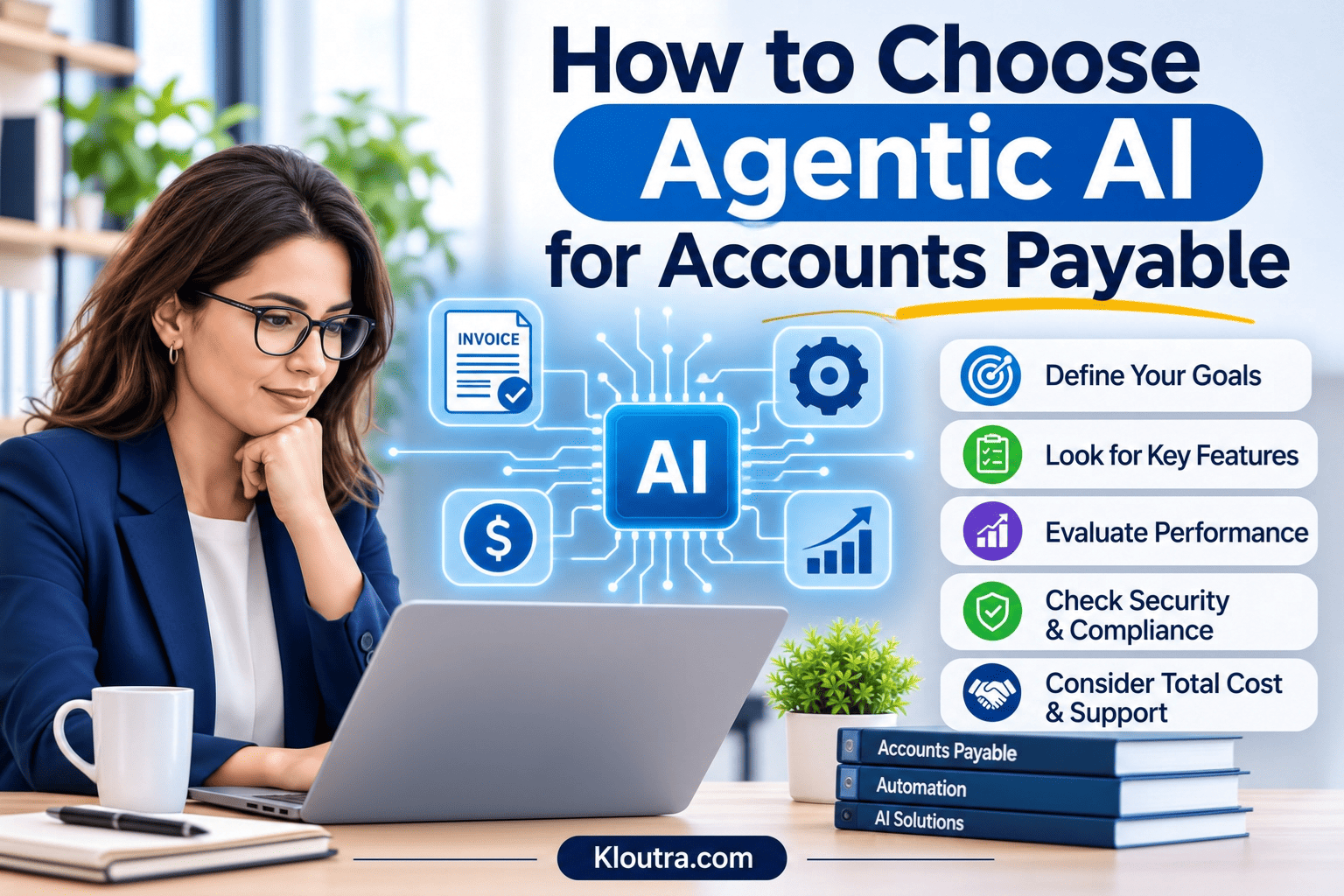
How to Choose Agentic AI for Accounts Payable
Choosing the right solution depends on your business needs. Not every business requires the same features. Consider these points before selecting an agentic AI solution.
Identify Your Business Needs
Start by reviewing your current accounts payable process. Identify tasks that take too much time. Check where errors or delays happen most often. Then decide which tasks need automation. This helps you choose a solution that fits your business.
Check Invoice Processing Capabilities
Look at how the software handles supplier invoices. Check whether it can extract invoice details accurately. Review its ability to identify missing information. Some solutions support purchase order matching and duplicate detection. Choose features that match your invoice processing needs.
Look for ERP and Accounting Software Integration
Your AI solution should work with your existing business systems. Check whether it supports your accounting or ERP software. This may include systems like QuickBooks, NetSuite, or SAP. Good integration helps transfer invoice data between systems. It also reduces repeated data entry.
Review Security and Compliance Features
Accounts payable systems handle sensitive financial information. Check how the provider protects business and supplier data.
Look for features such as:
- Data encryption
- User access controls
- Activity logs
- Secure data storage
- Compliance support
Check the provider’s security policies and data handling practices.
Compare Pricing and Scalability
Compare pricing plans before choosing a solution. Check setup costs, subscription fees and extra charges. Some providers charge based on invoice volume or users. Consider your future business needs. Choose software that can handle more invoices as your business grows.
Check Human Approval and Control Options
AI agents should work within clear business rules. Check whether the software allows human review. Finance teams should control important approval and payment decisions. Look for options to review flagged invoices and exceptions. Check who can approve or release payments. These controls help businesses manage financial risks.
Important Features to Look for in Agentic AI Tools
The right features make accounts payable tasks easier to manage. Before choosing software, check these important features.
| Feature | What to Check |
|---|---|
| Invoice Processing | Accurate invoice data extraction and error detection |
| Automated Matching | Matching invoices with purchase orders and receipts |
| Workflow Automation | Automatic invoice routing for required approvals |
| ERP Integration | Compatibility with your existing accounting and ERP systems |
| Security | Data protection, user permissions and activity logs |
| Reporting | Clear reports for invoices, payments and pending tasks |
These features help businesses manage invoice processes more efficiently. Choose a tool that meets your needs and existing systems.
Agentic AI vs. Traditional Accounts Payable Automation
Agentic AI and traditional automation handle accounts payable tasks differently. Traditional automation follows predefined rules and instructions. Agentic AI can handle multiple steps and respond to changing situations. However, both systems have different capabilities and limitations.
Here are the main differences:
| Comparison | Agentic AI | Traditional Automation |
|---|---|---|
| Task Handling | Can manage connected tasks and adapt to context | Follows predefined instructions |
| Decision-Making | Can make context-based decisions within set permissions | Follows fixed rules and conditions |
| Exception Handling | Can analyze and flag unusual cases | Often needs manual help with exceptions |
| Workflow | Can adjust task steps within set limits | Follows predefined workflows |
Traditional automation works well for simple, repetitive tasks. Agentic AI offers more flexibility for complex workflows. However, both need proper rules and human oversight. The right choice depends on your business needs.
Common Mistakes to Avoid When Choosing Agentic AI
Choosing the wrong AI solution can create problems for finance teams. Avoid these common mistakes when selecting agentic AI.
Ignoring Business Needs
Do not choose software just because it offers many features. First, identify your accounts payable problems and daily tasks. Then select a solution that addresses those needs.
Overlooking Integration Options
Some businesses forget to check software compatibility. Make sure the AI tool supports your existing accounting systems. Poor integration can create extra work and data problems.
Ignoring Security Features
Check data protection, user permissions and access controls. Never overlook the provider’s security policies.
Expecting Full Automation
Agentic AI cannot handle every situation without human support. Some invoices need manual checks and approval. Set clear rules for human review and payment authorization.
Choosing Based Only on Price
A cheaper tool may not meet your business needs. Compare features, setup costs and ongoing fees. Also, check whether the software can support future growth.
Skipping Testing Before Implementation
Do not introduce new software without proper testing. Test invoice extraction, matching, approvals and system integration. This helps identify problems before full implementation.
Conclusion
Agentic AI can help businesses manage accounts payable tasks more efficiently. It can reduce manual work and support faster invoice processing. However, choosing the right solution requires careful planning. Check the software’s features, integration options, security and pricing before choosing. Make sure it supports human review and approval controls. The right solution should match your business needs and budget. You can also read about the business benefits of AI-powered services to understand how AI supports other areas of your business. Explore more practical tech guides on Kloutra.
Frequently Asked Questions
What Is Agentic AI in Accounts Payable?
Agentic AI uses AI agents to manage invoice-related tasks. It can extract data, check invoices and support approvals.
Can Agentic AI Process Invoices Automatically?
Yes, agentic AI can process many invoice tasks automatically. It can extract details, match records and flag errors. Some invoices still need human review.
Is Agentic AI Better Than Traditional AP Automation?
Agentic AI can handle more complex, multi-step tasks. Traditional automation works well for repetitive, rule-based tasks. The better option depends on your business needs.
Does Agentic AI Require Human Approval?
Not always. Businesses can set approval rules for important actions and payment releases may need human authorization.
Is Agentic AI Suitable for Small Businesses?
Yes, some agentic AI solutions suit small businesses. They can reduce manual invoice work and support payment tracking. Businesses should compare costs and features before choosing.
Disclaimer: This article provides general information about agentic AI in accounts payable. Features and capabilities may vary between software providers. Always review a solution’s features, security, pricing and approval controls before using it. This article does not replace professional financial or business advice.