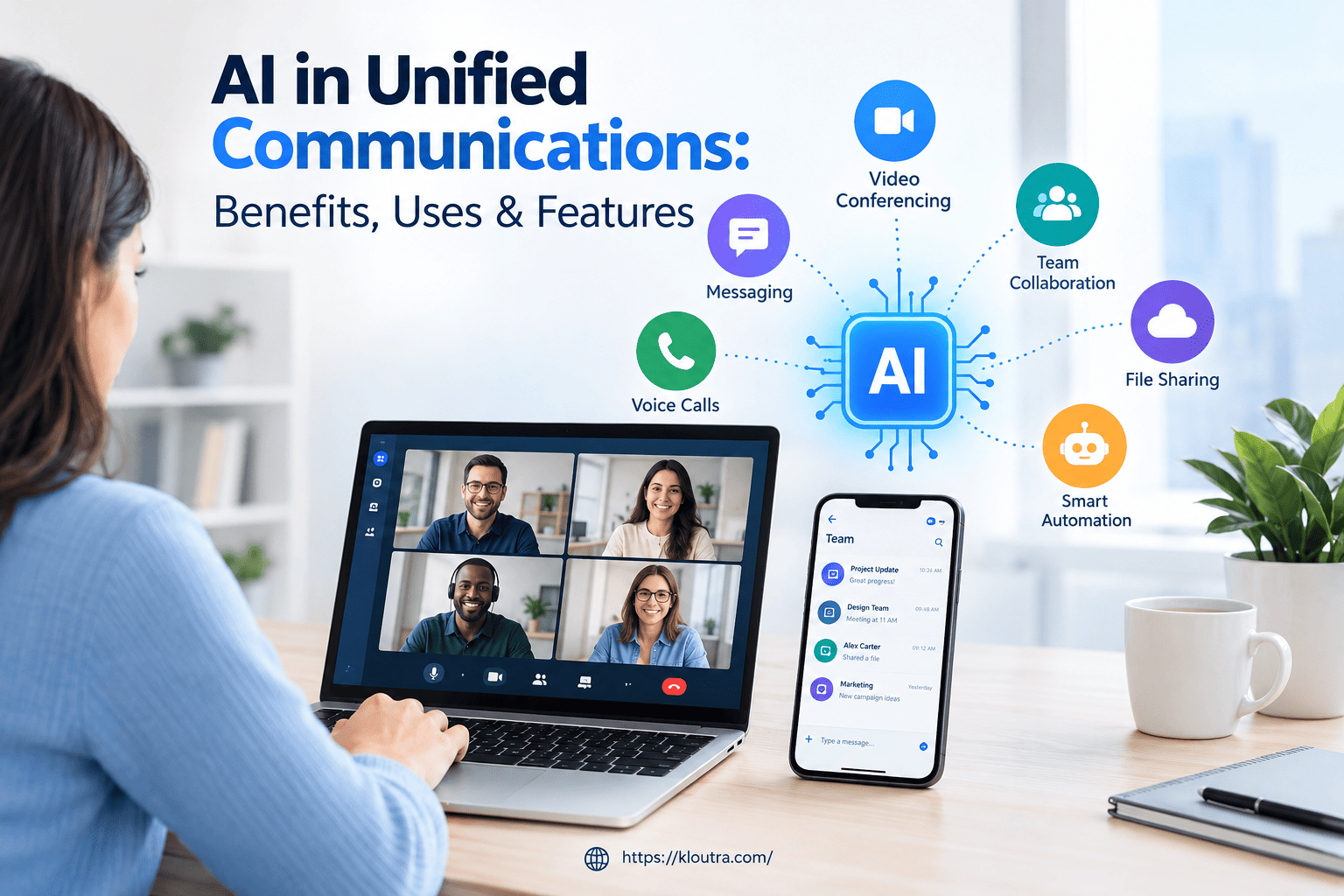
AI in Unified Communications – Benefits, Uses & Features
AI in Unified Communications helps businesses improve how employees and customers communicate. It combines artificial intelligence with communication tools such as video meetings, business calls, messaging, and virtual assistants. These tools can automate routine tasks, summarize meetings, and help teams respond faster. AI in Unified Communications also helps businesses understand conversations and improve collaboration across different departments.
However, its benefits depend on the features, accuracy, and security of the system. Understanding how this technology works can help businesses decide whether it suits their needs. This article explains the key features, practical uses, benefits, and challenges of AI in Unified Communications in simple terms.
What Is AI in Unified Communications?
AI in Unified Communications means using artificial intelligence in business communication tools. These tools include video meetings, phone calls, messaging, and team collaboration platforms. AI helps these systems handle tasks that usually require manual effort. For example, it can transcribe meetings and summarize important points. It can also help route customer calls and answer common questions.
Businesses use these features to save time and improve communication. Employees can find information faster and focus on more important tasks. However, available features depend on the platform and its AI capabilities. Some tools offer advanced features, while others provide only basic assistance. To understand the technology behind these features, you can explore more artificial intelligence guides.
How Does AI Work in Unified Communications?
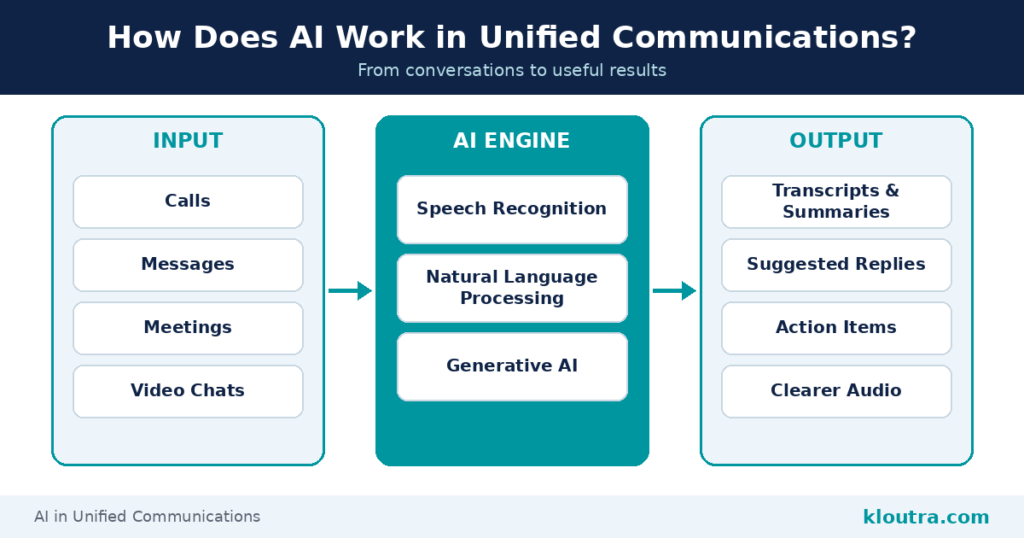
AI works by analyzing information from calls, messages, meetings, and other interactions. Different AI technologies perform different tasks within these communication systems. Speech recognition converts spoken words into text during meetings or calls. Natural language processing helps systems understand and organize human language. Generative AI can create meeting summaries, draft replies, and suggest useful information.
The system then uses the results to support specific communication tasks. For example, it may suggest replies or identify important discussion points. Some platforms also use AI to reduce background noise during calls. These features depend on the software and its available integrations. AI can make communication easier, but it does not guarantee perfect results. Users should review important summaries and AI-generated responses before sharing them. You can also explore more AI tools to see how different AI features work in practice.
Key Features of AI in Unified Communications
AI adds useful features to business communication systems. These features help teams manage meetings, handle calls, and understand conversations. They can also reduce repetitive tasks and save employees time. However, the available features depend on the platform.
AI-Powered Meeting Summaries and Transcriptions
AI can turn spoken conversations into written text during meetings. This process is called speech-to-text transcription. Some tools can also summarize discussions and highlight important points. They may identify action items or decisions from the conversation. This helps employees review meetings without listening to every minute again. Users should still check summaries for missing details or errors.
Intelligent Call Routing and Virtual Assistants
Intelligent call routing sends calls to the right team or employee. Some systems use AI to understand what callers need before transferring their calls. This helps customers reach the right department faster. Virtual assistants can answer common questions and handle simple tasks. For example, they can help users book meetings or find information. Their abilities depend on the system and the tools connected to it.
Real-Time Translation and Communication Analytics
Some communication platforms use AI to translate spoken or written conversations. This can help people communicate across different languages. Translation quality may vary depending on the language and context. AI can also analyze communication data to identify useful patterns. For example, it may highlight common customer questions or call trends. These insights can help businesses improve their communication processes. However, analytics results depend on the available data and tools.
Key AI Features and Their Uses
| AI Feature | Main Use |
|---|---|
| Meeting summaries | Summarizes discussions and highlights action items |
| Intelligent call routing | Directs calls to suitable teams or employees |
| Virtual assistants | Helps with routine questions and simple tasks |
| Real-time translation | Supports communication across different languages |
| Communication analytics | Identifies patterns in calls and conversations |
What Are the Benefits of AI in Unified Communications?
AI helps businesses manage communication tasks more efficiently. It can reduce manual work and give employees more time for important tasks. Meeting summaries help teams review discussions and remember key decisions. Automated responses can also help staff handle common questions faster. Some AI tools provide insights into customer conversations and communication patterns.
AI can also support better teamwork across different locations and time zones. Translation features may help employees communicate across language barriers. However, results depend on the software, data quality, and available features. Businesses should also consider privacy, security, and accuracy before adopting AI tools.
How Businesses Use AI in Unified Communications
Businesses use AI to improve communication between employees and customers. Its role depends on the team’s needs and the tools available.
Internal Team Communication
Teams use AI to summarize meetings and organize important information. Some tools create transcripts, highlight decisions, and identify action items. Employees can review these notes instead of replaying entire meetings. AI assistants can also help draft messages and find relevant information. These features support teamwork and reduce time spent on routine tasks.
Customer Support and Contact Centers
Customer support teams use AI to manage common communication tasks. Virtual assistants can answer basic questions and direct customers to suitable services. Some systems analyze calls and help agents find useful information. AI can also summarize customer interactions for easier recordkeeping. These features may improve response times and reduce repetitive work. Human agents still handle complex issues that need judgment or personal attention.
Video Meetings and Remote Collaboration
AI can make online meetings easier for remote teams. Some platforms reduce background noise and improve speech clarity during calls. Others provide live captions, transcripts, or translated captions. Meeting summaries can help employees catch up after missing a discussion. These tools help teams share information across different locations. Their availability depends on the platform, settings, and subscription plan.
AI-Powered vs. Traditional Unified Communications
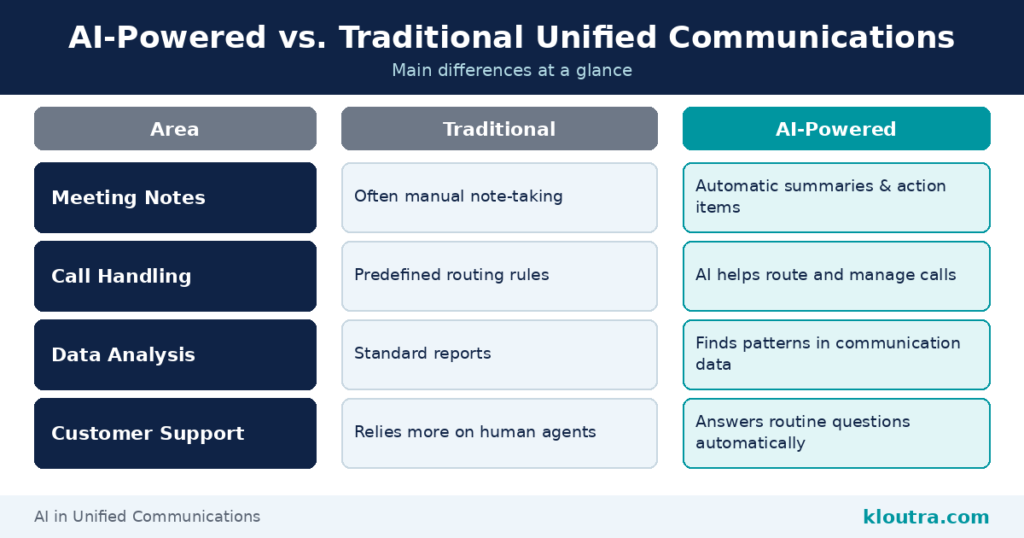
AI-powered and traditional communication systems help businesses connect employees and customers. However, they handle some tasks differently. Traditional systems often rely on manual work or predefined rules. AI-powered systems can automate certain tasks and analyze communication data. For example, some AI tools summarize meetings and identify important action items. Others can help teams understand customer conversations and manage calls.
The main difference depends on the features each system provides. Traditional systems can also offer automation, call routing, and reporting. AI adds capabilities such as automated summaries and advanced conversation analysis. Businesses should compare available features before choosing a solution.
Main Differences
| Area | AI-Powered Systems | Traditional Systems |
|---|---|---|
| Meeting notes | Can create automatic summaries and action items | Often require manual note-taking |
| Call handling | Can use AI to help route or manage calls | May use predefined routing rules |
| Data analysis | Can identify patterns in communication data | May provide standard reports |
| Customer support | Can answer routine questions automatically | May rely more on human agents |
These differences are general examples, not fixed rules. Some traditional systems include advanced automation and reporting. AI features also vary by provider, subscription, and configuration.
Challenges of Using AI in Unified Communications
AI can improve business communication, but it also comes with some challenges. Businesses should understand these risks before adopting AI-powered communication tools.
One concern is data privacy and security. Communication systems may handle sensitive messages, meeting recordings, and customer information. Businesses should check how providers collect, store, and protect this data.
AI can also make mistakes when transcribing calls or summarizing meetings. Background noise, unclear speech, and accents can affect accuracy. Employees should review important information before sharing or using it.
Another challenge is connecting AI tools with existing business systems. Some integrations may require extra setup, technical support, or additional costs. Employees may also need training to use new features effectively.
How to Choose the Right AI Unified Communications Solution
Choosing the right solution starts with understanding your business needs. Not every company needs the same AI features. Consider these factors before making a decision.
First, identify your main communication problems. Decide whether you need better meeting notes, call handling, or customer support. Choose tools that address these needs without adding unnecessary features.
Next, check compatibility with your existing software. Make sure the platform works with your current communication and business tools. Ask providers about setup requirements and any extra integration costs.
Security should also guide your decision. Review access controls, data protection practices, and recording settings. Check whether the provider explains how it handles your business information.
Finally, compare pricing, ease of use, and customer support. Ask for a demonstration before committing to a subscription. Choose a solution that fits your budget and can support future growth.
Frequently Asked Questions
1. What Is AI in Unified Communications?
AI in Unified Communications uses artificial intelligence to improve business calls, meetings, messaging, and collaboration. It can automate tasks and help teams communicate more efficiently.
2. How Does AI Improve Unified Communications?
AI can summarize meetings, transcribe conversations, route calls, and answer common questions. These features can reduce manual work and save time.
3. What Are the Main Benefits of AI in Unified Communications?
The main benefits include improved productivity, faster responses, and easier collaboration. AI can also help businesses understand communication patterns and customer needs.
4. How Do Businesses Use AI in Unified Communications?
Businesses use AI for meeting summaries, customer support, call routing, and team collaboration. The available features depend on the communication platform.
5. What Are the Challenges of AI in Unified Communications?
Common challenges include privacy risks, security concerns, inaccurate results, and integration costs. Employees may also need training to use AI features effectively.
6. Is AI in Unified Communications Suitable for Small Businesses?
Yes, small businesses can benefit from AI-powered communication tools. They should choose features that match their needs and budget.
7. Can AI Replace Human Communication in Businesses?
No, AI does not fully replace human communication. It can handle routine tasks, but people remain important for complex issues, judgment, and personal interactions.
Conclusion
AI in Unified Communications helps businesses improve meetings, calls, and teamwork. It saves time by automating routine tasks. However, businesses should consider security, accuracy, and costs. Choosing the right tools can make communication easier and more efficient. For more simple guides on AI, technology, and digital marketing, visit Kloutra.
Disclaimer: This article is for informational purposes only. AI features, accuracy, pricing, and security may vary by provider. Always review a solution’s features, privacy policies, and terms before using it for business communication.