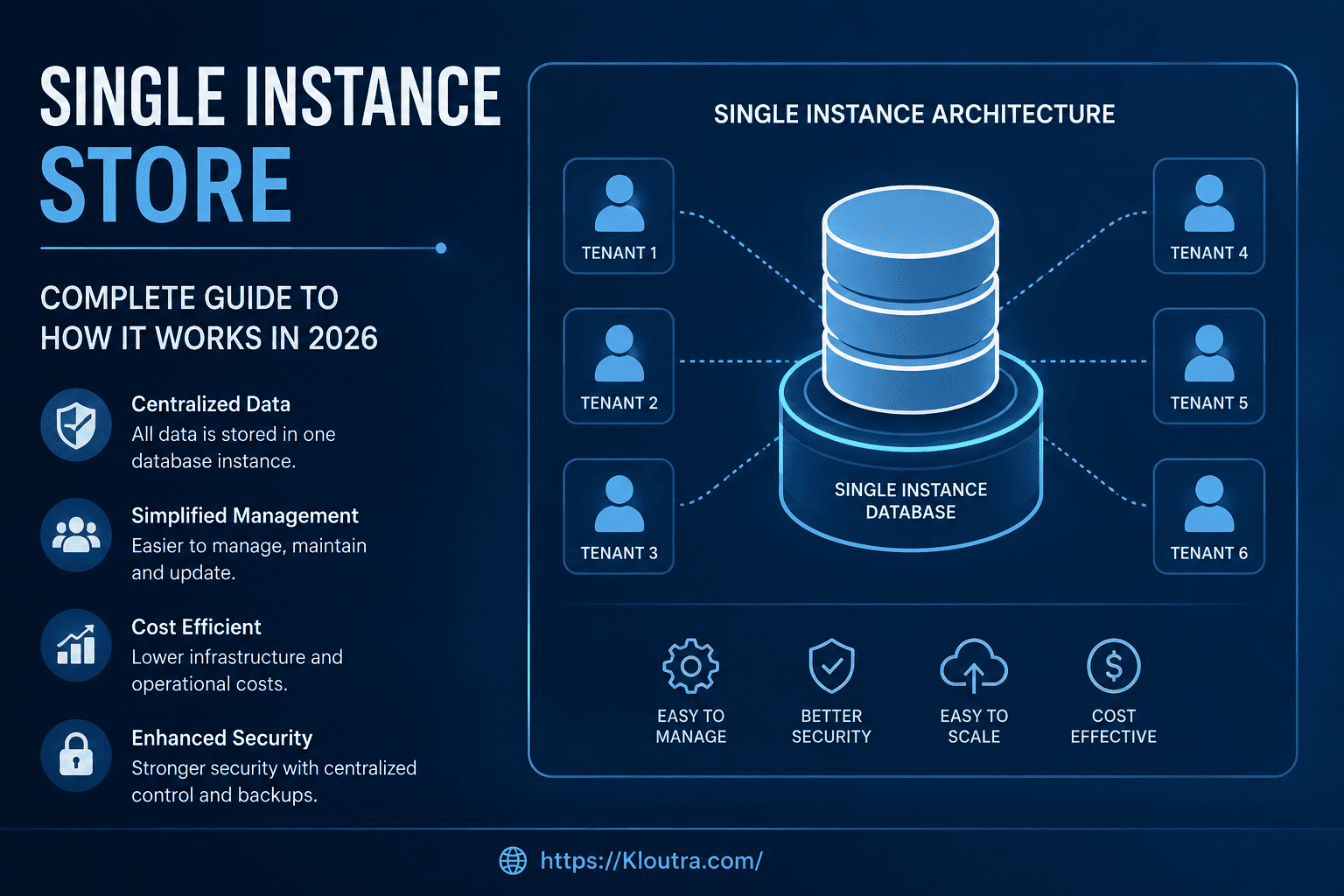
Single Instance Store: How It Works in 2026
Imagine saving the same photo 50 times because 50 people emailed it to you. Your storage would fill up fast, right? A single instance store solves this exact problem, and it’s quietly running behind the scenes on most of the systems you use today.
If you’ve ever wondered how companies manage huge amounts of data without buying endless hard drives, this guide is for you. We’ll break down what a single instance store is, how it works, and why it still matters in 2026 — including its advantages, its downsides, and where it fits next to newer technology.
What Is a Single Instance Store?
A single instance store is a storage method that keeps only one copy of a file, even if that file appears many times across a system. Instead of saving duplicate files over and over, the system saves one copy and creates pointers to it.
Think of it like a library. If 20 people want to read the same book, the library doesn’t buy 20 copies. It keeps one copy and lets people check it out, one after another. A single instance store works on a similar idea, minus the waiting line.
This concept is also called single instance storage, and you’ll often see it shortened to SIS in technical documents. Microsoft has used this exact approach in products like Windows Storage Server and Exchange Server, where it’s documented as an architecture built to maintain duplicate files with minimum disk and backup overhead.
A Simple Example
Say your company sends the same PDF attachment to 100 employees over email. Without single instance storage, the mail server might save 100 copies of that PDF. With it, the server saves the file once and links all 100 emails to that single copy.
That’s a big difference when you’re dealing with thousands of files every day.
How Does a Single Instance Store Work?
The process sounds complex, but it’s actually pretty logical once you break it into steps.
Step 1: The System Scans Incoming Data
Every time a new file arrives, the storage system checks it against existing files. It does this using something called a hash function, which creates a unique digital fingerprint for each file.
Step 2: Comparing Fingerprints
If the new file’s fingerprint matches one already stored, the system knows it’s a duplicate. Even if the file has a different name, the content match is what counts.
Step 3: Storing Only What’s New
When a match is found, the system doesn’t save the file again. Instead, it creates a reference or pointer that connects to the original copy. If no match is found, the file gets saved as a brand-new entry.
This entire process happens in the background. Most users never notice it’s working. If you’ve ever looked into how a server’s active system console reports storage activity, this kind of background file-matching job is often part of what shows up in those logs.
Single Instance Store Explained: Where It’s Used
You’ll find single instance storage in several common places. Here are the main ones.
Email Servers
Corporate email systems handle massive volumes of attachments. Single instance storage helps them avoid storing the same attachment hundreds of times when it’s sent to multiple people. According to Wikipedia’s overview of single-instance storage, this was one of the earliest and most common use cases for the technology.
Backup and Recovery Systems
Backup software often creates copies of the same files during multiple backup cycles. A single instance store keeps storage costs down by recognizing files that haven’t changed since the last backup.
Virtual Machines
When companies run many virtual machines from the same base image, most of the underlying files are identical. Single instance storage lets them share that common data instead of duplicating it across every machine.
Cloud Storage Providers
Cloud services deal with enormous amounts of user data, and duplication is common. Providers use single instance storage techniques, alongside other methods like deduplication, to manage space more efficiently.
Servers and Hardware
Single instance storage also plays a role at the hardware level, where storage controllers and drawers manage how data is written and accessed. If you’re curious about the physical side of enterprise storage, our guide on what an I/O drawer is covers the hardware components that often sit behind these storage systems.
Single Instance Store Advantages and Disadvantages
No storage method is perfect. Here’s a balanced look at the real single instance store benefits, along with the trade-offs you should know before relying on it.
Advantages of a Single Instance Store
Saves storage space. This is the most obvious benefit. Fewer duplicate files mean less space used, which can lower hardware and cloud storage costs.
Speeds up backups and delivery. Since the system skips files it has already stored, backup jobs can finish faster. In email systems specifically, this speeds up how quickly a message reaches large distribution lists, which is actually a bigger benefit than the storage savings alone.
Reduces costs over time. Storage isn’t free, whether it’s physical drives or cloud subscriptions. Cutting down on duplicate data directly reduces what a company spends on storage infrastructure.
Simplifies data management. With fewer duplicate files floating around, IT teams have an easier time tracking, organizing, and maintaining data. Fewer files also mean fewer things that can go wrong.
Disadvantages of a Single Instance Store
Single point of failure risk. If the one stored copy gets corrupted or deleted, every file, email, or system that points to it is affected. This is the biggest trade-off of the whole approach.
Limited matching ability. A single instance store only recognizes files that are 100% identical. If even one byte is different, it treats the file as brand new and stores a full separate copy. This makes it far less effective than block-level deduplication for data that changes slightly over time.
Storage savings can fade quickly. In systems like email servers, files that start out identical often get modified individually over time. Once that happens, the shared copy has to split apart again, and the space savings shrink.
Processing overhead. Scanning and comparing every incoming file takes computing power. On systems handling huge volumes of data, this comparison step can become a bottleneck if the hardware isn’t fast enough.
Less common in modern large-scale systems. Many enterprise platforms have shifted toward block-level deduplication because it catches more duplication. This means single instance storage is becoming a smaller piece of a bigger storage strategy, rather than a standalone solution.
Single Instance Store Security: What You Should Know
Storage efficiency is great, but security matters just as much. Here’s how single instance store security typically works, and where the risks lie.
Access Control Still Applies
Even though a file is stored once, the system tracks who has permission to access it through those pointers. This means one person losing access doesn’t affect another person’s valid access to the same file.
The Single Point Risk
As mentioned above, there’s a trade-off worth repeating here because it’s a security concern too. If that one stored copy gets corrupted, deleted, or compromised, every reference pointing to it is affected. This is different from traditional storage, where damage to one duplicate wouldn’t touch the others.
Because of this, single instance stores are almost always paired with strong backup practices. Redundancy at the storage-system level, not the file level, protects against this weak spot. If you manage systems that rely on this kind of shared storage, it’s worth reading up on general cybersecurity practices for protecting shared infrastructure like this.
Encryption and Data Integrity
Modern systems that use single instance storage typically apply encryption to the single stored copy, and regularly run integrity checks. This helps catch corruption early, before it becomes a bigger issue.
Single Instance Store Performance in 2026
Performance is where things get interesting, and it’s also where single instance store in 2026 looks a bit different from a decade ago.
Faster Hardware Changes the Math
Modern SSDs and NVMe drives read and write data much faster than older hard drives. This means the “scan and compare” process in single instance storage happens with less delay than it used to.
Competition From Deduplication
Many modern systems now favor more advanced deduplication technology over classic single instance storage. Deduplication works at a smaller scale, breaking files into blocks instead of comparing whole files. This can catch more duplicates, since two files might be mostly identical but not 100% the same.
Even so, single instance storage still holds value in specific situations, especially email systems and simpler backup setups, where whole-file matching works well and doesn’t need extra processing power.
The Trade-off With Speed
There’s a small performance cost worth mentioning. Comparing every new file against existing ones takes processing time. On systems handling millions of files, this scanning step needs efficient hardware to avoid becoming a bottleneck.
In short, single instance store performance depends heavily on the hardware and software running underneath it. It’s not a one-size-fits-all answer.
Single Instance Store vs. Data Deduplication
People often mix these two up, so it’s worth a quick clarification.
A single instance store compares entire files. If even one byte is different, it treats the file as new and saves a full copy.
Data deduplication goes a level deeper. It breaks files into smaller chunks and compares those chunks instead. This catches more duplication, even in files that aren’t perfectly identical.
Think of it this way: single instance storage checks if two books are exactly the same. Deduplication checks if the books share the same chapters, even if a few pages are different.
Is Single Instance Storage Still Relevant?
Given the rise of deduplication, it’s fair to ask if single instance storage is outdated. The honest answer is: it depends on the use case.
For simple systems dealing with exact duplicate files, like email attachments or standard backups, single instance storage still does the job well. It’s simpler to implement and easier to manage than block-level deduplication.
For large-scale storage systems handling constantly changing data, deduplication usually wins out. Many modern platforms actually use a mix of both approaches, depending on the type of data involved. As with most storage technology, this balance keeps shifting as hardware and software evolve, so it’s worth checking current vendor documentation before making decisions for a production system.
Frequently Asked Questions
What is a single instance store in simple terms?
A single instance store is a way of saving only one copy of a file, even when that file appears in many places. It uses pointers to connect all the places that need the file back to that single saved copy.
How is single instance storage different from regular storage?
Regular storage saves every file separately, even if two files are identical. Single instance storage checks for duplicates first and only saves a file if it’s genuinely new.
Does single instance storage slow down my system?
There can be a small delay while the system checks for duplicate files. However, on modern hardware, this delay is usually minor and often outweighed by the storage space saved.
Is single instance storage safe to use?
Yes, when it’s set up properly with strong backups and encryption. The main risk is that damage to the single stored copy affects every reference to it, so good backup practices are essential.
Is single instance storage still used in 2026?
Yes, though it’s often used alongside newer deduplication technology. It remains common in email systems and certain backup tools where exact file matching is enough.
Conclusion
A single instance store is one of those quiet technologies that saves businesses time, money, and storage space without most people noticing. By saving just one copy of a file and linking everything else back to it, this system cuts down on waste and keeps data more organized. Like any storage method, it comes with real trade-offs, mainly around single points of failure and limited matching, so it works best as part of a bigger data protection strategy rather than a stand-alone fix.
While newer methods like block-level deduplication are gaining ground, single instance storage hasn’t disappeared. It still plays a useful role in email systems, backups, and virtual environments where exact file matches are common.
If you’re evaluating storage solutions for your team or just curious about how your data is managed behind the scenes, understanding single instance storage gives you a solid foundation. From here, it’s worth exploring how deduplication and cloud storage systems build on this same basic idea, and browsing more storage and IT breakdowns on our Technology section.
Disclaimer
This article is for general informational and educational purposes only. It is not a substitute for professional IT, security, or data management advice. Storage technologies, vendor products, and best practices change over time, so always check current official documentation (such as Microsoft’s) or consult a qualified IT professional before making decisions for a production system.