Data Backup Policy: Key Rules for Protecting Business Data
Introduction
A data backup policy helps businesses protect important files and recover lost information. Without clear backup rules, companies may lose data due to hardware failures, human errors, or cyberattacks. A well-planned policy explains what to back up, where to store copies, and how to restore data when needed. This guide covers key components, backup types, best practices, and steps to create a reliable data backup policy for your business.
What Is a Data Backup Policy?
A data backup policy is a set of rules for protecting business data. It explains what data to back up, when to save copies, and where to store them. It also defines how long backups should be kept and how teams can restore lost data. A clear policy helps businesses protect important files and prepare for unexpected problems.
Why Is a Data Backup Policy Important?
A data backup policy helps businesses protect their information and recover from data loss. It provides clear rules for saving and restoring important files.
Protects Against Data Loss
Businesses can lose data because of hardware failures, human errors, or cyberattacks. Regular backups provide copies that teams can restore when needed. This helps reduce the risk of losing important business information.
Supports Business Continuity
Data loss can interrupt daily business operations. A backup policy helps teams restore important files and systems after disruptions. This can reduce downtime and help businesses resume work sooner.
Improves Data Security
A backup policy sets rules for protecting stored copies of business data. Businesses can use encryption, access controls, and secure storage locations. These measures help reduce the risk of unauthorized access or backup damage.
Helps Meet Compliance Requirements
Some industries must follow specific rules for storing and protecting data. A backup policy can support these requirements by defining backup and retention procedures. Businesses should check the laws and regulations that apply to their industry.
Key Components of a Data Backup Policy
A data backup policy explains how a business protects its important information. It should include clear rules for creating, storing, and restoring backups.
| Component | What It Covers |
|---|---|
| Backup Schedule | Defines when backups should run and how often. |
| Backup Types | Explains which backup methods the business will use. |
| Data Retention | Sets how long the business keeps backup copies. |
| Storage Locations | Identifies where the business stores backup copies. |
| Access Control | Defines who can access or manage backup data. |
| Recovery Procedures | Explains how teams restore lost or damaged data. |
| Testing and Monitoring | Checks whether backups work and data can be restored. |
Common Types of Data Backups
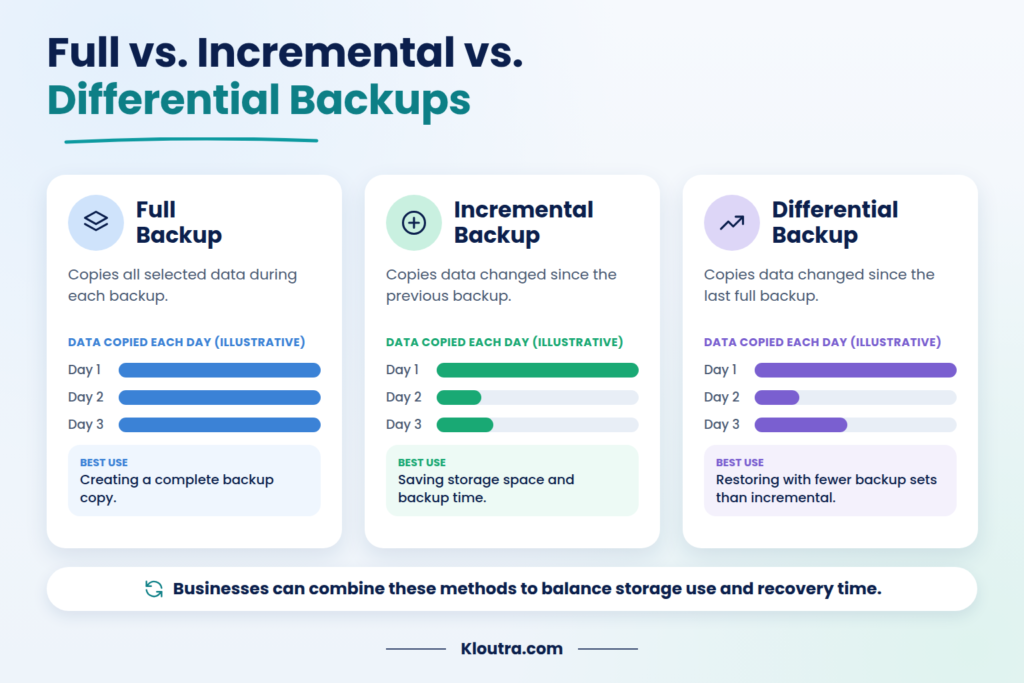
Businesses can use different backup types to protect their data. Each type saves information in a different way. The right choice depends on storage needs and recovery goals.
| Backup Type | Description | Best Use |
|---|---|---|
| Full Backup | Copies all selected data during each backup. | Creating a complete backup copy. |
| Incremental Backup | Copies data changed since the previous backup. | Saving storage space and backup time. |
| Differential Backup | Copies data changed since the last full backup. | Restoring data with fewer backup sets than incremental backups. |
A full backup saves all selected data. Incremental backups save changes since the previous backup of any type. Differential backups save changes since the last full backup. Businesses can combine these methods to balance storage use and recovery time.
Data Backup Policy Best Practices
A good data backup policy helps businesses protect important files and recover lost information. Follow these best practices to make your backups more reliable.
Follow the 3-2-1 Backup Rule
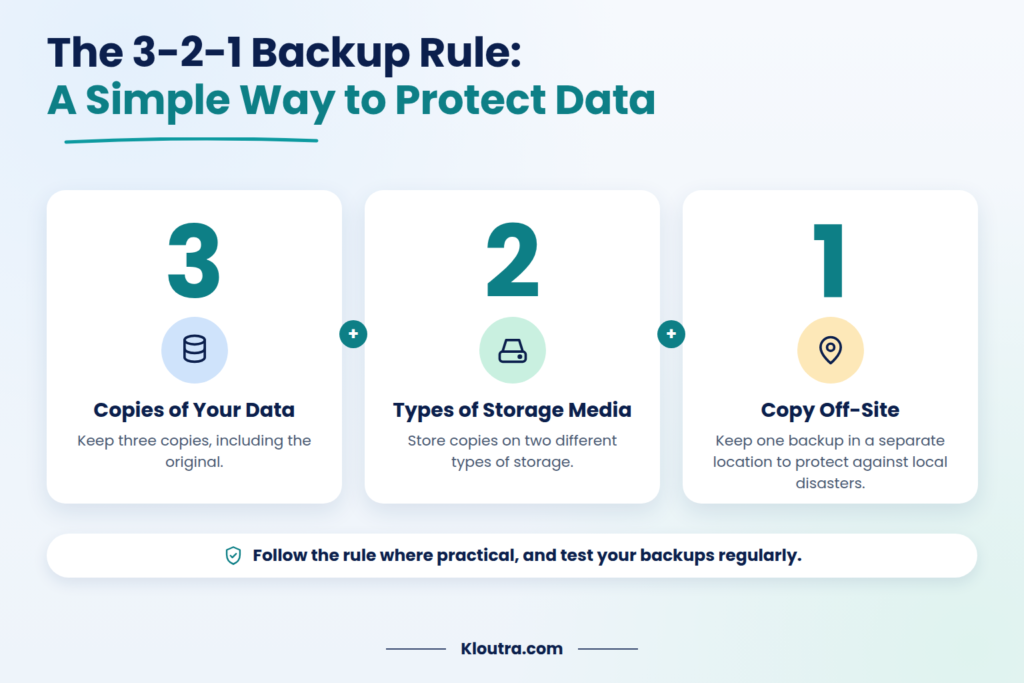
Keep three copies of your data, including the original. Store them on two different types of storage media. Keep one backup copy off-site to protect against local disasters.
Automate Regular Backups
Set backups to run automatically on a regular schedule. This reduces the risk of forgetting important backups. Choose a schedule based on how often your business data changes.
Encrypt Backup Data
Encryption helps protect data from unauthorized access. Encrypt backup files during storage and transfer when supported. Keep encryption keys secure and limit access to them.
Store Copies Off-Site
Keep at least one backup copy in a separate location. This protects your data if fire, theft, or flooding affects your main site. You can use secure cloud storage or another physical location.
Restrict Backup Access
Allow only authorized people to access backup files. Use strong passwords and multi-factor authentication where available. Review access permissions regularly and remove access when it is no longer needed.
Test Backups Regularly
Do not assume your backups will work without testing them. Restore sample files to check that the data is usable. Test recovery procedures regularly and fix any problems you find.
How to Create a Data Backup Policy
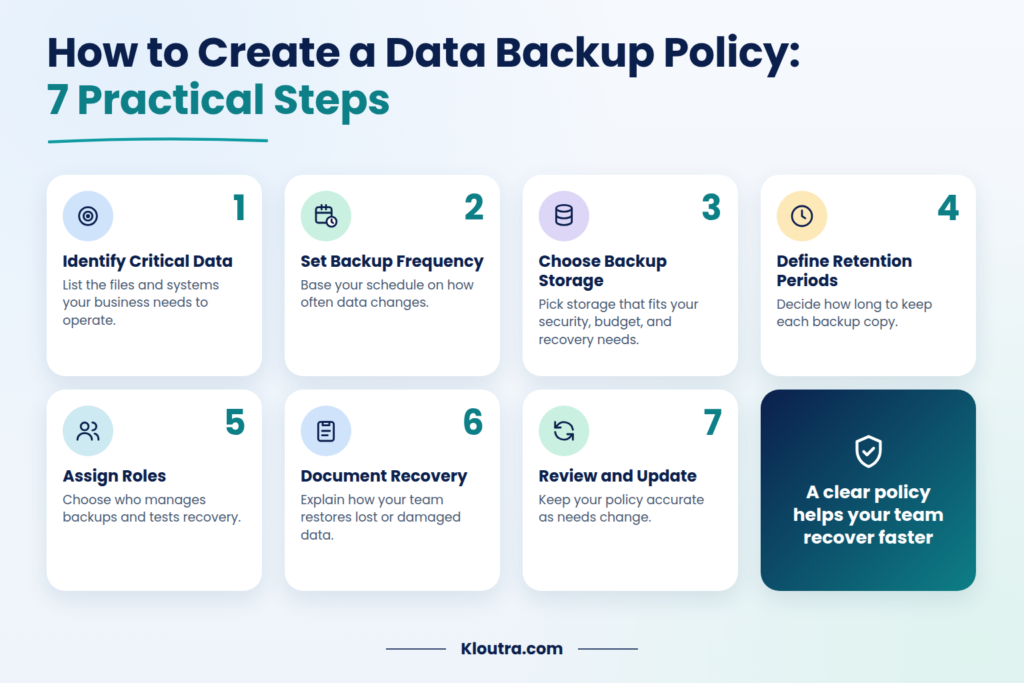
Creating a data backup policy helps your business protect important information. Follow these steps to build a clear and practical policy.
1. Identify Critical Business Data
List the files and systems your business needs to operate. These may include customer records, financial documents, employee files, and databases. Prioritize data that would be difficult to replace.
2. Set Backup Frequency
Decide how often your business needs to back up its data. Daily backups may suit some businesses, while others need more frequent backups. Base your schedule on how often data changes and how much loss you can accept.
3. Choose Backup Storage Solutions
Choose storage that meets your security, budget, and recovery needs. Options include external drives, local servers, and cloud storage. Keep a separate backup copy to reduce the risk of losing everything.
4. Define Data Retention Periods
Decide how long to keep each backup copy. Consider business needs, storage costs, and applicable legal requirements. Set clear rules for deleting backups that are no longer needed.
5. Assign Roles and Responsibilities
Choose who will manage backups and check their status. Assign responsibility for fixing backup failures and testing recovery. Make sure staff understand their duties.
6. Document Recovery Procedures
Explain how your team should restore lost or damaged data. Include the tools, steps, and people needed for recovery. Test these procedures to make sure they work.
7. Review and Update the Policy
Review your policy regularly to keep it useful and accurate. Update it when systems, business needs, or legal requirements change. Check backup results and recovery tests for problems.
On-Site vs. Off-Site vs. Cloud Backups
Businesses can store backup copies in different locations. Each option offers different benefits and limitations. Many businesses combine storage methods to improve protection.
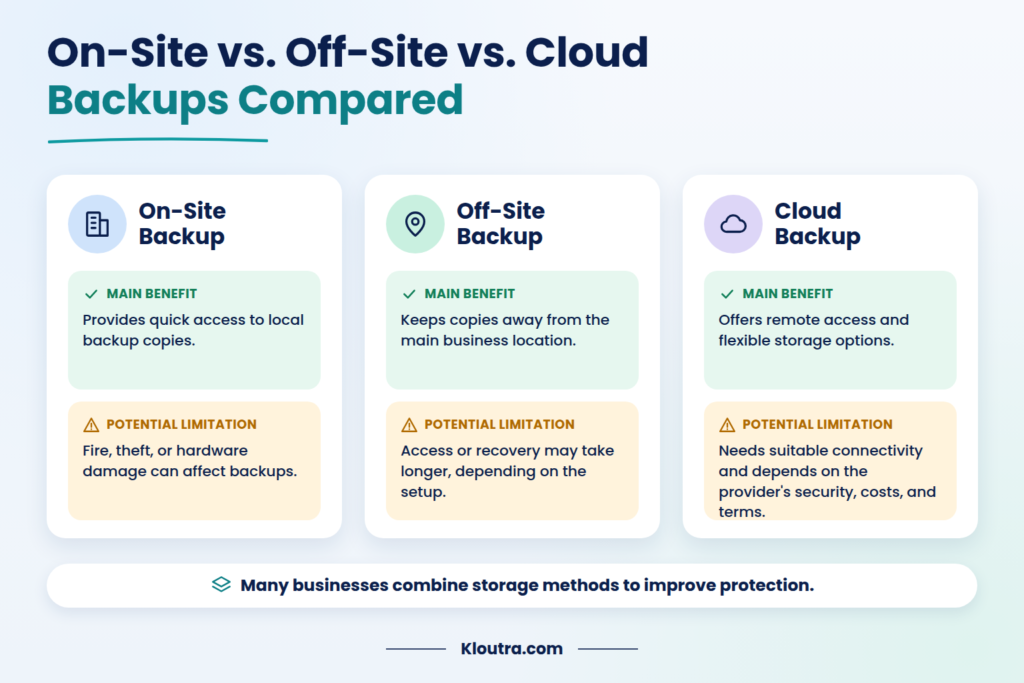
| Storage Type | Main Benefit | Potential Limitation |
|---|---|---|
| On-Site | Provides quick access to local backup copies. | Fire, theft, or hardware damage can affect backups. |
| Off-Site | Keeps copies away from the main business location. | Access or recovery may take longer, depending on the setup. |
| Cloud | Offers remote access and flexible storage options. | Requires suitable connectivity and depends on the provider’s security, costs, and service terms. |
The best option depends on your business needs and recovery goals. Combining on-site and separate off-site or cloud copies can improve protection.
Common Data Backup Policy Mistakes
Businesses can make simple mistakes that put important data at risk. Avoid these common problems to keep your backups reliable.
Backing Up Data Infrequently
Old backups may not include recent changes. Set a backup schedule that matches how often your data changes. Businesses with frequently updated data may need backups several times daily.
Keeping All Copies in One Location
Storing every backup in one place creates extra risk. Fire, flooding, or theft could destroy all copies. Keep at least one backup in a separate location.
Ignoring Backup Encryption
Unencrypted backups may expose sensitive information if someone gains access. Use encryption to protect backup data during storage and transfer. Also, keep encryption keys secure.
Failing to Test Recovery
A completed backup does not guarantee successful recovery. Test backups regularly by restoring files and checking their contents. Fix any problems you discover during testing.
Using Unclear Retention Rules
Without clear rules, businesses may keep backups too long or delete them too soon. Define how long each backup should remain available. Consider business needs and applicable legal requirements.
How Often Should Businesses Back Up Their Data?
Businesses should choose backup schedules based on their data and recovery needs. Data that changes frequently may require several backups each day. Less frequently updated files may need fewer backups.
Consider how much recent data your business can afford to lose. Also, decide how quickly your team must restore important files. These goals help determine a suitable backup schedule.
Review your schedule whenever business operations or data needs change. Always monitor backup results to catch failures early.
Data Backup Policy Checklist
Use this checklist to review your data backup policy. Make sure your business has clear rules for protecting and restoring data.
- Identify important business data and systems.
- Set a suitable backup schedule.
- Choose appropriate backup types.
- Follow the 3-2-1 backup rule where practical.
- Store at least one backup copy separately.
- Encrypt sensitive backup data.
- Restrict access to authorized users.
- Define backup retention periods.
- Assign backup management responsibilities.
- Document data recovery procedures.
- Test backups and recovery regularly.
- Review and update the policy when needed.
Conclusion
A data backup policy helps businesses protect important information and recover lost files. It sets clear rules for backups, storage, security, and data recovery. Regular backups and recovery tests help reduce the risk of data loss. Review your policy regularly to keep it aligned with your business needs. A clear backup plan helps your team prepare for unexpected problems. Explore more practical tech guides on Kloutra.
Frequently Asked Questions
What Is an Example of an EDR?
Microsoft Defender for Endpoint is an example of an EDR solution. It monitors devices, detects threats, and helps security teams investigate attacks.
What Is the Difference Between IOA and IOC?
An IOC is evidence that a security incident may have occurred. Examples include known malicious file hashes or suspicious IP addresses. An IOA shows behavior that may indicate an attack is happening. Examples include unusual login activity or suspicious commands.
What Are DLP and SIEM?
DLP stands for Data Loss Prevention. It helps protect sensitive information from unauthorized access or sharing. SIEM stands for Security Information and Event Management. It collects and analyzes security logs to help detect threats.
How Can I See Cyberattacks in Real Time?
Use security tools that monitor network traffic, devices, and system activity. SIEM and EDR tools can alert teams to suspicious behavior. Some threat intelligence platforms also display reported attacks on live maps. However, no single tool shows every cyberattack worldwide.
Disclaimer: This article is for informational purposes only. Backup needs vary by business, so review your security requirements and applicable regulations before creating a data backup policy.