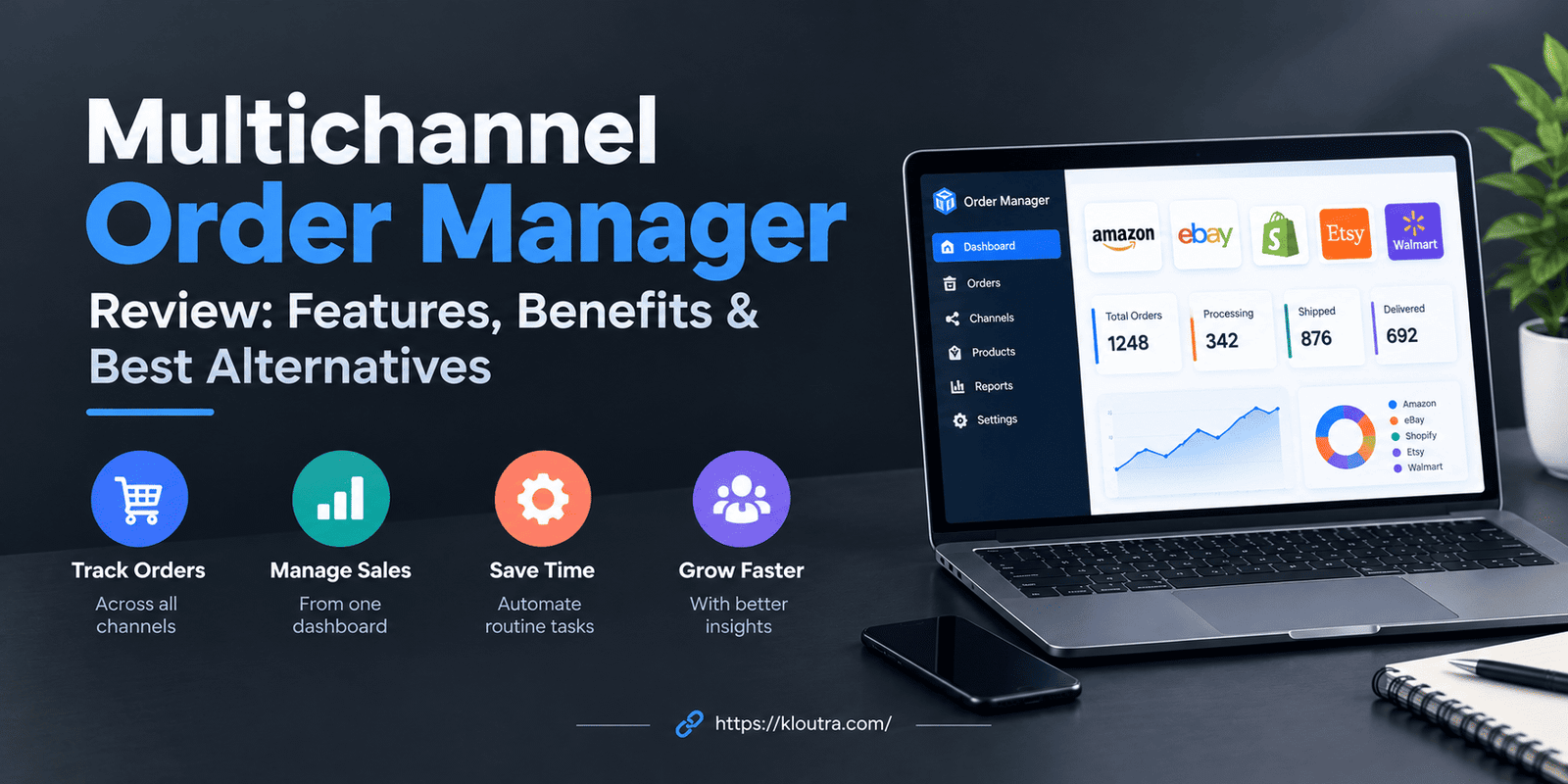
Multichannel Order Manager Review: Features, Benefits & Best Alternatives
Introduction
Managing orders across multiple sales channels can be challenging for online businesses. A Multichannel Order Manager Review helps you understand how order management software can simplify daily tasks, synchronize inventory, and improve order processing. These tools allow businesses to manage orders from different marketplaces and online stores in one place. However, choosing the right solution depends on your business needs, budget, and sales volume.
In this guide, we explore the key features, benefits, pros and cons, and best alternatives to consider. You will also learn how to choose a suitable multichannel order management solution for your online store.
What Is a Multichannel Order Manager?
A multichannel order manager is software that collects all your online orders in one place. It pulls orders from your website, marketplaces, and social shops. You see everything on one screen.
Without it, you check each sales channel by hand. That takes time and leads to mistakes. This tool saves you from that work.
How Does a Multichannel Order Manager Work?
The software connects to your sales channels through integrations. These can be marketplaces like Amazon and eBay. They can also be store platforms like Shopify or WooCommerce.
When a customer places an order, the software pulls it in. It then updates your stock numbers. It can also send the order to your warehouse or shipping tool.
Most tools run in the background. You set rules once. The software follows them each time a new order arrives.
Why Do Online Stores Need Multichannel Order Management?
Selling in many places is good for growth. But it also creates extra work. Each channel has its own orders, stock, and customer messages.
Here is what goes wrong without a central system:
- You sell an item that is already out of stock.
- You miss an order on one channel.
- You waste hours copying data between tools.
- You ship late and customers get upset.
An order manager fixes most of these problems. You work faster and make fewer errors. Your customers get a better experience.
Multichannel Order Manager Review: Key Features
Not every tool has the same features. Still, a good one should cover the basics below. Check each one before you buy.
All your orders show up in one dashboard. You can search, sort, and filter them. You can also see the status of each order at a glance.
This saves you from logging into many accounts. You handle every order from one place. Like an integrated solutions console, it brings information from different systems together for easier management.
Real-Time Inventory Synchronization
When you sell an item, the stock count drops everywhere. This happens within seconds or minutes, depending on the tool. Some tools sync more slowly, so check this detail.
Good syncing helps you avoid overselling. It also stops you from showing items that are not available. Your stock numbers stay accurate across all channels.
Automated Order Processing
The software can handle routine tasks for you. For example, it can mark orders as paid. It can send them to the right warehouse. It can also email customers with updates.
You set the rules yourself. Say you want all large orders flagged for review. The tool does that without being asked each time.
Automation cuts down on typing and copying. It also lowers the chance of human error.
Shipping and Fulfillment Integration
Many order managers connect with shipping carriers. Some also connect with fulfillment services. You can print labels straight from the dashboard.
Tracking numbers can go back to the sales channel automatically. Customers then see their tracking details without you lifting a finger. This cuts down on “where is my order?” emails.
Check which carriers a tool supports. Support varies by tool and by country.
Sales Channel Integration and Reporting
A good tool connects with the channels you already use. Check the list of supported platforms before you commit. Missing one key channel can make the tool less useful for your business.
Reporting is just as useful. You can see sales by channel, product, or date. These insights help you understand what sells well and where. You can also explore AI analytics tools for e-commerce to learn how data can support better business decisions.
Use these reports to make better choices. You might drop a weak channel or put more stock where it sells fastest.
Benefits of Using a Multichannel Order Manager
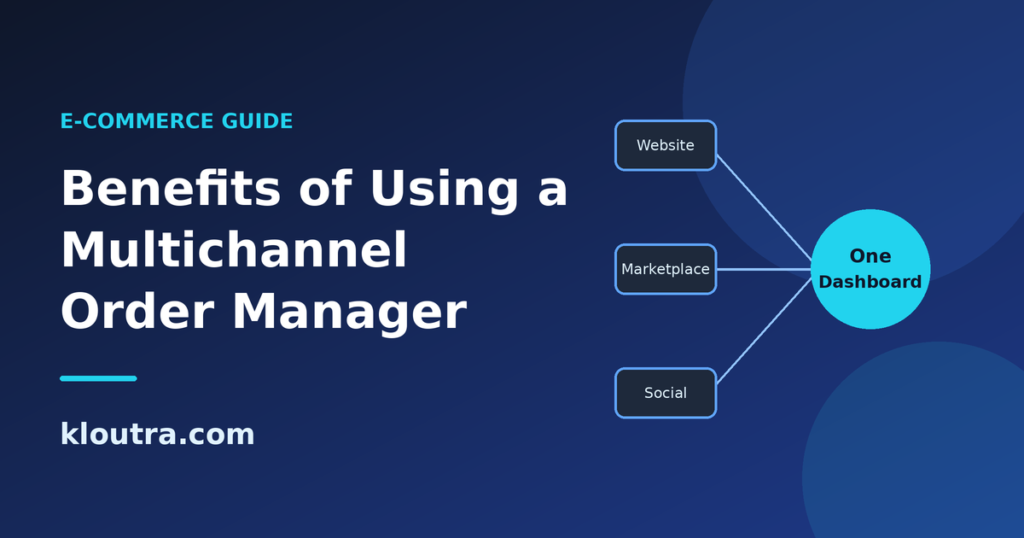
A multichannel order manager helps businesses handle orders from different sales channels. It brings order information together and reduces repeated tasks. This makes daily work easier for growing online stores. The exact benefits depend on the software and its features.
Save Time and Reduce Manual Work
Managing orders on different platforms takes time. Staff may need to check orders, update stock, and copy details manually. A multichannel order manager brings many of these tasks together.
You can view orders from connected channels in one dashboard. Some tools also automate routine tasks, such as order routing and status updates. This gives your team more time for other work.
For example, you may receive orders from your website and Amazon. Instead of checking both platforms separately, you can review orders together. This helps your team work faster and stay organized.
Prevent Overselling and Inventory Errors
Overselling happens when customers buy more items than you have available. This can happen when stock levels differ across sales channels. It may lead to canceled orders and unhappy customers.
A multichannel order manager can sync inventory across connected platforms. When an item sells, the system updates available stock. This helps keep stock numbers consistent across your channels.
However, inventory updates may not happen instantly in every system. Delays or integration problems can still cause errors. Check the software’s syncing speed before choosing a tool.
Improve Order Accuracy and Customer Experience
Customers expect to receive the correct products on time. Mistakes can lead to returns, complaints, and negative reviews. A central order system helps teams track order details more easily.
Staff can check product quantities, shipping details, and order status. Some tools also automate order updates and tracking notifications. These features help reduce manual mistakes and keep customers informed.
Better order handling can make the buying experience smoother. However, delivery speed also depends on stock availability and shipping providers. Good software helps, but it cannot prevent every problem.
Manage Business Growth More Efficiently
As your business grows, orders may arrive from more sales channels. Managing everything manually can become difficult. A multichannel order manager helps organize these growing workloads.
You can handle orders from connected channels in one system. Automation can also reduce repeated tasks as order numbers increase. Some tools support multiple warehouses and different fulfillment locations.
This can help your team manage more orders efficiently. However, not every tool suits every business size. Choose software that matches your current needs and future plans.
Multichannel Order Manager Pros and Cons
A multichannel order manager offers several benefits for online sellers. However, it also has limitations to consider. Understanding both sides helps you make a better decision.
Main Advantages of Multichannel Order Management
Here are the main advantages of using a multichannel order manager:
- One central dashboard: View orders from connected sales channels in one place.
- Less manual work: Automate supported tasks and reduce repeated data entry.
- Better stock visibility: Check inventory across connected stores and marketplaces.
- Fewer inventory mistakes: Stock synchronization can help reduce overselling.
- Easier order tracking: Monitor order status without checking every platform separately.
- Faster order handling: Use automation to process routine tasks more efficiently.
- Support for growth: Manage more channels with a more organized workflow.
These benefits depend on the software and its setup. Some features may also require higher-priced plans.
Common Limitations and Challenges
Despite its benefits, multichannel order management software has some drawbacks. Businesses should consider these points before choosing a solution.
- Subscription costs: Monthly fees may increase as your business grows.
- Setup time: Connecting channels and configuring workflows can take time.
- Learning curve: Staff may need training to use the software properly.
- Integration limits: Some tools may not support every marketplace or store platform.
- Sync delays: Inventory and order updates may not always happen instantly.
- Technical issues: Connection problems can interrupt normal order processing.
- Extra costs: Some providers charge additional fees for advanced features or integrations.
You should compare pricing, supported channels, and available features before buying. Test the software when a free trial is available. Also, check customer support and data security options.
The right tool should solve more problems than it creates. Choose one that fits your budget and daily workflow.
Who Should Use a Multichannel Order Manager?
A multichannel order manager can help businesses sell across several platforms. It keeps orders organized and reduces repeated manual tasks. However, not every business needs this software. The right choice depends on order volume, sales channels, and budget.
Small Businesses and Startups
Small businesses often manage orders with spreadsheets or separate seller accounts. This approach may work when order numbers remain low. However, it becomes harder as sales increase.
A multichannel order manager can bring orders into one dashboard. It can also help track stock and organize shipping. Some tools offer basic plans for smaller businesses.
Small businesses should focus on these features:
- Easy setup and simple navigation.
- Support for their current sales channels.
- Basic inventory and order tracking.
- Affordable pricing that fits their budget.
- Room to grow as sales increase.
Avoid paying for advanced features you do not need. Start with a tool that solves your current problems.
Growing E-commerce Stores
Growing online stores often receive more orders from different channels. Managing these orders manually can create delays and inventory mistakes. A multichannel order manager helps organize the growing workload.
Look for software that supports inventory syncing and order automation. Shipping integrations can also make daily tasks easier. Some systems support multiple warehouses and automated order routing.
Choose a solution that can handle your expected growth. Check its order limits, integrations, and upgrade costs before buying. This helps you avoid switching systems too soon.
Businesses Selling on Multiple Marketplaces
Businesses selling on several marketplaces face extra management work. Each platform may have different order rules and requirements. Stock levels must also stay consistent across connected channels.
A multichannel order manager brings orders into one system. It can sync inventory and help teams track order status. Some tools also support marketplace-specific shipping and fulfillment workflows.
Before choosing software, check which marketplaces it supports. Confirm that it can sync the products and order details you need. Also, review how it handles cancellations, returns, and stock updates.
Best Multichannel Order Management Alternatives
The best alternative depends on your business needs and sales volume. Some tools focus on simple inventory and order tracking. Others support complex fulfillment and business operations.
Here are several options worth comparing. Their features, integrations, and pricing can vary by plan. Always check each provider’s current offering before making a decision.
Best Options for Small Online Stores
Small online stores usually need simple tools for orders and inventory. They may not need a complex business management system. These options are worth considering.
Zoho Inventory: Zoho Inventory helps businesses manage stock, sales orders, and fulfillment. It also offers integrations with supported sales channels. It may suit smaller sellers who want organized inventory management.
Shopify: Shopify provides built-in order management for stores using its platform. Sellers can manage orders and fulfillment through their Shopify admin. Additional apps may help connect other channels or add features.
Veeqo: Veeqo offers shipping and inventory tools for eligible sellers. Its features and availability depend on the service and account setup. Check whether its current offering matches your sales channels.
Compare each tool’s supported integrations before choosing one. A lower price does not help if key features are missing.
Best Solutions for High-Volume Sellers
High-volume sellers need software that can handle many orders. They may also need warehouse tools and advanced automation. The following platforms are worth exploring.
Linnworks: Linnworks helps businesses manage multichannel orders and inventory. It supports connected sales channels and order fulfillment workflows. It may suit sellers with complex marketplace operations.
Cin7: Cin7 combines inventory management with order and business operations features. It supports different sales models, including wholesale and online retail. It may suit product businesses with more complex inventory needs.
Brightpearl by Sage: Brightpearl combines retail operations with order and inventory management. It also offers tools for accounting and other business processes. It may suit established retailers with more demanding workflows.
These platforms differ in setup, cost, and available features. Ask providers about order limits, onboarding, and integration support. Choose based on your actual workflow rather than business size alone.
Best Tools for Inventory and Order Automation
Inventory and order automation can reduce repeated tasks. The right software depends on which processes you want to automate.
Zoho Inventory: This option supports inventory tracking and order management. It may suit businesses that need straightforward stock control and connected sales workflows.
Linnworks: Linnworks supports multichannel order and inventory management. It may suit sellers who need to coordinate orders across several marketplaces.
Cin7: Cin7 supports inventory and order workflows across different sales channels. It may suit businesses managing products through retail, wholesale, and e-commerce.
Before choosing a tool, check its automation features carefully. Some features may require specific plans or integrations. Confirm that the software supports your preferred sales channels and workflows.
The best option is the one that fits your daily operations. Compare ease of use, total cost, inventory syncing, and customer support. A short trial or product demo can help you decide.
How to Choose the Best Multichannel Order Management Software
Choosing the right software depends on your business needs. The tool should make order management easier, not more complicated. Compare the features, costs, and integrations before making your decision. Also, consider how your business may grow in the future.
Compare Features, Pricing, and Integrations
Start by listing the features your business needs most. Some tools focus on orders and inventory. Others offer shipping, automation, reporting, and warehouse management.
Compare the pricing plans carefully. Look beyond the monthly subscription fee. Some providers charge extra for users, integrations, or advanced features.
Check whether the software connects with your existing sales channels. These may include Amazon, eBay, Shopify, or WooCommerce. Make sure it supports your shipping and accounting tools too. Application portfolio management can also help businesses review their software tools and understand how well they fit their needs.
Before choosing, compare these points:
- Order management and inventory synchronization.
- Supported marketplaces and online store platforms.
- Shipping integrations and fulfillment options.
- Monthly fees and additional charges.
- Reporting tools and automation features.
Choose software that covers your needs within your budget. Avoid paying for features your business will not use.
Check Ease of Use and Scalability
The software should be easy for your team to learn. A complicated system can slow down daily work. Look for a clear dashboard and simple controls.
Check whether the provider offers training or setup assistance. A free trial or product demo can help you test usability. Ask your team to try common tasks before deciding.
You should also consider future business growth. Your order volume may increase as you add more sales channels. Choose software that can handle this change.
Check whether you can add users, channels, and warehouses later. Also, review any limits on orders or inventory records. This can help you avoid costly changes as your business grows.
Review Customer Support and Security
Reliable customer support can help when technical problems occur. Check which support options the provider offers. These may include email, live chat, phone support, or help guides.
Review the provider’s support hours and response policies. Make sure help is available when your business needs it. Some support services may depend on your subscription plan.
Security also matters when software handles customer and order information. Review the provider’s privacy policy and security documentation. Look for access controls and secure data handling.
Check whether the software supports two-factor authentication. Ask how the provider handles backups and security incidents. These checks help you understand how your data is protected.
Is a Multichannel Order Manager Worth It?
A multichannel order manager can be worth the cost for businesses selling across several platforms. It brings orders together and can reduce repeated manual work. It may also help keep inventory updated across connected channels.
The biggest benefits often appear as order numbers increase. Teams can spend less time switching between platforms. They can also track orders and manage fulfillment more easily.
However, smaller stores with few orders may not need advanced software. Subscription fees and setup time may outweigh the benefits. A simple store dashboard or spreadsheet may be enough at first.
Before investing, ask yourself a few questions:
- Do you sell through multiple sales channels?
- Do you spend too much time managing orders manually?
- Do inventory errors cause problems for your business?
- Do you need better order tracking and shipping workflows?
- Can the expected time savings justify the software cost?
If you answer yes to several questions, compare suitable tools. Check their features, total costs, and supported integrations first.
The right software should solve real problems in your daily operations. Choose a system that fits your current needs and future plans.
Frequently Asked Questions
Here are answers to common questions about multichannel order management. These answers can help you understand how the software works and what to consider.
What Is a Multichannel Order Manager?
A multichannel order manager is software that collects orders from different sales channels. It displays them in one central dashboard. Businesses can use it to track orders, manage inventory, and organize shipping. Available features depend on the software and its integrations.
How Does Multichannel Order Management Work?
The software connects to your online stores and marketplaces. When customers place orders, it imports them into one system. It can update stock, organize order processing, and support shipping tasks. Some tools also automate these steps using rules you configure.
What Is the Difference Between Order Management and Inventory Management?
Order management focuses on customer orders from purchase to fulfillment. It helps businesses process orders, track status, and arrange shipping.
Inventory management focuses on stock levels and product availability. It helps businesses track quantities, manage warehouses, and plan restocking. Many multichannel tools combine both functions.
Can a Multichannel Order Manager Prevent Overselling?
A multichannel order manager can help reduce overselling. It syncs inventory across connected sales channels when supported. After a sale, the system updates available stock on those channels.
However, overselling can still happen because of syncing delays or connection problems. Check the software’s inventory update speed and channel support. Test the setup before relying on it for every order.
Which Multichannel Order Management Software Is Best for Small Businesses?
The best option depends on your budget and sales channels. Zoho Inventory offers order, inventory, and multichannel selling features. Veeqo provides order and shipping tools, with advanced inventory features available through paid plans. Shopify also offers built-in order management for Shopify stores.
Compare their features, pricing, integrations, and regional availability before choosing. Make sure the software supports the platforms where you sell. A free trial or product demo can help you find the right fit.
Final Thoughts
A multichannel order manager can make online selling easier. It helps businesses manage orders, track stock, and organize shipping. It can also reduce manual work and lower the risk of errors. However, the right software depends on your business needs.
Before choosing a tool, compare its features, pricing, and integrations. Make sure it supports your sales channels and current workflow. Small stores may need simple tools, while larger sellers need advanced features. Choose software that fits your budget and supports your future growth.
Disclaimer: This article is for informational purposes only. Features, pricing, and integrations may change. Always check the official provider websites before choosing any software.