What Is an Integrated Solutions Console? Features, Benefits & 2026 Guide
Running a business today means juggling a dozen different tools at once. Emails here, project trackers there, customer data somewhere else entirely — and this is exactly the gap an integrated solutions console is built to fill.
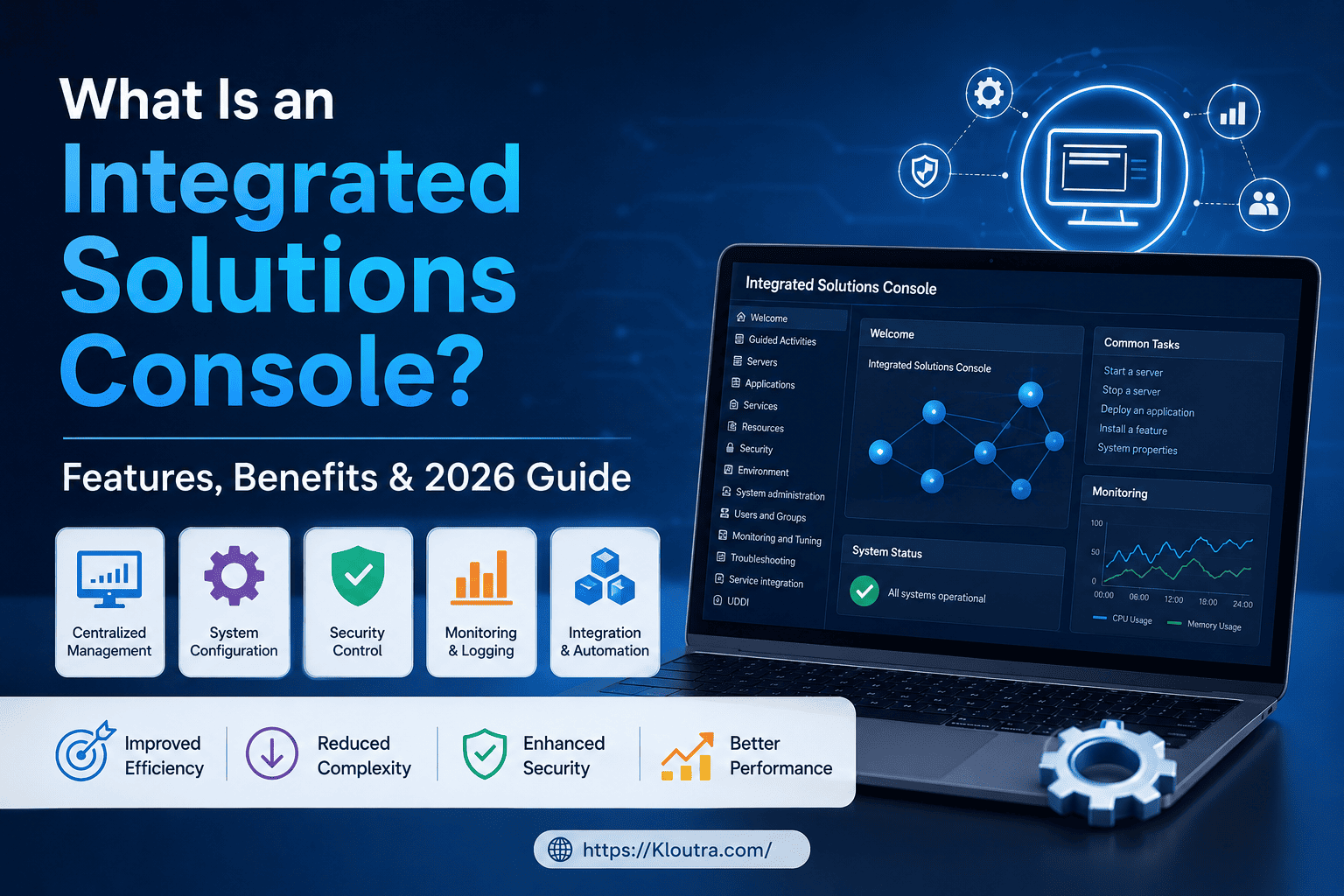
In simple terms, an integrated solutions console is a single dashboard that pulls your different business systems into one place, so you don’t have to hop between ten different tabs just to get your job done.
In this guide, we’ll break down what an integrated solutions console actually is, how it works, its main features, and why more businesses are adopting one in 2026. No jargon, no fluff — just a clear explanation.
Disclaimer: This article is for general informational purposes only. It does not recommend any specific vendor or product — always assess your own business needs before choosing a console.
What Is an Integrated Solutions Console, Explained Simply
Think of an integrated solutions console like the dashboard in your car. You don’t need to check the engine, the fuel tank, and the tire pressure separately. One screen shows you everything at a glance.
An integrated solutions console works the same way for a business. It connects different software systems — like customer management, inventory, finance, and support tools — into one central screen.
Instead of logging into five different apps, your team logs into one console. From there, they can see data, manage tasks, and take action across systems.
Why the Name Matters
The word “integrated” is the key part here. It’s not just a dashboard that displays information from one app.
It actually links multiple systems together, so data flows between them. That means an update in one tool can automatically reflect in another.
How an Integrated Solutions Console Works
At its core, this kind of console sits on top of your existing software. It doesn’t replace your tools; it connects them.
Here’s a simple way to picture it. Imagine your sales team uses one app, your support team uses another, and your finance team uses a third.
Without integration, someone has to manually copy information between these apps. With an integrated solutions console, the systems talk to each other automatically.
The Technology Behind It
Most consoles rely on APIs, which are basically digital bridges that let software programs share data. When a customer places an order, the console can update inventory, notify shipping, and log the sale in accounting — all at once.
This is a core part of broader integrated technology solutions, where different tech pieces are designed to work as one system rather than separate islands. This idea builds on older concepts like enterprise application integration, a field IT teams have used for decades to connect separate business systems so they can share data automatically.
Key Features of an Integrated Solutions Console
Not every console looks the same, but most share a few core features. Understanding these will help you spot a good one from a weak one.
Centralized Dashboard
This is the main screen where everything comes together. You can usually customize it to show the data that matters most to your role, whether that’s sales numbers, support tickets, or project status.
Real-Time Data Sync
A strong console updates information instantly, not hours later. If a customer’s order status changes, everyone connected to the system sees it right away.
Automation Tools
Many consoles let you set up simple rules, like “if a support ticket sits unanswered for 24 hours, alert a manager.” This saves time and reduces human error.
User Access Controls
Not everyone needs to see everything. Good consoles let admins set permissions, so finance data stays with finance, and HR records stay with HR.
Reporting and Analytics
Instead of pulling reports from five different tools, you get one combined view. This makes it easier to spot trends and make decisions faster. Some consoles even use dynamic query mode-style technology behind the scenes to pull large reports back faster.
Third-Party Integrations
The best consoles connect with popular tools you already use, such as email platforms, payment processors, or scheduling apps. This flexibility is what makes them true console management tools rather than a rigid, closed system.
Benefits of Using an Integrated Solutions Console
Now that you know what it does, let’s talk about why it actually matters for a business.
Saves Time
Switching between apps sounds small, but it adds up. Studies on workplace productivity have long shown that constant app-switching eats into focused work time. A single console cuts down on that lost time.
Reduces Errors
When data has to be entered manually into multiple systems, mistakes happen. Automatic syncing means fewer typos, fewer duplicate records, and fewer costly slip-ups.
Improves Team Communication
When everyone sees the same information in real time, there’s less confusion. Sales knows what support is doing. Finance knows what sales closed. Everyone stays on the same page.
Better Decision-Making
With combined analytics, leaders don’t have to guess. They can see the full picture and make choices based on accurate, current data instead of outdated reports.
Scales With the Business
As a company grows, so does its software stack. An integrated console makes it easier to add new tools without creating more chaos, which supports smarter integrated business solutions in the long run.
Integrated Solutions Console vs. Traditional Software Setup
It helps to see the difference side by side.
In a traditional setup, each department uses its own separate software. Data has to be manually exported, emailed, or re-entered elsewhere. This creates delays and increases the risk of mismatched records.
In an integrated setup, the console acts as the connector. Data moves automatically between systems, and everyone works from a shared source of truth.
This shift is part of a bigger trend toward building a unified business technology platform, rather than stitching together disconnected tools after the fact.
Who Should Use an Integrated Solutions Console
This kind of system isn’t only for huge corporations. It fits a wide range of users.
Small and Growing Businesses
Smaller teams often wear multiple hats. A console helps them manage more with fewer people, without needing a dedicated IT department to babysit five separate tools. If your team already relies on a mix of cloud based productivity apps, a console is often the next logical step to tie them together.
Mid-Size and Enterprise Companies
Larger organizations usually have more moving parts, more departments, and more data. Here, these systems function as serious enterprise management tools, keeping large teams aligned.
IT and Operations Teams
For the people responsible for keeping systems running, a console makes monitoring and troubleshooting far simpler, since most issues can be tracked from one place instead of many. Teams working on data pipelines will also find this overlaps with ETL process optimization, since both aim to move information between systems faster and with fewer errors.
Advantages and Disadvantages of an Integrated Solutions Console
No tool is perfect for every business. Here’s an honest look at both sides before you decide.
Advantages
- Less manual work. Data syncs on its own, so your team spends less time on copy-paste tasks.
- Fewer mistakes. Automatic updates mean fewer typos and duplicate entries across systems.
- One clear view. Everyone works from the same data, which cuts down on confusing back-and-forth.
- Easier scaling. Adding a new tool later is simpler than building fresh manual workflows each time.
Disadvantages
- Upfront cost and setup time. Connecting several systems properly can take real time and budget, especially for older or custom-built software.
- Learning curve. Teams used to their old apps may need training before they feel comfortable in a new console.
- Single point of failure risk. If the console goes down, it can affect visibility into several systems at once, not just one.
- Vendor dependence. Once your systems are deeply connected through one console, switching providers later can take extra planning.
Weighing these trade-offs against your team’s size, budget, and current software setup will help you decide if it’s the right time to adopt one.
How to Choose the Right Integrated Solutions Console
If you’re considering one for your business, keep a few things in mind before choosing.
Check Compatibility First
Make sure the console actually connects with the tools you already use. A console that can’t integrate with your existing software isn’t very useful.
Look at Ease of Use
If the interface is confusing, your team won’t use it consistently. A simpler, cleaner dashboard usually wins over a feature-packed but cluttered one.
Consider Security Features
Since the console touches multiple systems, it needs strong access controls and data protection. Ask about encryption and permission settings before committing.
Think About Future Growth
Choose a solution that can grow with you. Adding new departments or tools later should be simple, not a complete system overhaul.
FAQ: Common Questions About Integrated Solutions Consoles
What is an integrated solutions console used for?
It’s used to bring multiple business tools and data sources into one central dashboard. This helps teams manage tasks, track information, and communicate without switching between separate apps.
Is an integrated solutions console the same as an ERP system?
Not exactly. An ERP (Enterprise Resource Planning) system is a specific type of software focused on core business processes, while an integrated solutions console is more of a connecting layer that can link an ERP with other tools, like support or marketing software.
Do small businesses really need one?
It depends on how many tools a business already uses. If a small team relies on just one or two apps, a console may not be necessary yet, but as tools multiply, it becomes far more useful.
How much does an integrated solutions console cost?
Pricing varies a lot depending on the provider, the number of users, and which integrations are included. It’s best to request quotes directly from vendors rather than rely on a fixed number, since pricing structures change often.
Is it hard to set up an integrated solutions console?
Setup difficulty depends on how many systems you’re connecting and how complex your existing software is. Many modern platforms are designed for easier setup, but larger organizations may need IT support during the transition.
Conclusion
An integrated solutions console isn’t just another piece of software to learn. It’s a way to bring order to the chaos of running multiple business tools at once.
From saving time to reducing errors and improving decisions, the benefits add up quickly for teams of almost any size. As more companies lean into connected, unified systems in 2026, understanding this concept puts you a step ahead.
If your team is still switching between too many disconnected apps, it might be worth exploring an integrated solutions console for yourself. Start by listing the tools you use daily, then look for a console that connects them smoothly.