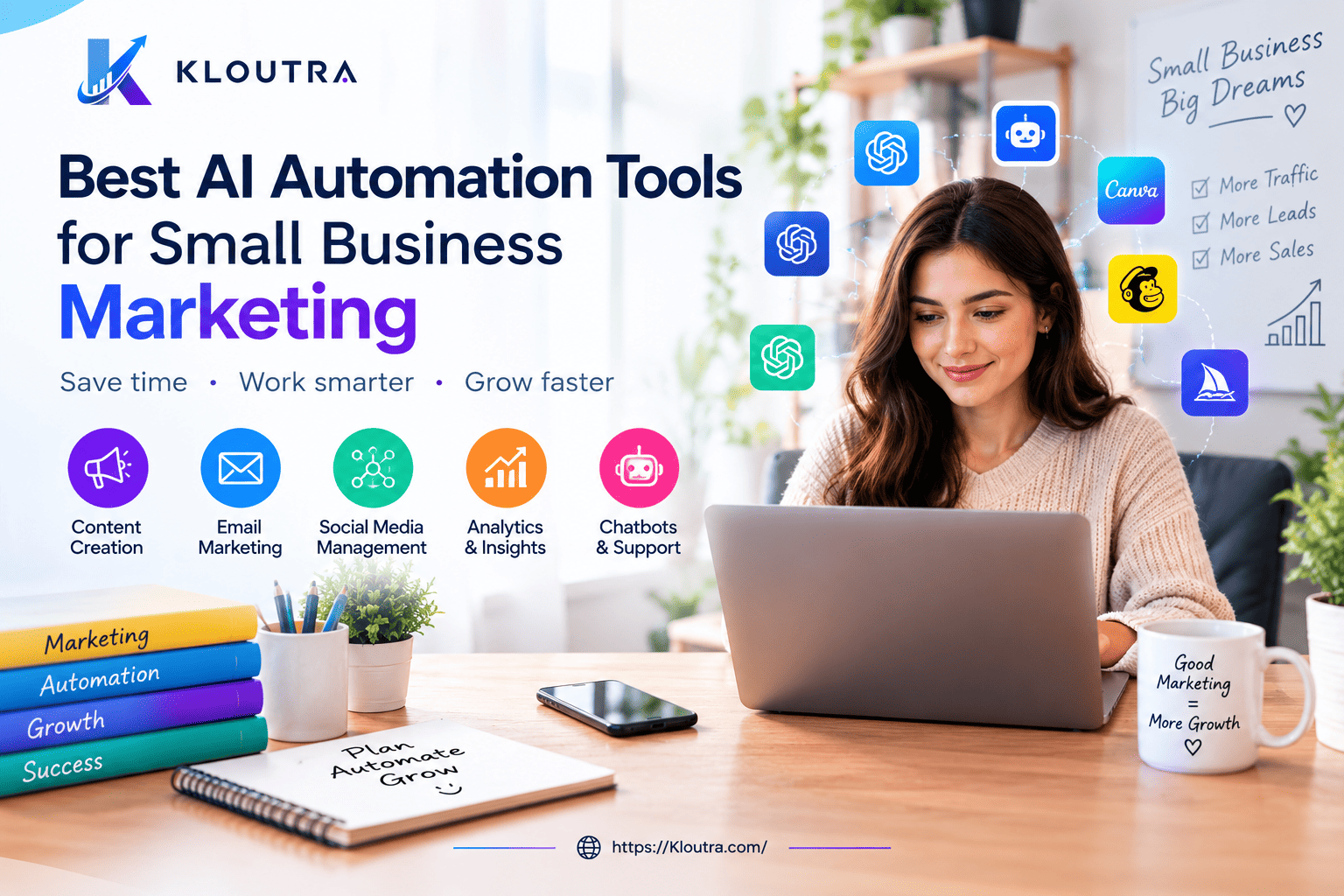
Best AI Automation Tools for Small Business Marketing
AI automation tools for small business marketing have quietly become one of the biggest advantages a solo founder or lean team can have in 2026. This guide breaks down the best AI marketing automation tools for small business — what they do well, where they fall short, and how to pick the right stack without wasting your budget.
What Are AI Automation Tools for Small Business Marketing?
AI automation tools use artificial intelligence to handle marketing tasks without a person doing them manually every time. Think of them as a helpful assistant who never sleeps.
For example, instead of writing every email by hand, an AI tool can draft it for you based on your brand voice. Instead of manually posting on five social media platforms, a scheduling tool can do it automatically.
These tools combine two things: automation (doing tasks on a set schedule or trigger) and AI (understanding language, predicting behavior, and personalizing content). Together, they make small business marketing automation possible without needing a big team or budget.
Why This Matters for Small Businesses Specifically
Large companies have entire marketing departments. Small businesses often have one or two people wearing many hats.
AI marketing automation tools level the playing field. A solo founder can now send personalized emails, manage social media, and follow up with leads — tasks that used to require three separate employees.
Why Small Businesses Need AI Marketing Automation
Marketing automation isn’t just a nice extra anymore. It’s becoming a basic requirement for staying competitive.
Here’s what it actually does for you:
- Saves time. Repetitive tasks like scheduling posts or sending follow-up emails happen automatically.
- Improves consistency. Your emails go out on time, every time, even when you’re busy with a client.
- Personalizes at scale. AI can send different messages to different customers based on their behavior, something that’s hard to do manually.
- Cuts costs. You don’t need to hire a full marketing team to run consistent campaigns.
- Speeds up response times. AI chatbots and voice agents can answer customer questions instantly, even outside business hours.
However, automation works best when it’s built on a clear goal. Don’t automate a task just because you can. Automate the tasks that are eating up the most time or hurting your response speed.
Advantages and Disadvantages of AI Marketing Automation
Before you commit to any tool, it’s worth being honest about the trade-offs. AI automation isn’t a magic fix — it’s a shift in how the work gets done.
Advantages
- Frees up hours every week that you’d otherwise spend on repetitive tasks
- Makes it possible to personalize outreach at a scale one person couldn’t manage manually
- Reduces the cost of running consistent, always-on marketing
- Many tools now offer usable free tiers, so you can test before paying
- Improves response speed for leads and customers, especially outside business hours
Disadvantages
- AI-generated content still needs human review for accuracy, tone, and brand voice
- Tools can feel expensive once you outgrow the free tier, especially if pricing is usage-based
- Over-automating can make your brand feel impersonal if you’re not careful
- There’s a learning curve — most tools take a few weeks to set up properly and start showing useful data
- Integrations don’t always work perfectly, and a broken automation can quietly damage customer trust before you notice
Best AI Tools for Lead Generation
Turning website visitors into paying customers is the heart of marketing. AI tools for lead generation help you find, qualify, and follow up with potential customers faster.
AI Chatbots for Capturing Leads
Chatbots on your website can greet visitors, answer basic questions, and collect contact details around the clock. This matters because a lot of website traffic happens outside normal business hours.
Tools like Pipedrive’s built-in chatbot or HubSpot’s free chatbot builder let you set up simple conversation flows without any coding. When someone asks a question at 2 AM, the bot handles it instead of losing that lead completely.
Pros: Works 24/7, easy no-code setup, captures leads you’d otherwise lose. Cons: Can feel robotic if conversation flows aren’t well designed; complex questions still need a human handoff.
AI-Powered Lead Scoring
Not every lead is worth the same amount of your time. AI lead scoring tools look at behavior — like email opens, website visits, and downloads — and rank leads by how likely they are to buy.
CRM platforms like HubSpot and Pipedrive include this feature. Instead of guessing which lead to call first, you get a prioritized list based on real data.
Pros: Helps you prioritize your time; based on actual behavior, not guesswork. Cons: Needs enough historical data to be accurate — not very useful on a brand-new, small contact list.
AI Data Enrichment Tools
These tools automatically fill in missing details about a lead, such as job title or company size, by pulling data from sources like LinkedIn. This saves your team from manually researching every contact before a sales call.
Pros: Saves research time; gives sales calls better context. Cons: Data can be outdated or incomplete; raises some privacy considerations you should disclose to contacts.
Best AI Tools for Email Marketing
Automated email marketing for small business is one of the easiest places to start with AI. It’s affordable, measurable, and directly tied to sales.
Behavior-Based Email Automation
Platforms like ActiveCampaign and Klaviyo use AI to send emails based on what a customer actually does. If someone abandons their shopping cart, they get a reminder email a few hours later. If they haven’t opened emails in months, they get a re-engagement message instead.
This is far more effective than sending the same email to your entire list at once.
Pros: Higher relevance and engagement than blast emails; runs on autopilot once set up. Cons: Initial setup takes time; poorly tuned triggers can annoy customers with too many emails.
AI Subject Line and Send-Time Optimization
Some email tools use AI to suggest better subject lines or predict the best time to send an email to each individual subscriber. Small tweaks like this can meaningfully improve open rates over time.
Getting Started Without a Big Budget
Many email marketing platforms, including Mailchimp and HubSpot, offer free plans for small subscriber lists. This makes it possible to test AI-powered email automation before committing to a paid plan.
Best AI Social Media Automation Tools
Posting consistently across multiple platforms is exhausting without help. This is where AI social media automation tools save real time.
Scheduling and Bulk Posting
Tools like Hootsuite, SocialBee, and SocialPilot let you plan and schedule posts across Instagram, Facebook, LinkedIn, and more, all from one dashboard. Some also suggest optimal posting times based on when your audience is most active.
Pros: Saves hours of manual posting; keeps your presence consistent even during busy weeks. Cons: Scheduled posts can feel generic if you never adjust them per platform; algorithm changes can affect reach regardless of scheduling.
AI Caption and Hashtag Generation
Instead of staring at a blank caption box, AI features inside these tools can generate captions and relevant hashtags based on your post’s content. You still get final say, but you’re not starting from zero every time.
Social Listening and Sentiment Tracking
Tools like Brandwatch and BuzzSumo use AI to track what people are saying about your brand online. This helps you catch complaints early and spot content trends before they take off.
Pros: Early warning system for PR issues; useful for spotting content trends. Cons: Enterprise-focused pricing can be steep for very small businesses.
AI Content Marketing and SEO Tools
Good content still drives long-term marketing results. AI tools now help small businesses produce more of it without sacrificing quality.
AI Writing Assistants
Tools like Jasper and general-purpose AI assistants such as ChatGPT and Claude can draft blog posts, product descriptions, and ad copy in minutes. The key is treating these drafts as a starting point, not the finished product. A human should always review AI-generated content for accuracy and tone before it goes live.
Pros: Speeds up first drafts dramatically; helps beat writer’s block. Cons: Can produce generic or inaccurate content if not fact-checked; overuse without editing can hurt your brand’s credibility and search rankings.
AI Design Tools
Canva’s AI features, including Magic Write and Magic Design, help non-designers create professional-looking graphics for blogs and social media. This is especially useful for small teams without a dedicated designer.
AI Grammar and Tone Tools
Grammarly checks grammar, clarity, and tone across emails, blog posts, and social captions. It works inside most apps you already use, which makes it easy to adopt without changing your workflow.
AI Workflow Automation and CRM Tools for Small Business
AI workflow automation for small business connects your different tools so they work together instead of sitting in separate silos.
Connecting Your Apps with Zapier
Zapier lets you build simple “if this happens, then do that” automations between apps that don’t naturally talk to each other. For example, when someone fills out a contact form, Zapier can automatically add them to your CRM and send a welcome email.
Zapier offers a free plan with limited monthly tasks, which is enough for many small businesses just getting started.
Pros: Connects tools that don’t natively integrate; free tier is genuinely usable. Cons: Complex multi-step automations (called “Zaps”) require a paid plan; a broken Zap can silently fail unless you set up alerts.
AI Customer Relationship Management Tools
CRM platforms like HubSpot and Pipedrive now include AI features built directly into the sales pipeline. These include AI-drafted follow-up emails, deal-closing predictions, and automatic data entry from calls and emails.
Instead of switching between five different tools, your sales and marketing data live in one place.
AI Customer Support and Engagement Tools
Support tools like Freshdesk use AI agents to answer common customer questions automatically, only handing off to a human when the question gets complicated. This keeps response times fast without hiring extra support staff.
Pros: Faster response times without extra headcount; handles repetitive questions well. Cons: Can frustrate customers if it fails to recognize when a human is actually needed.
Free and Affordable AI Marketing Automation Tools for Small Business
You don’t need a big budget to start. Several tools mentioned in this article offer genuinely useful free plans:
- HubSpot – Free CRM with basic marketing and sales tools
- Canva – Free plan covers most AI design features for small teams
- Grammarly – Free plan includes basic writing suggestions and a limited number of AI prompts
- Zapier – Free plan allows simple, two-step automations
- Mailchimp – Free plan for small email lists
Keep in mind that pricing and free-tier limits change often as companies update their plans. Always check the provider’s current pricing page before committing.
How to Choose the Right AI Marketing Automation Tool
With so many options, it’s easy to feel overwhelmed. Here’s a simple way to narrow it down.
Start with Your Biggest Time Drain
Don’t try to automate everything at once. Pick the one task eating the most of your time — whether that’s answering emails, posting on social media, or following up with leads — and start there.
Check for Integrations
The best AI marketing automation tools connect with the software you already use, like your CRM or email platform. A tool that doesn’t integrate just creates another disconnected system to manage.
Try Before You Commit
Almost every tool on this list offers a free trial or free tier. Test it with your actual work for a week or two before paying for a subscription.
Watch How the AI Is Priced
Some tools charge a flat monthly fee. Others charge per email sent, per AI interaction, or per automated task. Understand the pricing model before you scale up usage, or your bill can grow faster than expected.
FAQ
What are the best AI marketing automation tools for small businesses in 2026? There isn’t one single “best” tool — it depends on your biggest need. HubSpot and Pipedrive work well for CRM and lead management, Mailchimp and ActiveCampaign are strong for email, and Canva and Jasper help with content creation.
How do I automate marketing with AI on a small budget? Start with free plans from tools like Mailchimp, Canva, Zapier, and HubSpot. Pick one repetitive task to automate first, measure the time it saves, then expand to other tasks once you see results.
Are free AI marketing automation tools for small business actually useful? Yes, many free plans are genuinely functional, not just trial gimmicks. However, they usually come with limits on contacts, tasks, or AI prompts per month, so you may need to upgrade as your business grows.
Can AI automation completely replace a marketing team? No. AI is great at repetitive tasks like scheduling, drafting, and data sorting, but it still struggles with strategy, brand storytelling, and building real relationships with customers. Most small businesses get the best results by combining AI tools with human judgment.
How long does it take to see results from AI marketing automation? This varies by task. Email automation and social scheduling can save noticeable time within the first week. Lead scoring and content strategy tools usually take a few weeks of data before their recommendations become genuinely useful.
Conclusion
AI automation tools for small business marketing aren’t about replacing your team — they’re about giving your team more hours in the day. Whether it’s an AI chatbot catching a lead at midnight, an email tool sending the right message at the right time, or a scheduling app keeping your social media consistent, these tools solve real, everyday problems.
Start small. Pick one task, choose one tool from this list, and give it a real trial before adding more to your stack. Once you see the time it saves, you’ll know exactly where to automate next. For more guides like this, browse the marketing automation section on Kloutra.com (update to your actual category URL).
About the author: This guide is maintained by the Kloutra editorial team, who research and test small-business marketing tools regularly. Recommendations are based on publicly available product information and hands-on use where noted; we are not sponsored by any tool listed here.
Disclaimer: Pricing, features, and free-tier limits mentioned above may change. Verify current details on each provider’s official website before subscribing. This article is for informational purposes only and isn’t professional business or financial advice.